How Many Pictures Fit on a 32GB Memory Card? Full Guide
You just slipped a fresh 32GB SD card into your camera, and a familiar question creeps in — will this be enough? That little plastic chip stands between you and a once-in-a-lifetime sunrise, a wedding ceremony, or a packed travel itinerary. The honest answer: a 32GB memory card holds anywhere from roughly 400 to 28,000 photos, depending on your camera’s megapixels, your file format (JPEG, HEIF, or RAW), and the compression settings you choose.
According to SanDisk’s official capacity chart, a 32GB card stores roughly 7,629 JPEGs at 12 MP or about 762 uncompressed RAW files at the same resolution. Real-world numbers swing wildly from those baselines once you change cameras, formats, or quality settings — and that’s exactly what this guide breaks down.
We’ll walk through every factor that controls capacity, hand you accurate numbers for modern cameras and smartphones, decode SD card speed classes, compare today’s best 32GB cards, and finish with a practical FAQ pulled from the questions readers actually search.
💡 Save time on edits: If your 32GB card is filling up because every shot needs a clean cutout later, our professional clipping path team handles the tedious selection work while you keep shooting.
Quick Answer: 32GB SD Card Photo Capacity at a Glance
Here is the high-level snapshot most photographers come for. The compressed-JPEG figures below come straight from the SanDisk capacity table, which assumes “100% quality” JPEG at a 1:10 compression ratio against the raw sensor data.
| Camera Resolution | JPEG (High Quality) | Uncompressed RAW |
|---|---|---|
| 8 MP | ~11,444 photos | ~1,144 photos |
| 12 MP | ~7,629 photos | ~762 photos |
| 16 MP | ~5,722 photos | ~572 photos |
| 20 MP | ~4,575 photos | ~455 photos |
| 22 MP | ~4,161 photos | ~416 photos |
| 24 MP | ~3,800 photos | ~380 photos |
| 45 MP | ~2,000 photos | ~210 photos |
| 61 MP | ~1,500 photos | ~150 photos |
⚠️ A note on real-world capacity: A 32GB SD card actually exposes roughly 28.8–29.8 GB of usable space, because manufacturers count 1 GB as 1,000,000,000 bytes (decimal) while your operating system uses binary math (1 GB = 1,073,741,824 bytes). Always plan with the smaller number.
Why Photo Counts Vary So Wildly on the Same 32GB Card
The question “how many photos can a 32GB SD card hold” has no single answer because a photo is not a fixed unit. Each file’s size depends on five overlapping factors, and a small change in any one of them swings your total dramatically.
- Sensor megapixel count — more pixels mean larger files.
- File format choice — RAW, JPEG, HEIF, and DNG all weigh differently.
- Compression strength — Standard, Fine, and Extra Fine JPEGs can differ by 3×.
- Bit depth — 14-bit RAW files are larger than 12-bit RAW files.
- Scene complexity — a busy forest compresses less efficiently than a blue sky.
For example, a 24-megapixel camera shooting JPEG Standard produces files near 6 MB, while the same camera shooting uncompressed RAW pushes them to 45–50 MB, per benchmarks published by ProPhotoStudio. That single switch cuts capacity from about 4,000 frames to roughly 600.
Modern cameras add another wrinkle: lossless and high-efficiency RAW formats. A Canon R6 Mark II shooting CRAW averages around 22 MB per file instead of 47 MB for full RAW, according to Jeff Cable’s R5/R6 file format test. That single setting nearly doubles your 32GB capacity. Knowing this dial exists is the difference between confidence and panic at hour three of a wedding.
How Many JPEG Photos Fit on a 32GB Card? Megapixel Breakdown
JPEG remains the everyday format for phones, point-and-shoots, and many DSLRs. The format compresses images at roughly a 1:10 ratio against full sensor data, which keeps files small without obvious quality loss in most viewing scenarios. Here’s how the math plays out on a 32GB card using SanDisk’s high-quality JPEG estimates.
JPEG capacity by camera resolution
- 4 MP camera (older phones, basic compacts): ~22,888 JPEGs
- 8 MP camera (entry-level point-and-shoots): ~11,444 JPEGs
- 12 MP camera (iPhone, Pixel, Sony A7S III): ~7,629 JPEGs
- 16 MP camera (Olympus OM-D, Fuji X-A): ~5,722 JPEGs
- 20 MP camera (Canon R10, Nikon Z50): ~4,575 JPEGs
- 24 MP camera (Sony A7 IV, Nikon Z6 III, Canon R6 II): ~3,800 JPEGs
- 45 MP camera (Canon R5, Nikon Z8): ~1,800–2,000 JPEGs
- 61 MP camera (Sony A7R V): ~1,300–1,500 JPEGs
These figures assume “Fine” or default in-camera JPEG compression. If you shoot Extra Fine or Super Fine, expect 30–50% fewer images. If you drop to “Normal” or “Basic,” you may roughly double your count — but you’ll surrender latitude for larger prints. That matters if you ever want to know how big a 16×20 photo prints cleanly at 300 DPI.
How Many RAW Photos Fit on a 32GB Card?
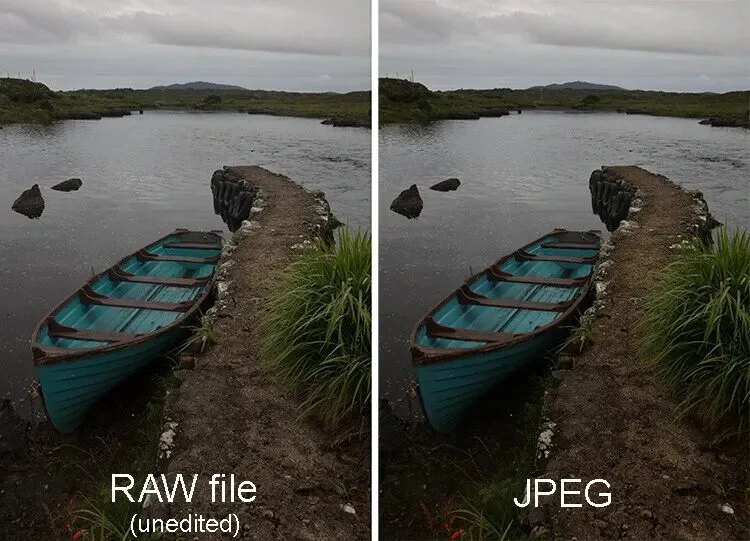
RAW is the language of serious photographers, and it’s also a storage-hungry beast. A RAW file preserves every photon of data the sensor captured, giving you maximum editing flexibility — at 5 to 10 times the size of a comparable JPEG.
Most modern mirrorless cameras now default to compressed or lossless RAW, which dramatically changes the math. Here are real-world per-shot averages drawn from manufacturer specs and independent testing:
RAW capacity on a 32GB card by camera
- Sony A7 IV (33 MP, compressed RAW ~35 MB): ~820 photos
- Sony A7 IV (33 MP, uncompressed RAW ~70 MB): ~410 photos
- Sony A7R V (61 MP, lossless compressed ~65 MB): ~440 photos
- Sony A7R V (61 MP, uncompressed ~125 MB): ~230 photos (per Alpha Shooters)
- Canon R6 Mark II (24 MP, CRAW ~22 MB): ~1,300 photos
- Canon R6 Mark II (24 MP, full RAW ~47 MB): ~610 photos
- Canon R5 (45 MP, CRAW ~25 MB): ~1,150 photos
- Canon R5 (45 MP, full RAW ~45 MB): ~640 photos
- Nikon Z8 (45 MP, HE* high-efficiency RAW ~33 MB): ~870 photos (per Photography Life)
- Nikon Z8 (45 MP, HE RAW ~22 MB): ~1,300 photos
- Nikon Z8 (45 MP, lossless compressed ~55 MB): ~520 photos
- Fujifilm X-T5 (40 MP, compressed RAW ~40 MB): ~720 photos
- Older 24 MP DSLR (uncompressed RAW ~36 MB): ~800 photos
🔑 Takeaway: Compressed and high-efficiency RAW formats can 2× to 3× your effective 32GB capacity with no perceptible loss of editing flexibility. Toggle this setting in your camera menu before assuming the worst-case numbers.
🎯 Stacks of product RAWs to process? Our photo retouching service cleans skin, removes dust, and color-corrects RAW exports in bulk so you can ship campaigns faster.
Smartphone Photos: How Far Does 32GB Stretch on a Phone?
Smartphones complicate the storage math because Apple and most Android makers default to HEIF/HEIC, a modern format that delivers roughly the same visual quality as JPEG at about half the file size. When SlashGear tested an iPhone 15 Pro Max, a default 12MP HEIF averaged just over 1 MB, while a 48MP JPEG ballooned to 8 MB, and ProRAW exceeded 70 MB.
Apple’s own ProRAW documentation confirms the official numbers: roughly 25 MB at 12 MP and 75 MB at 48 MP. Here’s a realistic look at 32GB smartphone storage in 2026:
- 12 MP HEIF (default iPhone): ~25,000–28,000 photos
- 12 MP JPEG (Android default): ~7,000–8,000 photos
- 24 MP HEIF Max (newer iPhone default): ~10,000–12,000 photos
- 48 MP HEIF Max: ~5,500–6,000 photos
- 48 MP JPEG Max: ~3,000–3,500 photos
- Apple ProRAW 12 MP (~25 MB): ~1,150 photos
- Apple ProRAW 48 MP (~75 MB): ~385 photos
- Samsung Expert RAW 50 MP (~99 MB): ~290 photos (per real-world S23 Ultra tests on Reddit)
If you shoot on a phone and storage feels tight, switching from JPEG to HEIF in Settings → Camera → Formats is the single biggest free upgrade you can make. For full-frame shooters comparing options, browse our roundup of the top mirrorless cameras and pair them with a properly sized card.
What About Video? 4K, FHD, and Slow-Mo on 32GB
A 32GB SD card was once the gold standard for casual video; today, it’s a tight squeeze for modern formats. Bitrate, measured in megabits per second (Mbps), drives file size more than resolution does. According to Kingston’s 4K storage guide, one hour of high-bitrate 4K consumes about 45 GB, meaning a 32GB card cannot hold a full hour at flagship-camera quality.
The simple formula: Bitrate (Mbps) ÷ 8 = MB/sec. Multiply by seconds to get total size.
Realistic 32GB video capacity in 2026
- 1080p Full HD at 17 Mbps: ~240 minutes (4 hours) — confirmed by SanDisk’s video chart
- 1080p at 24 Mbps: ~160 minutes (2.6 hours)
- 1080p at 50 Mbps (broadcast quality): ~80 minutes
- 4K UHD at 60 Mbps (consumer mirrorless): ~65–70 minutes
- 4K at 100 Mbps (Sony, Panasonic, Fuji standard): ~40–45 minutes
- 4K at 200 Mbps (cinema codecs): ~20 minutes
- 4K at 400 Mbps (ProRes, All-Intra): ~10 minutes
- 8K at 400 Mbps: ~10 minutes (and only with a V90 card)
If you shoot vlogs or short-form content, see our roundup of the best vlogging cameras of 2026 — most pair perfectly with a 64GB or 128GB card for safer headroom on a full shoot day.
Why 32GB Often Equals 29GB: The Marketing vs. Reality Gap
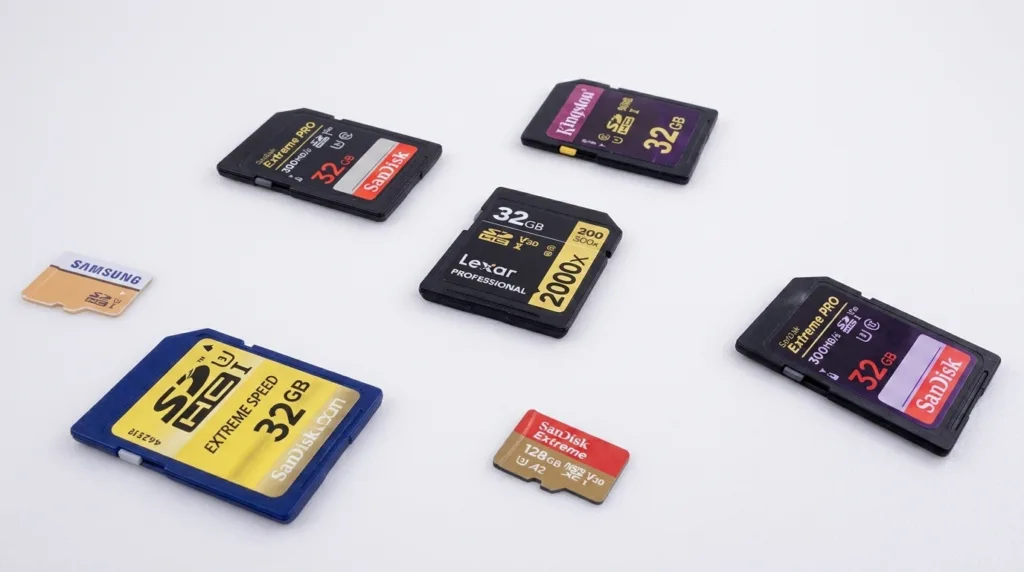
Open a brand-new 32GB SanDisk card and your computer will likely report ~29.8 GB available. That isn’t a defect; it’s the standard storage marketing convention.
- Manufacturer math: 32 GB = 32,000,000,000 bytes (decimal)
- Operating system math: 32 GB = 32 × 1,073,741,824 bytes (binary)
- The gap: roughly 2.2 GB disappears to the binary–decimal conversion
Add space reserved for the file system (FAT32 on SDHC), the partition table, and any camera-generated directory structure, and most photographers see 28.5 to 29.5 GB of usable real estate. Always shave 5–8% off the box-quoted capacity when you plan a shoot. For a deeper dive on the binary–decimal puzzle, our explainer on KB vs MB walks through the units in plain English.
SDHC vs. SDXC vs. microSD: Which 32GB Card Are You Actually Holding?
The alphabet soup of SD labels can confuse anyone. Here’s what each label means and which type you’ll actually pull off the shelf at 32GB, per the official SanDisk specifications.
- SDHC (Secure Digital High Capacity): Covers 4GB to 32GB, formatted in FAT32. Almost every 32GB SD card you buy today is technically an SDHC card.
- SDXC (Secure Digital Extended Capacity): Covers 64GB through 2TB, formatted in exFAT. You typically won’t see a 32GB SDXC card.
- SDUC (Ultra Capacity): Spans 2TB to 128TB. Not relevant at 32GB yet.
- microSD / microSDHC: Same logic in a smaller fingernail-size form factor used by action cams, drones, and smartphones.
Most cameras released after 2009 read SDHC fluently. Older bodies — think the Canon Rebel XTi or early Nikon D-series — cap at 2GB SD and may not see a 32GB SDHC card at all. The format you choose is dictated by host compatibility more than performance, as the Kingston SD card type guide explains.
Speed Classes Decoded: C10, U3, V30, V60, V90
A card’s capacity tells you how many shots you can store; its speed class tells you how fast it can write them. For burst photographers and videographers, this matters more than total capacity.
Symbols you’ll see on every modern card
- Class 10 (C10): Minimum 10 MB/s sustained write — fine for 1080p and casual shooting.
- UHS Speed Class 1 (U1): Minimum 10 MB/s on the UHS bus.
- UHS Speed Class 3 (U3): Minimum 30 MB/s — the baseline for 4K video and high-burst stills.
- Video Speed Class V30: Minimum 30 MB/s sustained — confirms 4K-ready performance.
- V60: Minimum 60 MB/s sustained — for 6K, 8K, and most ProRes proxies.
- V90: Minimum 90 MB/s sustained — required for true 8K and high-bitrate cinema work.
- UHS-I bus: Theoretical maximum of 104 MB/s — the standard for everyday cards.
- UHS-II bus: Up to 312 MB/s with a second row of pins — premium cards for fast offload.
Kingston’s speed class explainer is a great visual primer. For 4K shooters in 2026, V30 / U3 is the practical minimum; anything slower causes dropped frames or buffer stalls. For high-resolution sports and wildlife bursts, V60 hits the sweet spot.
🚀 Drowning in product shots from a long shoot? Save hours with our background removal service — get clean, white-background images ready for Amazon, Shopify, and Etsy in hours.
Best 32GB SD Cards to Buy in 2026
The 32GB market in 2026 is dominated by a handful of trusted brands. The Wirecutter SD card guide consistently ranks the same names year after year — and they remain solid picks.
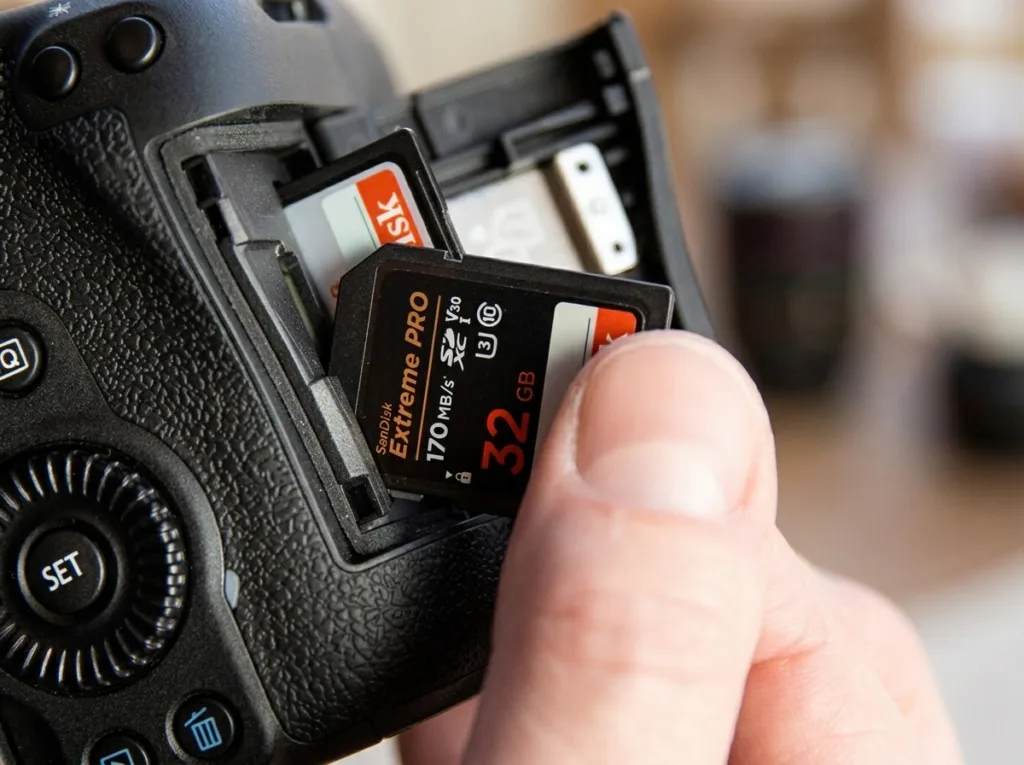
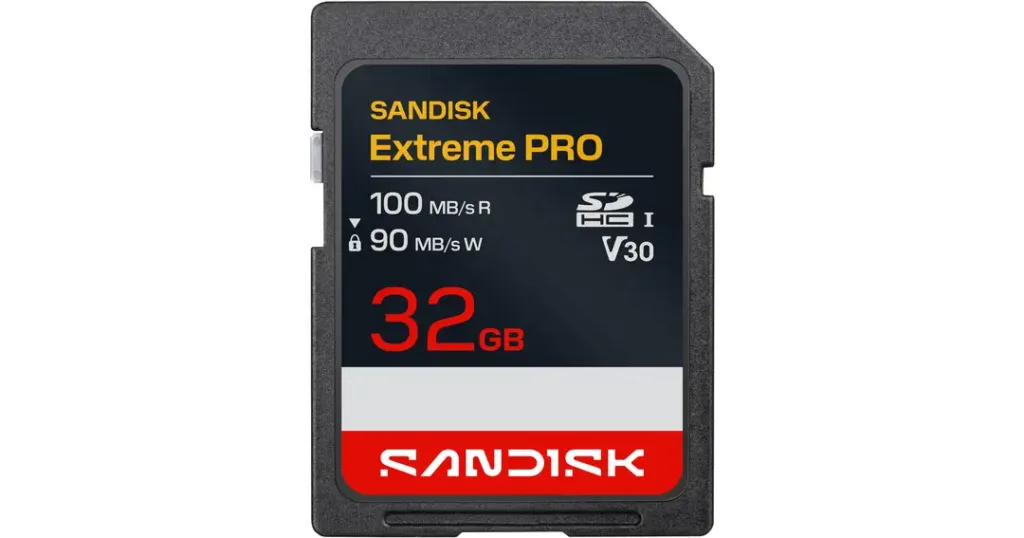
- SanDisk Extreme PRO 32GB SDHC (UHS-I, V30): Top all-rounder for stills; ~95 MB/s write.
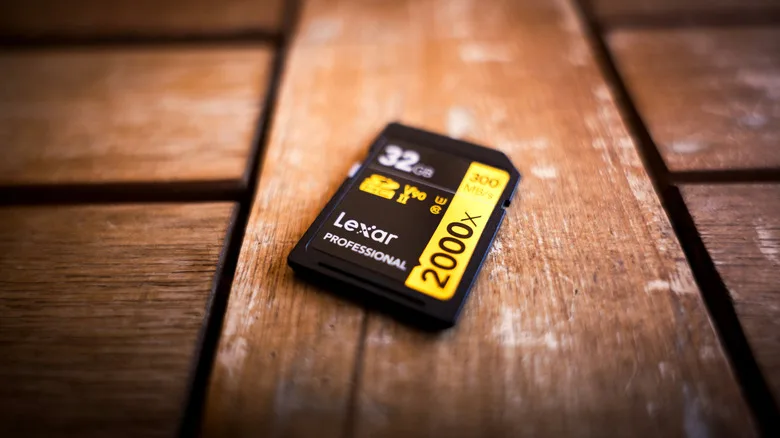
- Lexar Professional 1066x 32GB: Excellent burst performance and great value.
- Kingston Canvas React Plus 32GB (UHS-II): Premium choice for hybrid stills/video shooters.
- Sony Tough SG 32GB: Bend-proof, waterproof, dust-proof — favored by sports and travel shooters.
- ProGrade Digital V60 32GB: Reliable workhorse for video-first creators on a budget.
- Samsung PRO Plus 32GB microSD: Best small-form-factor card for action cams and drones.
- Delkin Devices Black 32GB V90: Specialist UHS-II card for cinema and 8K shooters.
Whichever brand you pick, buy from authorized retailers, not random third-party Amazon listings. The internet is awash in counterfeit SanDisk and Lexar cards that fail at the worst possible moment — typically halfway through an export, taking your photos with them. Many brands offer authentication apps that verify a card’s serial number.
When 32GB Is Plenty — and When You Should Size Up
Choosing capacity is really about matching the card to your workflow. A 32GB card delivers a smart sweet spot for many shooters, but it can become a bottleneck for others. Here’s how to decide.
A 32GB card works well if you…
- Shoot smartphone photos in HEIF and offload weekly.
- Run a 12–24 MP DSLR or mirrorless body for hobby work.
- Capture Full HD video for short interviews, vlogs, or social clips.
- Use multiple smaller cards as a safety strategy, splitting risk across cards.
- Travel light with a compact like a Sony ZV-1, Ricoh GR III, or Fujifilm X100VI.
You should jump to 64GB, 128GB, or more if you…
- Shoot 24MP+ in uncompressed RAW for events or weddings.
- Record 4K, 6K, or 8K video at high bitrates (100 Mbps+).
- Work with high-burst sports, wildlife, or motorsports cameras.
- Run a high-megapixel body such as a Canon R5, Nikon Z8, or Sony A7R V.
- Need a single card per event for a simpler post-shoot offload.
For burst shooters, our review of the best Nikon lenses for product photography pairs nicely with this discussion — fast glass plus a fast, properly sized card transforms what you can capture.
How to Calculate Photo Capacity for Your Camera (DIY Formula)
You don’t need a calculator app — just a simple formula and one or two test shots.
Step-by-step capacity math
- Take 5 representative photos at your normal settings.
- Check the average file size in MB (camera info screen or computer).
- Multiply that average by 1.05 to account for variability.
- Divide your card’s usable capacity by the per-photo average.
Example: 24MP mirrorless shooting JPEG Fine
- Average file size: ~8 MB
- Card usable capacity: 29,500 MB
- 29,500 ÷ 8 = ~3,687 photos
Example: same camera shooting uncompressed RAW
- Average file size: ~48 MB
- 29,500 ÷ 48 = ~615 photos
Always round down — the math assumes perfect packing, while real-world overhead eats a small slice. Bookmark this method and you’ll never be surprised by a “Card Full” message again. If you want to understand image dimensions more deeply, our piece on the 4:3 aspect ratio explained connects pixel counts to sensor output.
How to Squeeze More Photos onto a 32GB Card
If you can’t upgrade your card mid-shoot, you can still stretch what you have. Try these proven tactics — most take less than 30 seconds in your camera menu.
- Switch JPEG quality from Extra Fine to Fine (or Standard for casual shots).
- Enable lossless or compressed RAW if your camera supports it (cRAW, RAW-S, HE*).
- Drop image resolution to M-RAW or S-RAW (Canon) or size M/S on most brands.
- Turn off RAW + JPEG dual recording unless you need both.
- Switch phones to HEIF in your camera settings.
- Offload and reformat midday rather than letting the card fill.
- Delete obvious throwaways in-camera between batches.
- Disable burst mode when not strictly needed.
Combining two or three of these tactics can effectively double your usable card capacity with no perceptible quality hit for everyday viewing or social media output. If you regularly turn shoots into reels or stories, our roundup of the best photo slideshow app covers the easiest ways to repurpose those frames.
🎨 Selling on Amazon, Shopify, or Etsy? Our image masking service handles tricky details like hair, fur, and translucent fabrics — perfect when you can’t afford to lose a single edge on your hero shots.
Smart Backup Practices for SD Card Users
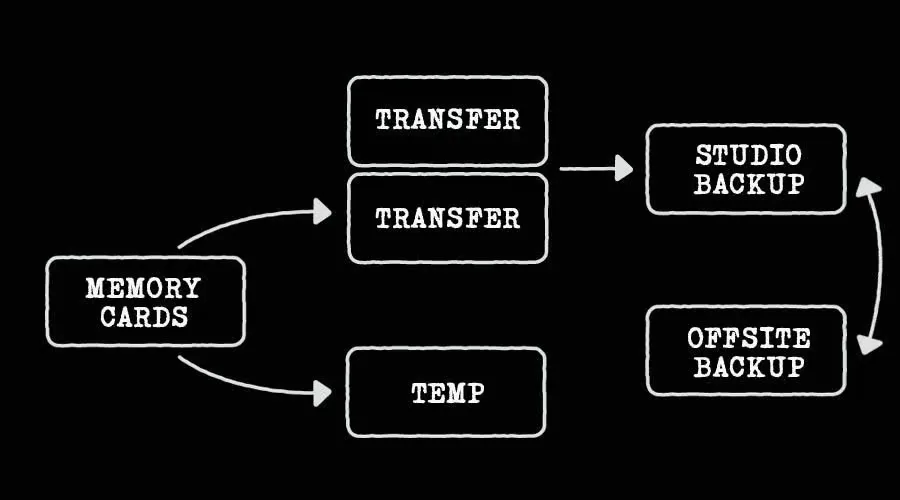
Memory cards are wonderfully reliable until the day they aren’t. Heat, water, static, mishandled ejections, and ordinary wear can all kill a card mid-shoot. Adopt the 3-2-1 backup rule that professional photographers swear by.
- 3 copies of every image you care about.
- 2 different media types (e.g., SSD + cloud, or hard drive + NAS).
- 1 off-site copy to survive theft, fire, or hardware failure.
Pair that rule with a few habits that compound the safety net:
- Format cards in-camera, not via Windows or macOS.
- Replace cards every 2–3 years of heavy use.
- Buy from authorized retailers and verify the serial through brand apps.
- Carry at least one spare card the same size as or larger than your primary.
- Offload the second a shoot ends — never let one card become a single point of failure.
- Choose a trusted cloud service; our roundup of the best cloud storage for photos compares the leading options.
If you accidentally erase or reformat a card, don’t panic — free utilities like PhotoRec, Recuva, and Disk Drill recover most files if you stop writing to the card immediately. Our walkthrough on how to find recently deleted photos covers the most common recovery paths.
32GB SD Card Capacity in Action: Real-World Use Cases
Numbers feel abstract until you map them to a real shoot. Here’s how a 32GB card holds up across common photographer profiles, based on the verified file-size figures above.
- Wedding shooter (24MP, compressed RAW + small JPEG): ~800–1,000 frames — fine for ceremony coverage, tight for full multi-cam coverage.
- Travel photographer (20MP mirrorless, JPEG only): ~4,000 photos — comfortably a 5–7 day trip.
- Wildlife burst shooter (45MP HE* RAW): ~800 frames — one strong morning out.
- Real estate photographer (24MP RAW HDR brackets, 5 shots per scene): ~120–160 listings.
- Newborn or studio session (24MP RAW): ~600 frames at compressed RAW — one full session with margin.
- YouTube vlogger (4K 60p, 100 Mbps): ~40 minutes of footage — about one episode’s raw clips.
- Bodycam, dashcam, or trail cam: 8–24 hours, depending on resolution and loop settings.
- GoPro action shooter (5K 60fps): ~30 minutes per card.
The same card flexes dramatically across genres. Choosing between 32GB, 64GB, and 128GB is less about specs and more about how you actually shoot.
32GB vs. Other Capacities: When to Step Up
The price gap between 32GB and 64GB cards has narrowed to almost nothing — usually $3–$5 at most retailers. So why hasn’t 32GB disappeared? Because it shines in scenarios where redundancy and risk control matter more than headroom.
How capacities scale (at SanDisk’s 12MP baseline)
- 32GB: ~7,629 JPEGs / ~762 uncompressed RAW
- 64GB: ~15,258 JPEGs / ~1,524 RAW
- 128GB: ~30,516 JPEGs / ~3,048 RAW
- 256GB: ~61,032 JPEGs / ~6,096 RAW
- 512GB: ~122,000 JPEGs / ~12,192 RAW
- 1TB: ~244,000 JPEGs / ~24,000+ RAW
Many professional event shooters still prefer multiple 32GB or 64GB cards over one giant 1TB card because a single corruption isn’t catastrophic. As one Reddit photography discussion put it, “~1,000 RAW images is a big bucket of eggs to lose.” That mindset still rules the field today.
🛍️ Apparel brands and e-commerce sellers: Our ghost mannequin service gives clothing a clean, professional 3D look without expensive model shoots — perfect for scaling product catalogs.
Common Mistakes That Eat Your 32GB Card’s Capacity
Even seasoned shooters waste storage in ways they don’t notice. Watch for these silent capacity killers:
- Shooting RAW + JPEG simultaneously when you don’t need both.
- Leaving burst mode on Continuous High for static subjects.
- Forgetting to disable HDR bracketing between scenes.
- Recording 4K when 1080p is the final delivery format.
- Saving small JPEG previews alongside RAW (some Fuji X-Trans bodies do this by default).
- Keeping multiple in-camera retouching versions of the same shot.
- Setting trail-cam or dash-cam loop recording higher than needed.
Audit your camera menu once a month — you’ll likely find a setting silently doubling your file sizes. Freeing it up restores hundreds of frames of capacity instantly. For deeper editing efficiency tips, browse our list of the best photo editing software for 2026.
Final Verdict: Is a 32GB SD Card Still Worth It in 2026?
In 2026, the 32GB SD card sits in an interesting middle ground. It’s no longer the default for pros running modern 24MP+ bodies, but it remains the smartest backup card, the safest event card, and the cheapest way to test a new camera body. With usable capacity around 29.5 GB, a 32GB card holds roughly:
- 3,800 high-quality JPEGs from a typical 24MP mirrorless camera
- 600–1,300 RAW files depending on whether you use uncompressed or compressed RAW
- ~40 minutes of 4K video at 100 Mbps
- ~28,000 default HEIF photos from a modern iPhone
For beginners, a 32GB V30/U3 card from SanDisk, Lexar, or Kingston is the sweet spot of price, speed, and reliability. For high-megapixel RAW or 4K-heavy professionals, treat 32GB as your spare card, not your primary one. Knowing exactly how much capacity you have — and how it shrinks as resolution climbs — turns memory cards from a worry into a non-issue. Pair that knowledge with a smart backup workflow, and you’ll never miss a shot because of storage anxiety again.
🎯 Ready to make every shot count? Send your best frames to Clipping Expert Asia for expert clipping path, retouching, and background removal — so the photos you do capture look magazine-ready.
Frequently Asked Questions
1. How many photos can a 32GB SD card hold from an iPhone or Android?
A 32GB SD card holds roughly 25,000–28,000 HEIF photos at 12 MP from a modern iPhone in default mode, or about 7,000–8,000 JPEG photos from a typical Android. If you switch to 48 MP full-resolution JPEG, expect around 3,000–3,500 images. Apple ProRAW at 48 MP drops that figure to roughly 385 photos, since each file averages 75 MB per Apple’s official ProRAW documentation.
2. How many RAW photos can a 32GB SD card hold from a DSLR or mirrorless camera?
It depends heavily on the camera and the RAW mode. Examples:
- Canon R6 Mark II in CRAW (22 MB): ~1,300 photos
- Canon R6 Mark II in full RAW (47 MB): ~610 photos
- Sony A7 IV in compressed RAW (35 MB): ~820 photos
- Nikon Z8 in HE* RAW (33 MB): ~870 photos
- Sony A7R V in lossless compressed RAW (65 MB): ~440 photos
Always check whether your camera defaults to compressed or uncompressed RAW — it’s the biggest single variable.
3. How much 4K video can a 32GB SD card record?
A 32GB SD card holds approximately 40–45 minutes of 4K video at 100 Mbps, the standard for most mirrorless cameras. Lower-bitrate 4K (60 Mbps) stretches to about 65–70 minutes, while cinema-quality 4K at 400 Mbps fills the card in roughly 10 minutes. For full-day shoots, 64GB or 128GB is the safer minimum.
4. Why does my 32GB SD card show only 29GB available?
Manufacturers count 1 GB as 1,000,000,000 bytes (decimal), while your computer uses the binary 1 GB = 1,073,741,824 bytes. That conversion alone removes about 2 GB. Add file-system overhead and reserved sectors, and a 32GB card typically delivers 28.5–29.8 GB of usable space. This is normal storage marketing convention, not a defect.
5. What speed class do I need for a 32GB SD card?
For everyday photography, Class 10 or UHS-I U1 is sufficient. Shooting 4K video or rapid burst sequences? choose U3 / V30 (minimum 30 MB/s sustained write). For 6K, 8K, or cinema codecs like ProRes and All-Intra, you’ll want V60 or V90 cards on the UHS-II bus.
6. Can I use a 32GB SD card in any camera?
Most cameras from 2009 onward read SDHC cards up to 32GB without issue. Older cameras (pre-2009) may only accept standard SD up to 2GB — always check your camera manual for SDHC support. MicroSD versions of 32GB cards work in action cams, drones, smartphones with card slots, and dashcams.
7. Is it better to use one large card or several 32GB cards?
For event photography, several 32GB or 64GB cards are often safer than a single 256GB or 1TB card. If one card fails, you only lose part of your shoot. Professional wedding and event photographers commonly carry 4–8 medium-capacity cards instead of one huge card — classic risk management.
8. How long does a 32GB SD card last?
A quality 32GB card from SanDisk, Lexar, or Kingston typically lasts 5–10 years with regular use, depending on write cycles. Flash memory has finite write endurance, so heavy video shooters should plan to replace cards every 2–3 years to avoid mid-shoot failures. Run a quick read/write test before any critical shoot.