RAW vs JPEG: The Digital Negative vs the Finished Print — Which Should You Shoot in 2026?
TL;DR: The Short Answer
RAW is a digital negative — it contains every photon your sensor captured, completely unprocessed. It’s 12–14 bit (4,096–16,384 tonal levels per channel — 12-bit holds ~69 billion colors, 14-bit ~4.4 trillion), retains 12–15 stops of dynamic range (Sony A7 IV measures 15 stops, Canon R6 II 14.1), and lets you fix white balance, recover ±2–3 stops of exposure, and push shadows without banding — after you’ve taken the shot. Files are 20–80MB and require editing before sharing. JPEG is a finished print — your camera processed it in-camera (white balance, contrast, sharpening, noise reduction all baked in), it’s 8-bit (256 levels per channel, 16.7 million colors), 2–10MB, universal, and ready to share — but you have only ~0.5–1 stop of recovery, and every re-save loses more data (generation loss). 87% of professional photographers shoot RAW.
Shoot RAW when the light is hard, the moment won’t repeat, or you plan to edit. Shoot JPEG when burst speed, card space, and instant sharing matter more. RAW+JPEG gives you both at the cost of double storage. HEIF/HEIC (iPhone default) sits in the middle — 10-bit, half the size of JPEG, but still a finished processed image. ProRAW (iPhone) combines computational photography with true 12-bit RAW latitude.
The Core Difference: A Negative vs a Print
Think of film. A negative holds all the detail the film captured — you decide in the darkroom how bright, how warm, how contrasty the final print becomes. A print is finished — you can scan it and tweak it a little, but the exposure and color decisions are baked in. That’s exactly RAW vs JPEG:
| Feature | RAW | JPEG |
|---|---|---|
| What it is | Unprocessed sensor data (digital negative) | Camera-processed finished image |
| Bit depth | 12–14 bit (4,096–16,384 levels/channel) | 8 bit (256 levels/channel) |
| Total colors | ~69 billion (12-bit) to 4.4 trillion (14-bit) | 16.7 million |
| Dynamic range | 12–15 stops (recoverable) | ~8–10 stops (clipped) |
| White balance | Fully adjustable in post | Baked in (limited correction) |
| Exposure recovery | ±2–3 stops | ~0.5–1 stop |
| File size | 20–80 MB | 2–10 MB |
| Compression | None or lossless | Lossy (generation loss on re-save) |
| Ready to share? | No — must export | Yes — universal |
| Editing | Non-destructive (original untouched) | Destructive (each save loses data) |
Bit Depth: Why 14-Bit Matters (4.4 Trillion vs 16.7 Million Colors)
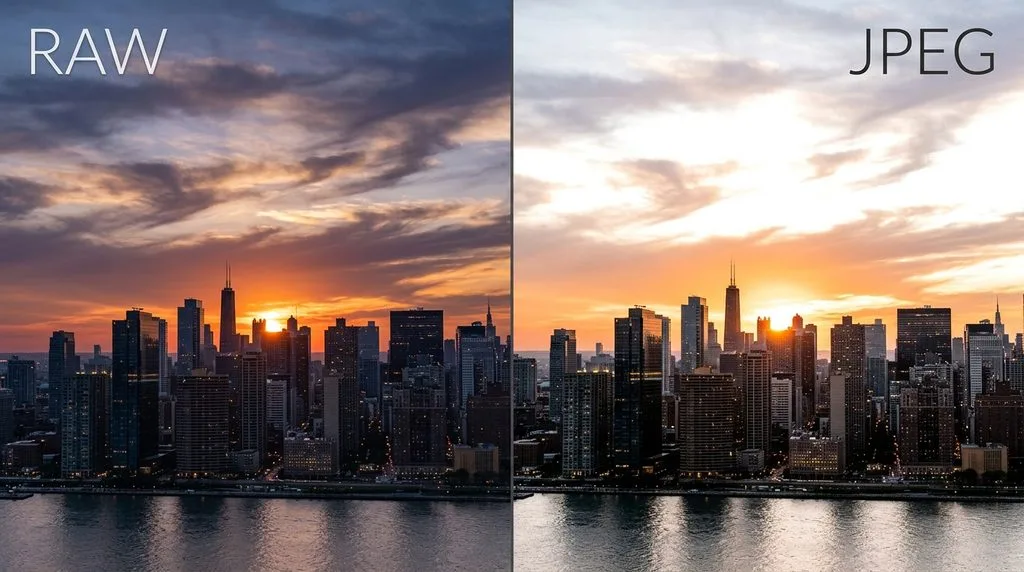
This is the number that matters most. An 8-bit JPEG stores 256 brightness levels per color channel (red, green, blue) — 256×256×256 = ~16.7 million possible colors. A 12-bit RAW stores 4,096 levels per channel; a 14-bit RAW stores 16,384. That’s 64× more tonal data in the shadows and highlights.
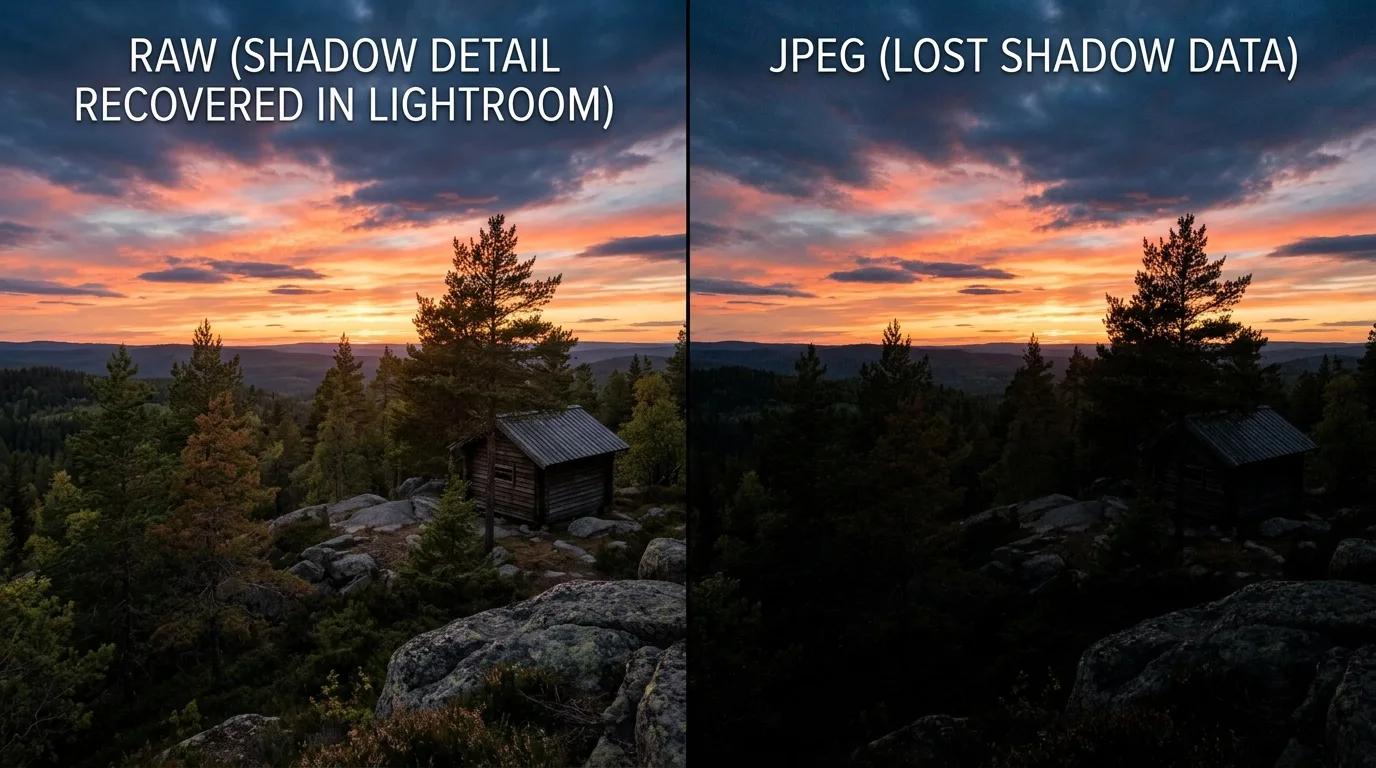
Why it matters in practice: when you brighten underexposed shadows in a JPEG, you stretch 256 levels — you quickly see banding (visible steps in smooth gradients like skies) and color noise. In a 14-bit RAW, you stretch 16,384 levels — smooth gradients stay smooth, and shadows clean up with AI denoise. Myth busted: RAW doesn’t increase your sensor’s dynamic range — it preserves more of the tonal data the sensor already captured. JPEG applies a tone curve and clips the extremes to make a small, good-looking file.
Dynamic Range: The ±2–3 Stop Safety Net
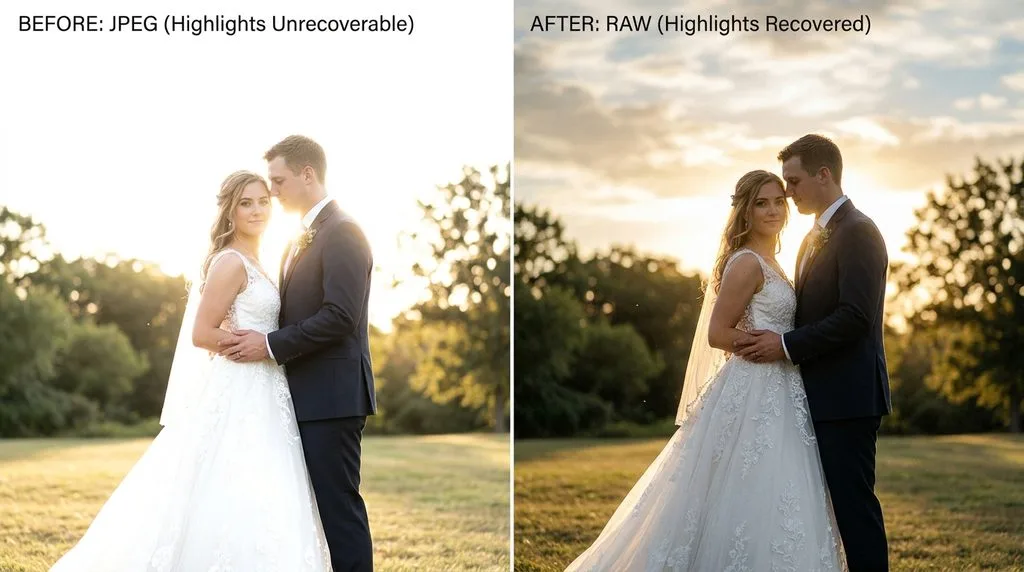
Every photographer has underexposed a wedding reception or blown out a sunset sky. With RAW, those mistakes are fixable:
- Highlights: pull back -50 to -100 in Lightroom and recover cloud detail, window detail, skin in backlight.
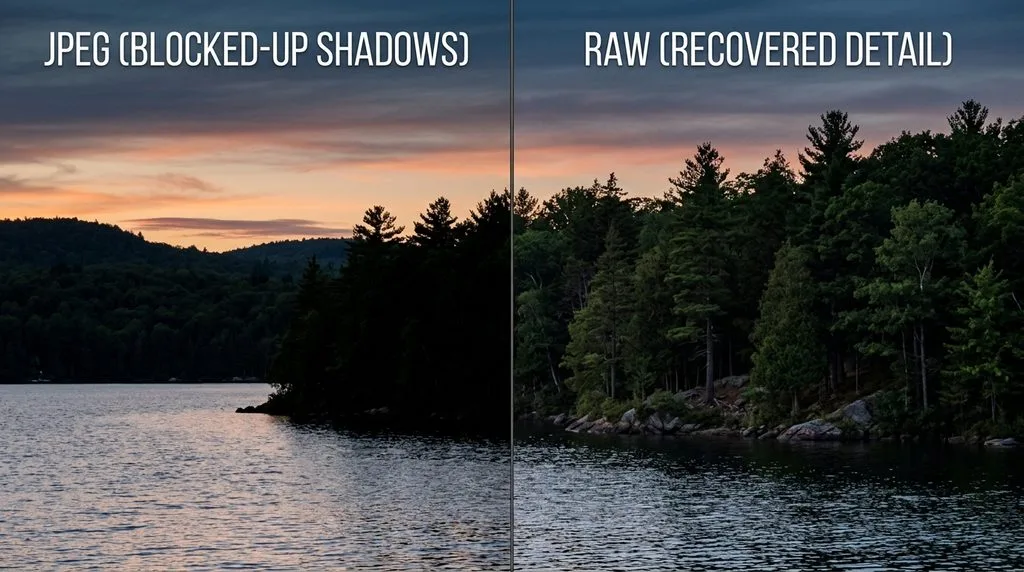
- Shadows: push +40 to +100 and lift foreground detail that looks pure black on the back of the camera.
- White balance: shot under tungsten? Fix it with one slider — zero quality penalty. In JPEG, correcting a wrong white balance introduces color shifts and noise.
- Exposure: ±2–3 stops of latitude. A JPEG has roughly ±0.5–1 stop before it falls apart.
The catch: fully clipped pure white (R=255, G=255, B=255) is gone in any format — RAW can’t recover data that was never recorded. Expose for the highlights (slightly underexpose) and lift shadows in post.
When JPEG Actually Wins (It’s Not Always RAW)
RAW isn’t universally optimal. JPEG wins in four real scenarios:
- Fast burst / sports: The Nikon Z8 shoots 20fps RAW but 30fps JPEG. Buffer depth is deeper with JPEG. Action photographers sometimes shoot JPEG to keep up.
- Instant sharing: Event photos, family snapshots, real estate walkthroughs — if it goes straight to text/social with no editing, JPEG is ready immediately.
- Limited storage: A 64GB card holds ~800 RAW files or ~3,000+ JPEGs. On a long trip without backup, JPEG buys safety.
- You’ll never edit it: If you don’t use Lightroom/Photoshop and never adjust exposure or white balance, RAW just wastes space. JPEG’s in-camera processing (contrast, sharpening, saturation) is tuned by the manufacturer and looks good out of the box.
The Middle Ground: HEIF/HEIC and ProRAW (2026)
Two formats sit between RAW and JPEG:
- HEIF/HEIC (.heic): iPhone default since iOS 11. 10-bit (1.07 billion colors — 64× JPEG’s color data), ~50% smaller than JPEG at equal quality, supports HDR and Live Photos. But it’s still a finished, processed image — white balance and exposure are baked in. Editing latitude is better than JPEG (1–2 stops) but nowhere near RAW.
- ProRAW (.dng, iPhone 12 Pro+): True 12-bit RAW combined with Apple’s computational photography (multi-frame fusion, Smart HDR, Deep Fusion). Best of both worlds — computational detail + RAW editing latitude. Files are huge (~25–35MB each), no Live Photo.
- Compressed RAW (lossless): Most modern cameras offer lossless compressed RAW — same data, 30–50% smaller files, zero quality loss. Use this over uncompressed RAW.
- DNG: Adobe’s universal RAW format. Smaller than proprietary RAW, future-proof (no risk of a camera format becoming unreadable). Lightroom can convert on import.
The RAW Editing Workflow (Non-Destructive — You Can’t Break It)
RAW files require a “develop” step. Lightroom (or Capture One, Darktable, Affinity) is non-destructive — your original RAW is never overwritten; edits are saved as instructions. Standard order:
- White balance — fix first (temperature/tint)
- Exposure — set overall brightness (Alt/Option to check clipping)
- Highlights / Shadows / Whites / Blacks — recover dynamic range
- Contrast / HSL / color grading
- AI Denoise (Lightroom 15.3+, 2026) — critical after shadow lifting
- Lens corrections + sharpening (last, after resize)
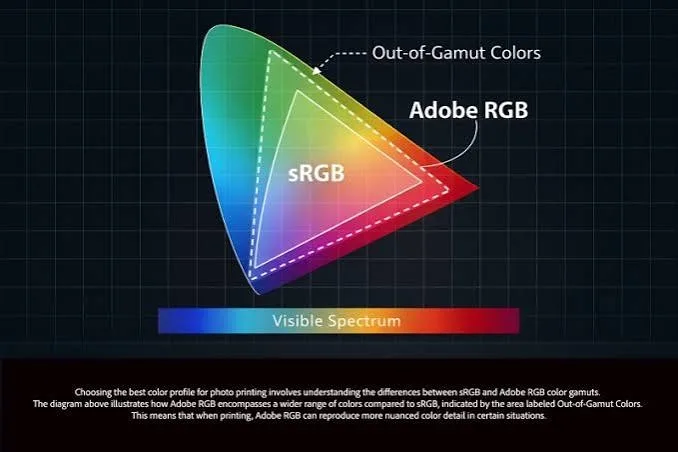
- Export: JPEG quality 80–90, sRGB, resized for use (1080px for Instagram, 2048px for Facebook, full-res for print)
The RAW stays archived; every export is a new file. You can re-edit a RAW from 2010 in 2030 with better software and get a better result — a JPEG from 2010 is stuck at 2010’s processing.
Decision Matrix: Which Format When
| Scenario | Format | Why |
|---|---|---|
| Wedding / portrait / professional | RAW (or RAW+JPEG) | ±2–3 stops recovery, client deliverables |
| Landscape / high contrast | RAW | Highlight + shadow recovery |
| Low light / night | RAW | Shadow lift + AI denoise |
| Sports / fast burst | JPEG (or lossless compressed RAW) | Buffer depth, 30fps |
| Family snapshot / instant share | JPEG or HEIC | Ready to send, no editing |
| Long trip, limited backup | JPEG or RAW+JPEG | Storage safety |
| iPhone, will edit | ProRAW | Computational + 12-bit latitude |
| iPhone, won’t edit | HEIC (default) | Small, good quality |
| Archival / future-proof | RAW + DNG backup | Re-edit with future software |
5 Common RAW/JPEG Mistakes
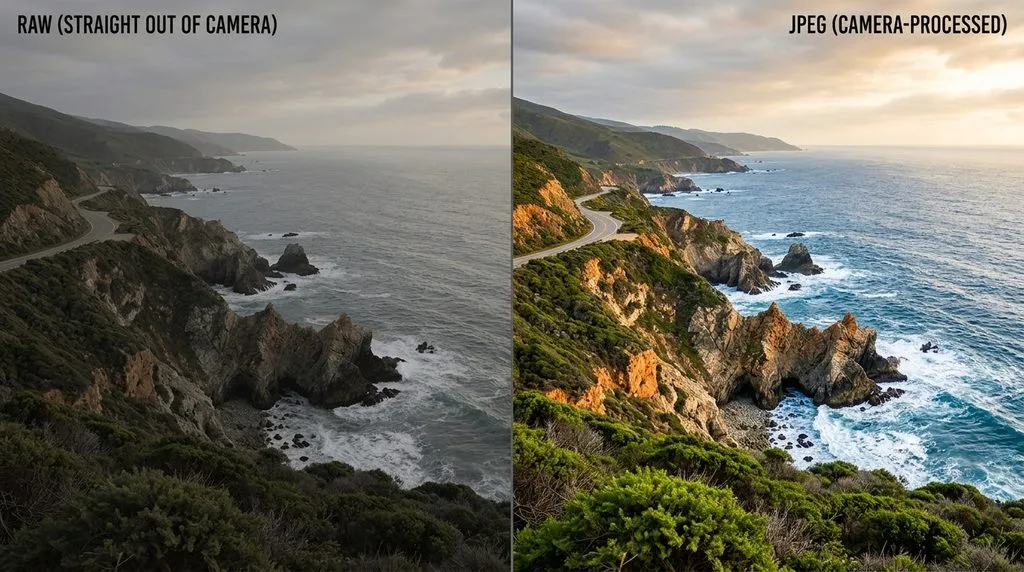
- Shooting RAW but never editing. RAW files look flat and dark straight out of camera. If you won’t edit, shoot JPEG — the camera’s processing looks better.
- Editing a JPEG and re-saving as JPEG. Generation loss. Edit from RAW; export JPEG only once at the end.
- Deleting RAW after exporting JPEG. Keep the RAW — it’s your negative. You can re-edit it forever.
- Thinking RAW fixes bad exposure. Fully clipped white is gone in any format. Expose for highlights.
- Filling cards with RAW without backup. RAW = huge files = fewer per card. Follow the 3-2-1 backup rule (3 copies, 2 media, 1 offsite).
Frequently Asked Questions
What is the difference between RAW and JPEG?
RAW is unprocessed sensor data (a digital negative) — 12–14 bit, 12–15 stops dynamic range, fully editable, 20–80MB, requires editing. JPEG is a camera-processed finished image — 8-bit, ~8–10 stops, white balance and sharpening baked in, 2–10MB, ready to share. RAW recovers ±2–3 stops of exposure; JPEG recovers ~0.5–1 stop.
Is RAW better quality than JPEG?
RAW contains more data and more editing latitude, but a RAW file straight out of camera looks flatter and darker than a JPEG (the camera hasn’t applied contrast/sharpening). After editing, a RAW export will always have more detail, cleaner shadows, and better color than a JPEG. 87% of professional photographers shoot RAW.
Do professional photographers shoot RAW or JPEG?
~87% shoot RAW (Frame & Focal 2026 poll). Exceptions: sports photographers needing maximum burst rate (Nikon Z8: 20fps RAW vs 30fps JPEG), and event photographers who deliver on-site instant previews (JPEG). Most shoot RAW+JPEG for backup/instant preview.
Can you shoot both RAW and JPEG at the same time?
Yes — every interchangeable-lens camera offers a RAW+JPEG mode. You get a RAW file for editing and a JPEG for instant sharing/preview. Cost: double storage per shot. Many photographers use this as a safety net.
What is HEIC/HEIF, and is it better than JPEG?
HEIC (HEIF) is the iPhone default — 10-bit color (1.07 billion colors vs JPEG’s 16.7 million), ~50% smaller file at equal quality, supports HDR. But it’s still a finished, processed image (like JPEG), so editing latitude is limited. ProRAW is Apple’s true 12-bit RAW with computational photography.
Does RAW have more dynamic range?
RAW doesn’t increase what your sensor captures — it preserves more of the tonal data the sensor already recorded. JPEG applies a tone curve and clips extremes to make a small file. A 14-bit RAW retains 12–15 stops recoverable; JPEG retains ~8–10 stops, much of it unrecoverable.
How much bigger are RAW files than JPEG?
RAW: 20–80MB (lossless compressed: 15–40MB). JPEG: 2–10MB. A 64GB card holds ~800 RAW or ~3,000+ JPEG. HEIC: ~1–4MB (half of JPEG). ProRAW: 25–35MB per frame.
Can you convert RAW to JPEG without losing quality?
Any conversion to JPEG is lossy — you’re discarding data to make a small file. But a properly exported JPEG (quality 85–90, sRGB, correct size) looks identical to the RAW at normal viewing sizes. The RAW stays archived for future re-edits. Export at full resolution for print, 1080–2048px for web.
Final Verdict
RAW is for anything you might edit or print; JPEG is for anything that goes straight from camera to screen. The 14-bit tonal data and ±2–3 stop recovery are an insurance policy against bad light, wrong white balance, and missed exposure — and 87% of pros pay that premium. If you never edit and share instantly, JPEG (or HEIC on iPhone) is the smarter choice. RAW+JPEG is the best default for most serious shooters — edit from RAW, share the JPEG, archive both. Keep your RAWs forever; they’re your negatives, and software in 2030 will make them look better than software today.