Why Do Photos Lose Quality When Sent? The Compression Ladder — Every Method Ranked From Worst to Best
TL;DR: The Short Answer
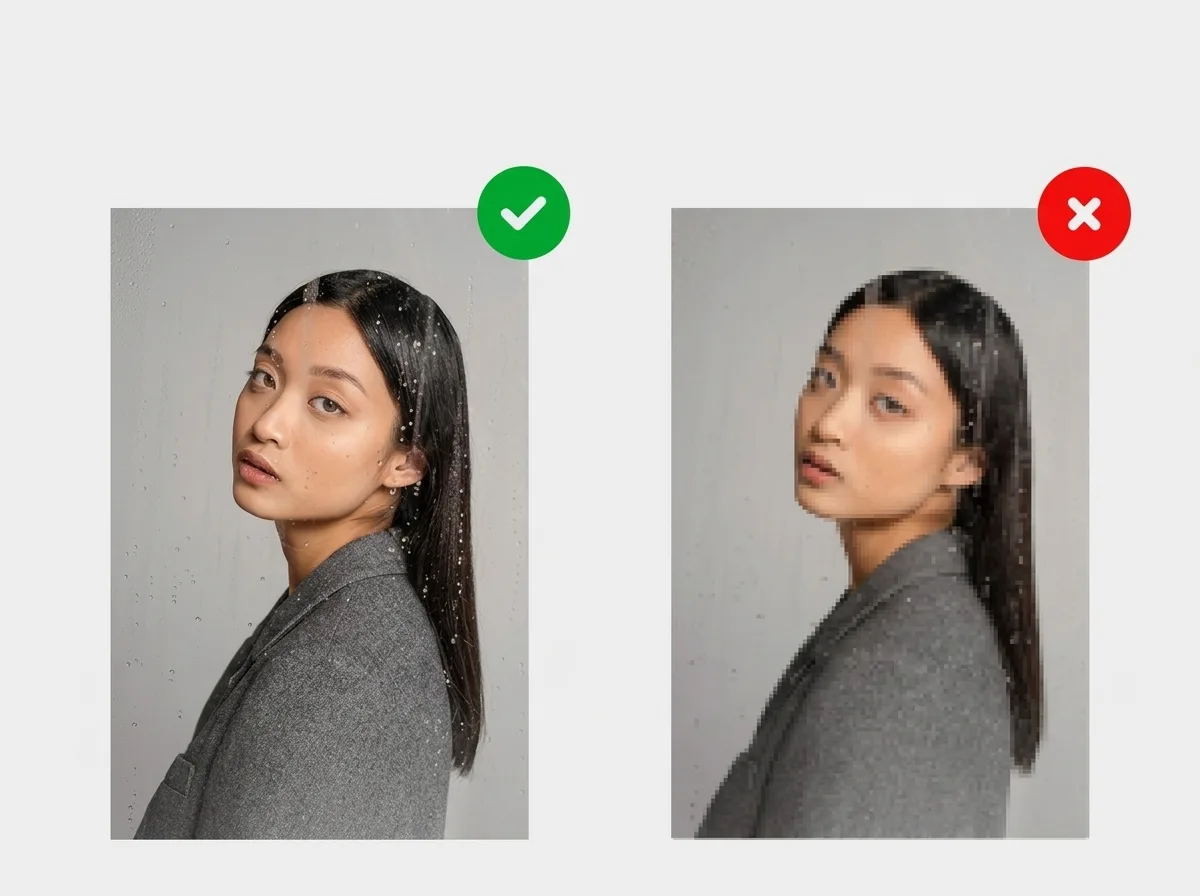
Photos lose quality when sent because every messaging app and carrier compresses photos to save bandwidth and storage — it’s not your camera, and it’s not your phone. The universal rule: if you attach something as a PHOTO, it gets compressed; if you attach it as a FILE/Document, it sends the original bytes. Every app follows this rule. MMS/text is the worst (carriers cap at 300KB–1.2MB, destroying 70–90% of detail).
WhatsApp is the most aggressive major app (1600px standard, HD up to 4096 but still re-encoded). Instagram DM and Facebook Messenger compress heavily with no reliable HD toggle. Telegram and Signal offer “send as file” (original). Discord, AirDrop, USB, and cloud links are lossless. On top of that, JPEG is lossy — every re-save compounds the damage (generation loss), and iPhone HEIC photos get converted to JPEG when sent to Android or non-Apple apps, adding an extra lossy pass. For anything important: send as a file, use a cloud link, or AirDrop/USB.
The Compression Ladder (Every Method Ranked)
| Method | Default resolution | Compressed? | Route to original |
|---|---|---|---|
| MMS / text message | ~300KB–1.2MB file cap | Severe (70–90% detail lost) | None — never use for important photos |
| Snapchat | Unknown, very aggressive | Severe | None |
| Instagram DM | 1080px max | Heavy | None — use email/cloud link |
| WhatsApp (standard) | ~1600px | Heavy (Q60–75) | HD toggle / Document (up to 2GB) |
| Facebook Messenger | ~2048px cap | Moderate-heavy | HD option (2026) / file |
| ~1080–1280px | Heavy | “Original” option / file | |
| Telegram (as photo) | ~1280px (JPEG 0.87) | Moderate | “Send as file” (up to 2GB) |
| Signal | Gentle by default | Light-moderate | Disable “Reduce image quality” / file |
| iMessage (iPhone→iPhone) | Up to ~4096px | Light | Near-original |
| iMessage→Android (MMS) | ~300KB cap | Severe | Falls back to MMS |
| Email (attached as file) | Original | No (Gmail 25MB cap) | Attach as file — always |
| Discord | Original under 25MB | No (free) / 500MB (Nitro) | Original |
| Slack | Original | No (preview only) | Download button |
| Telegram/Signal (as file) | Original | No | Original |
| WhatsApp (Document) | Original | No (up to 2GB) | Original |
| Cloud link (Drive/Dropbox/iCloud) | Original | No (if “Original quality”) | Original |
| AirDrop (Apple→Apple) | Original | No | Original |
| USB / SD card | Original | No | Original |
MMS / Text: The Worst Offender (Avoid for Important Photos)
When you send a photo via text, it goes through MMS — a protocol designed in the early 2000s for 2-megapixel cameras. Carriers cap MMS attachments at 300KB to 1.2MB (some up to 3MB). A modern 12MP phone photo is 4–8MB. Your phone compresses it down to fit the cap, losing 70–90% of resolution and detail. Faces become soft, text becomes unreadable, skies get blocky.
RCS (Google Messages, now default on many Android phones) is better than MMS — higher caps, better quality — but it’s still not lossless, and it falls back to MMS if the carrier or recipient doesn’t support it. iMessage to Android also falls back to MMS — that’s why green-bubble photos look terrible. Never send an important photo (print, client, archive) by text. Use email, a cloud link, or “send as file.”
The Universal Rule: Photo vs File
Every messaging app makes the same distinction:
- Attach as PHOTO → app resizes, re-encodes JPEG, strips EXIF. Compressed.
- Attach as FILE / Document → app sends the original bytes. Lossless.
The names differ but the behavior is identical: WhatsApp calls it Document, Telegram calls it Send as file, Signal has a file attachment option, iOS Mail lets you Attach File. If quality matters, always choose the file/document option. The tradeoff: no in-chat thumbnail preview, and file size limits apply (WhatsApp 2GB, Telegram 2GB, Gmail 25MB).
JPEG Generation Loss: Why Forwarded Photos Get Progressively Worse
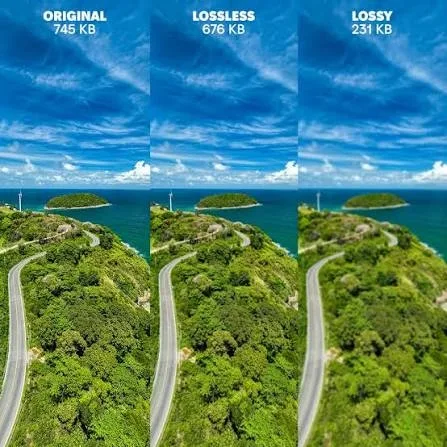
JPEG is lossy — every time you save a JPEG, it discards data. If you open a compressed JPEG and save it again, it gets compressed a second time. The second compressor treats the first compressor’s artifacts as real detail and adds its own on top. This is generation loss, and it accumulates: a JPEG saved five times at quality 85 looks noticeably worse than a JPEG saved once at quality 85 from the original.
This is exactly what happens when photos get forwarded around group chats. Each save-and-re-send is another lossy encode. After three or four hops, faces are soft and text is unreadable. Rule: keep your master copy in RAW, HEIC, TIFF, or PNG (lossless or near-lossless), and export a JPEG only at the moment you share. Never edit a received JPEG and re-save it as JPEG — go back to the original.
The HEIC Complication (iPhone Users)
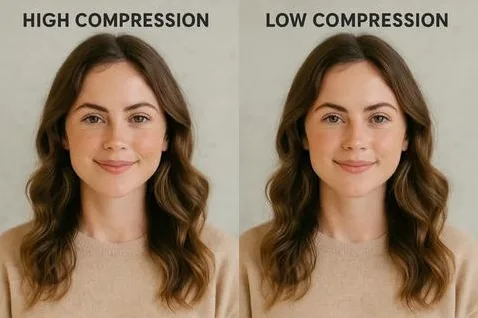
iPhones shoot in HEIC by default — a modern, efficient format that’s roughly half the size of JPEG at the same quality. But most messaging apps, Android phones, and Windows PCs don’t handle HEIC natively. When you send a HEIC photo through WhatsApp, Messenger, email to a Windows user, or any non-Apple platform, it gets converted to JPEG first — that’s a lossy re-encode on top of whatever compression the app applies. Two lossy steps instead of one.
Fix: Convert HEIC to JPEG yourself at quality 92+ (the difference is invisible to the eye at normal screen sizes), or send as a file (original HEIC preserved). On iPhone: Settings > Camera > Formats > Most Compatible shoots JPEG directly (larger files, no conversion step). A guide to mirror vs camera accuracy covers how capture format affects perceived image quality; a guide to how many pictures a 32GB card holds puts HEIC vs JPEG file sizes in perspective.
High Compression vs Low Compression: What to Actually See
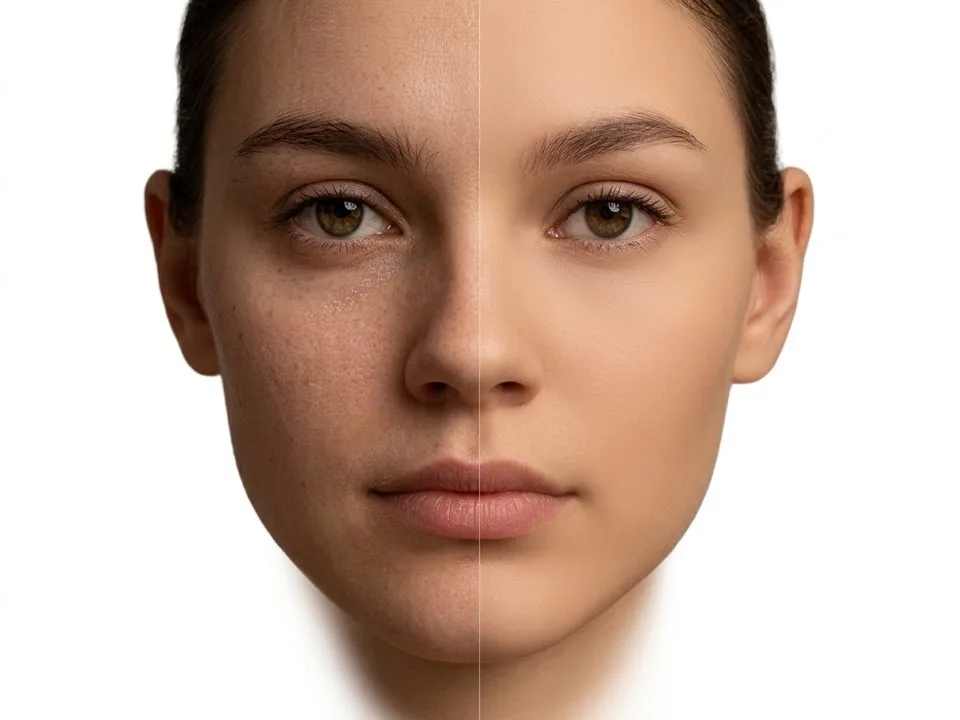
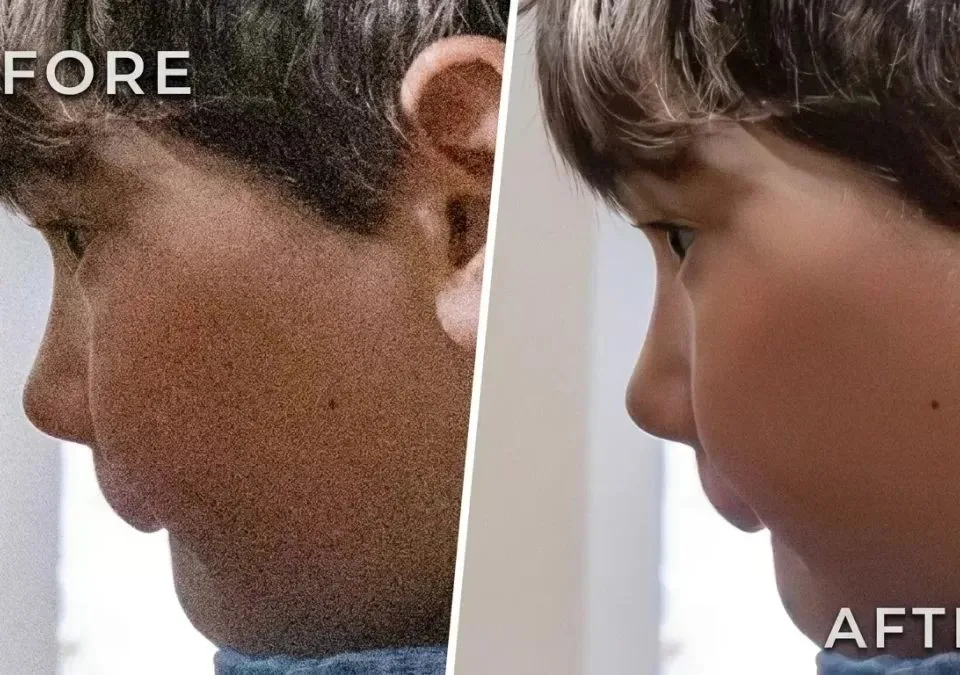
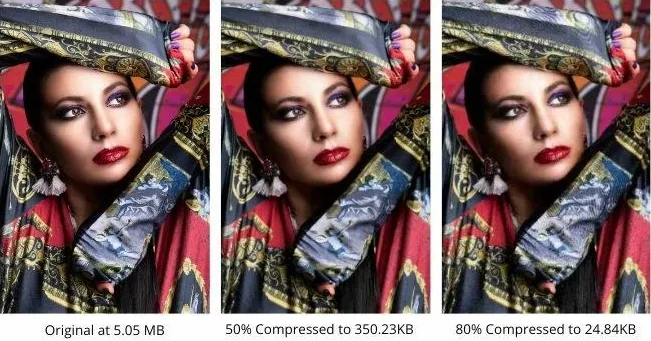
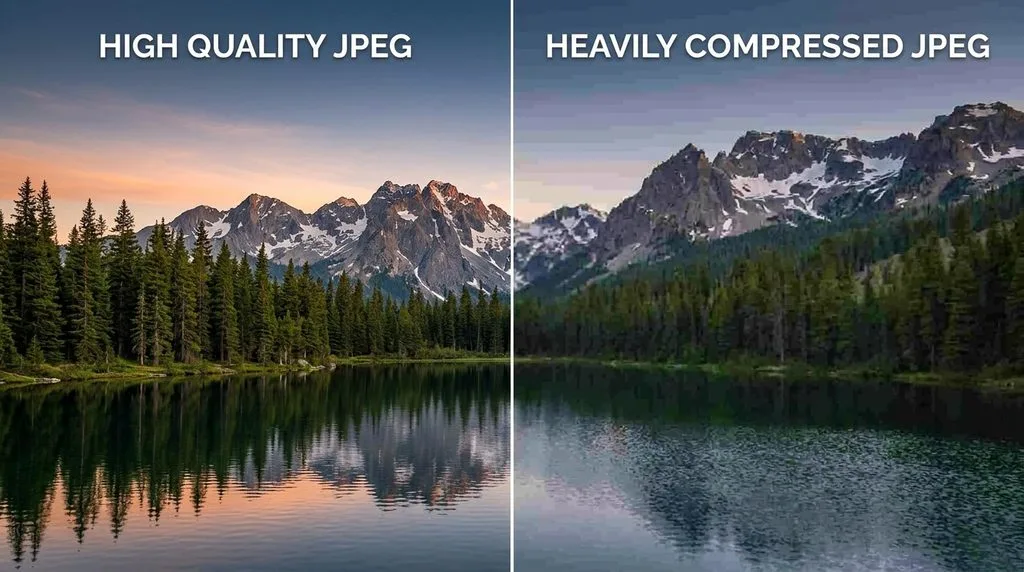
At 100% zoom, heavy JPEG compression shows: blocky 8×8 pixel squares (especially in skies, gradients, shadows), mosquito noise (halos around edges), color banding (visible steps in smooth gradients), and lost fine detail (hair, fabric texture, text). Light compression (quality 85+) is invisible at normal viewing sizes. The problem isn’t compression itself — it’s multiple stacked compressions (app + forward + re-save) and too-aggressive single compression (MMS, WhatsApp standard).
The Best Ways to Send Photos Without Quality Loss
- Cloud link (best for albums): Upload to Google Drive, Dropbox, iCloud, or Google Photos (set to “Original quality” — “Storage saver” compresses). Share the link. Recipient downloads original. No file size limit.
- Send as file/Document: WhatsApp Document (2GB), Telegram file (2GB), Signal file, email attachment (25MB). Original bytes.
- AirDrop (Apple→Apple): Zero compression, original HEIC/RAW preserved. Fast for nearby transfers.
- USB / SD card: Original. Best for large batches (wedding shoots, client deliveries).
- Discord / Slack: Original preserved under file size limits (Discord 25MB free, 500MB Nitro).
- iMessage iPhone→iPhone: Near-original (up to ~4096px, light compression). Check Settings > Messages > Low Quality Image Mode is OFF.
5 Common Sending Mistakes
- Sending important photos by text/MMS. 70–90% detail loss. Use email or cloud link.
- Attaching as photo instead of file. Every app compresses “photo” attachments. Use file/Document.
- Forwarding received photos instead of sending originals. Each forward = another compression. Send the original file.
- Editing a received JPEG and re-saving as JPEG. Generation loss. Go back to the original master.
- Sending HEIC to Android/Windows without converting. Extra lossy conversion. Convert at quality 92+ or send as file.
Frequently Asked Questions
Why do photos lose quality when sent?
Because every messaging app and carrier compresses photos to save bandwidth and storage. MMS/text caps at 300KB–1.2MB (worst), WhatsApp resizes to ~1600px, Instagram DM caps at 1080px. If you attach as a PHOTO, it gets compressed. If you attach as a FILE/Document, it sends original bytes. Use file, cloud link, AirDrop, or USB for anything important.
Does texting photos reduce quality?
Yes — dramatically. MMS (text message) caps attachments at 300KB–1.2MB, so a 4–8MB phone photo gets compressed to fit, losing 70–90% of detail. RCS (Android) is better but still not lossless. iMessage to Android falls back to MMS. Never send important photos by text — use email, a cloud link, or send as file.
What is the best way to send photos without losing quality?
For single photos: send as a file/Document (WhatsApp, Telegram, Signal) or email attachment (original, up to 25MB). For albums: upload to Google Drive/Dropbox/iCloud (set to Original quality) and share a link. For Apple-to-Apple nearby: AirDrop (zero compression). For large batches: USB/SD card. Never use MMS/text or “attach as photo” for quality-critical work.
Does WhatsApp reduce photo quality?
Yes. Standard quality resizes to ~1600px and re-encodes at JPEG 60–75, shrinking a 5MB photo to 80–200KB. HD (toggle or default setting) preserves up to 4096×2692 but still re-encodes. Only Document mode sends the original file (up to 2GB). WhatsApp is the most aggressive compressor of any major messaging app.
Why do iPhone photos look worse when sent to Android?
Because iPhones shoot in HEIC, and sending to Android or non-Apple apps triggers a HEIC→JPEG conversion — a lossy re-encode on top of the app’s own compression. iMessage to Android also falls back to MMS (severe compression). Convert HEIC to JPEG at quality 92+ before sending, or send as a file.
What is JPEG generation loss?
JPEG is lossy — every save discards data. Re-saving an already-compressed JPEG compresses it again, and the second compressor treats the first compressor’s artifacts as real detail. Each re-save compounds the damage. A JPEG saved five times at quality 85 looks worse than one saved once. Keep masters in RAW/HEIC/TIFF/PNG and export JPEG only at final share.
Does email reduce photo quality?
No — if you attach as a file. Gmail preserves original attachments up to 25MB (larger files become a Drive link). The exception: “inline” or “insert photo” options in some email clients let you choose Small/Medium/Large, which resizes. Always choose Original or attach as a file.
Does AirDrop compress photos?
No. AirDrop transfers the original file byte-for-byte — HEIC, RAW, Live Photo, video — with zero compression. It’s the highest-quality way to send photos between Apple devices. For cross-platform, use a cloud link or USB.
Final Verdict
Photo quality loss when sent is by design, not by accident — every platform compresses to save bandwidth. The fix is knowing the ladder: MMS/text is the worst (never use for important photos), WhatsApp/Instagram DM/Messenger compress heavily, Telegram/Signal offer file mode, and cloud links, AirDrop, USB, and file attachments are lossless. Remember the universal rule (photo = compressed, file = original), avoid forwarding received photos (generation loss), and convert HEIC to JPEG at quality 92+ before cross-platform sends. Do that and the photos you send arrive looking like the photos you took.