Best Clipping Path Service Providers in 2026: How to Choose, What to Pay, and Why Manual Still Wins
TL;DR: The best clipping path service providers combine 100% hand-drawn pen-tool precision, 6–24 hour turnaround, transparent tiered pricing starting around $0.25–$0.39 per image, free trials, and unlimited revisions. Top names include Clipping Expert Asia, Path Edits, Pixelz, Clipping World, and Color Experts International. For complex products — jewelry, glassware, hair, hero shots — manual editing still beats AI in 2026. Always run a free trial with your toughest images before committing to bulk work.
What Is a Clipping Path Service, Exactly?
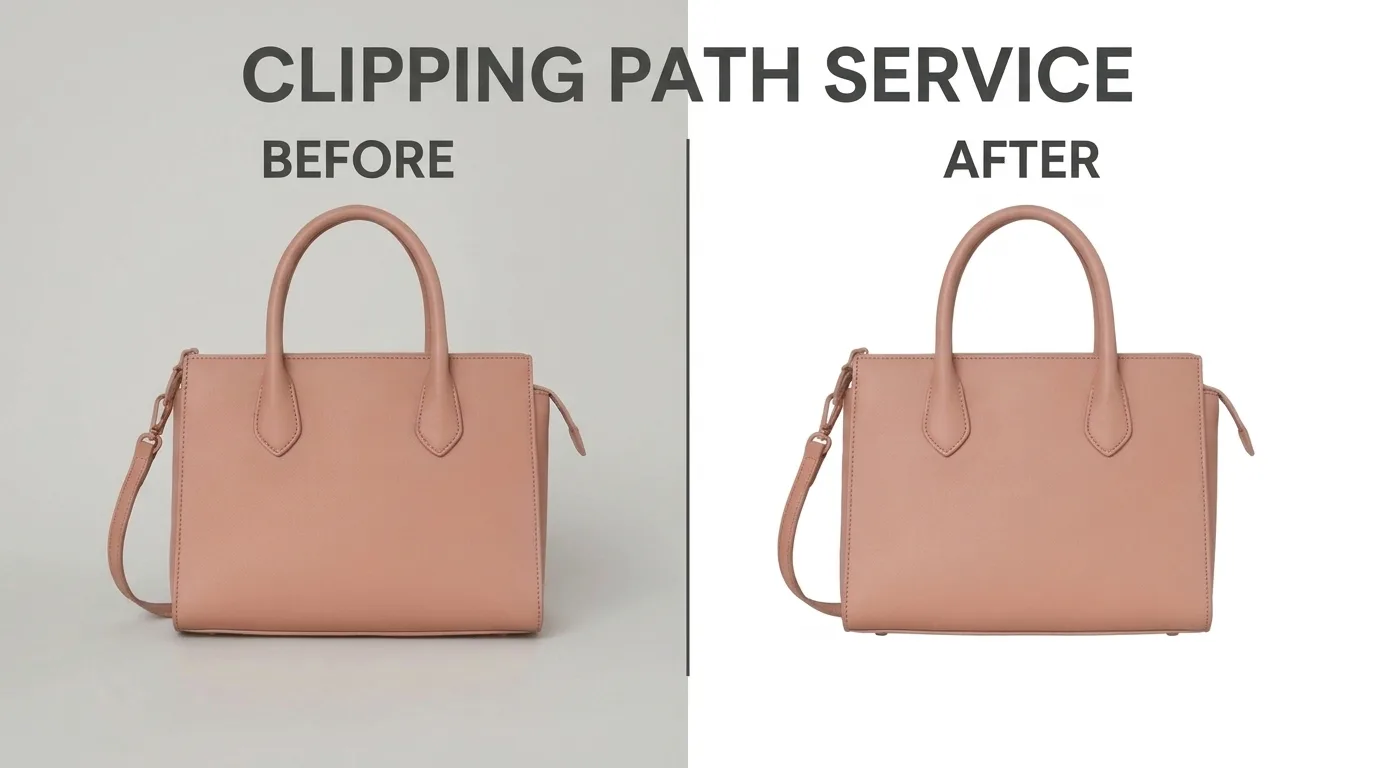
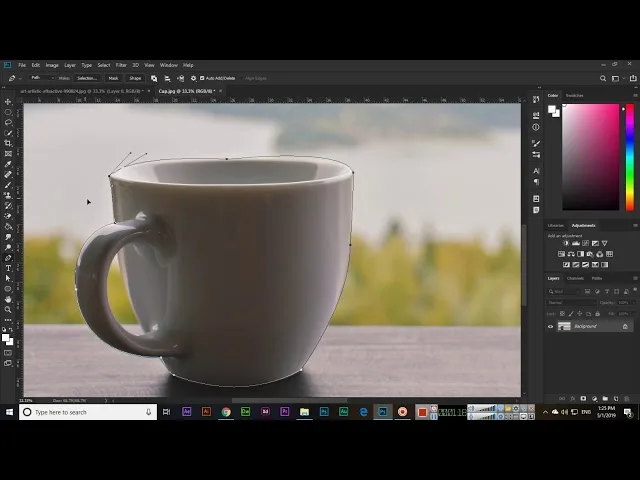
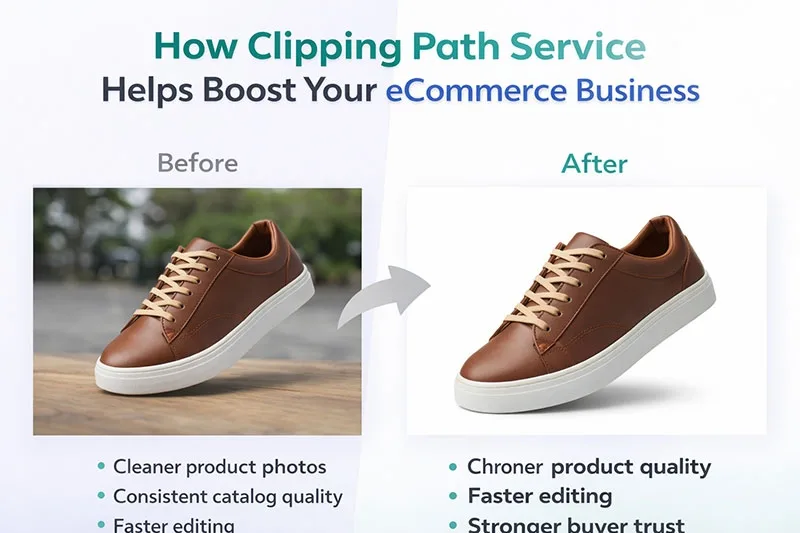
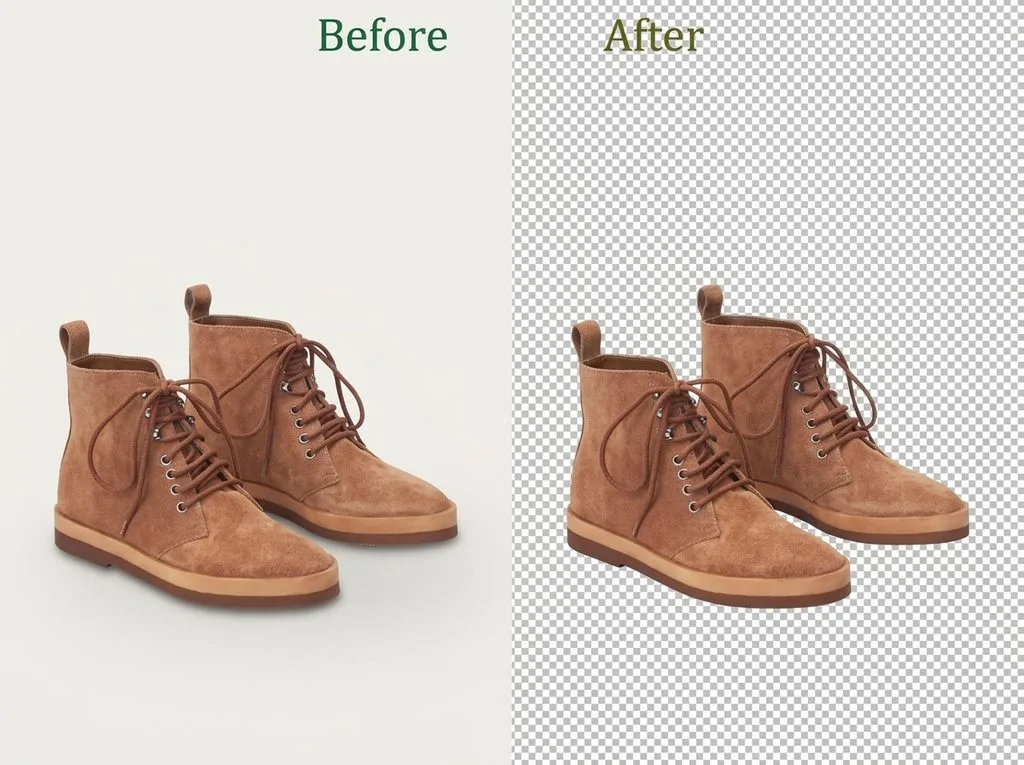
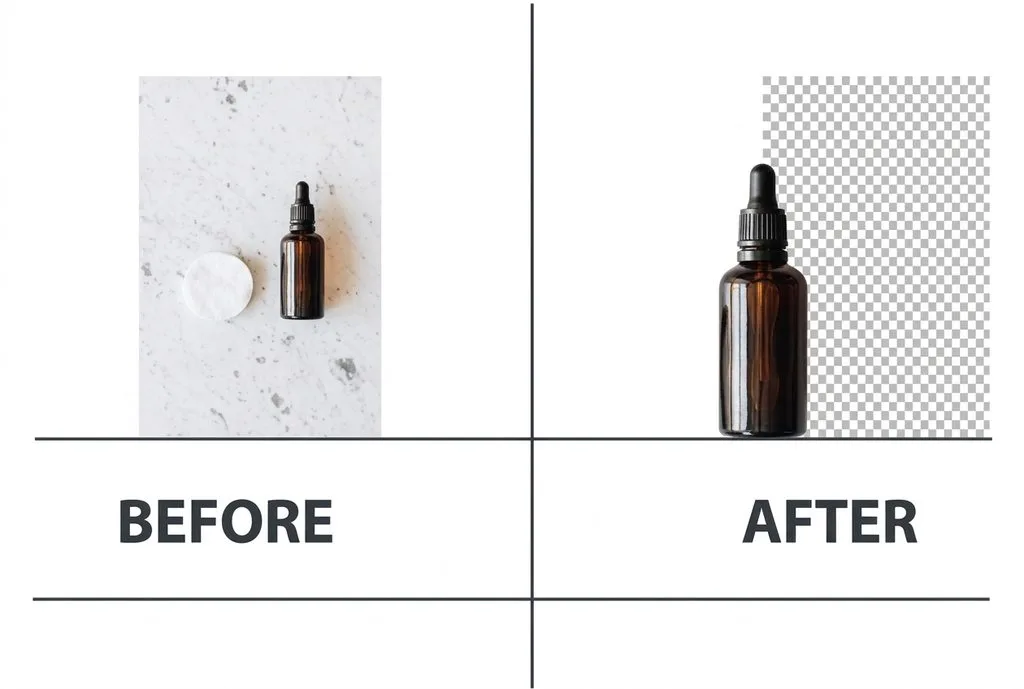
A clipping path is a closed vector outline — drawn by hand in Photoshop with the Pen Tool — that traces the exact edge of a product. Everything inside the path stays; everything outside gets cut away. The result is a product isolated on a transparent or pure-white background, ready for your store, ads, or catalog.
A clipping path service is simply outsourcing that tracing work to a professional studio. You upload raw photos; you get back pixel-perfect cutouts, usually as layered PSD, transparent PNG, TIFF, or JPEG on white.
Why does this matter so much? Because online shoppers decide in seconds. A jagged edge, a faint halo, or a slightly off-white background reads as “cheap” before they read a single word of your description. Clean, consistent cutouts directly lift click-through rates, ad performance, and conversion — and they keep you compliant with marketplace rules. Amazon, for example, now enforces pure white backgrounds (RGB 255,255,255) with near-zero tolerance via machine learning, so a “close enough” cutout can get your main image flagged.
Who Actually Needs a Clipping Path Service?
You don’t need to be a huge brand to benefit. If any of these sound like you, outsourcing cutouts probably pays for itself:
- E-commerce sellers on Amazon, Shopify, Etsy, eBay, or Walmart who need white-background, marketplace-compliant images at volume.
- Photographers shooting products who’d rather bill for shooting hours than spend evenings with the Pen Tool.
- Ad agencies and design studios that need flexible, reusable cutouts for campaign composites.
- Print and catalog teams requiring vector-clean paths for InDesign layouts.
- Jewelry, fashion, and cosmetics brands whose products have fine chains, sheer fabric, or reflective glass that AI tools routinely butcher.
If you’re preparing shots for a store, a solid product photo workflow usually ends with clipping paths or masking as the final isolation step.
Clipping Path vs Image Masking vs Background Removal
These three terms get thrown around interchangeably, but they’re not the same thing. Picking the wrong one is why some of your cutouts look off.
| Technique | What it is | Best for | Edge type |
|---|---|---|---|
| Clipping Path | Hand-drawn vector outline (Pen Tool) | Hard-edged products: shoes, boxes, watches, phones, furniture | Sharp, crisp |
| Image Masking | Pixel-level alpha/channel selection | Hair, fur, glass, sheer fabric, smoke, fine chains | Soft, semi-transparent |
| Background Removal | The outcome — any method that isolates the subject | General term; often uses path + masking together | Depends on method |
The short rule: if you could trace the edge with a pen without lying about it, it’s a path. If you couldn’t — think curly hair, tulle, or a wine glass — you need masking. A great studio will combine both inside one project, and many explain the distinction in detail.
One more thing: once isolated, a product can look like it’s floating. That’s why drop shadows, natural shadows, and reflection shadows are standard add-ons — marketplaces and buyers both respond better to grounded, dimensional product shots.
Manual vs AI Clipping Path in 2026
Let’s address the elephant in the room. AI background removers — Adobe’s Remove Background, remove.bg, Photoroom — have gotten genuinely good. For a simple t-shirt on a clean backdrop, they’re fast and free.
But they fail predictably on exactly the images that drive sales. Here’s where manual still wins hands-down:
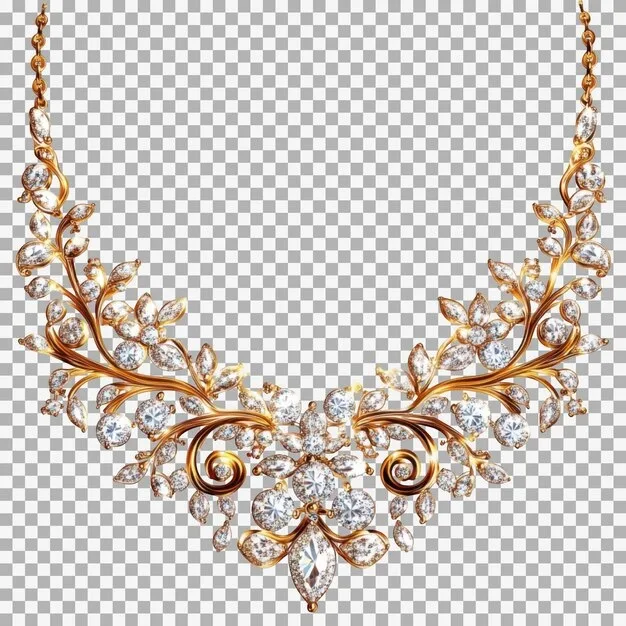
- Complex outlines: fine necklace chains, watch straps, wire-frame chairs, bicycle spokes.
- Translucent objects: perfume bottles, glassware, eyewear, plastic packaging.
- Soft natural edges: hair, fur, feathers, knitted cuffs.
- Tight color separation: black products on dark backgrounds, white on white.
- Brand-critical hero images: homepage banners, ad creatives, print catalogs — where a halo costs you money.
AI is fine for quick social previews, internal mood boards, or high-volume bulk where minor artifacts are acceptable. Smart brands blend both: AI for drafts and low-stakes shots, manual editors for hero images and anything going into paid ads. If you’re curious about the AI side, tools keep improving — but “good enough for a thumbnail” is not the same as “good enough for a product page.”
Best Clipping Path Service Providers in 2026
After comparing dozens of studios across pricing, turnaround, free-trial policy, and review sentiment, these are the names worth your attention. Note: every “top 10” list you’ll read is published by a provider ranking themselves first — including this one, in spirit — so treat any ranking as a starting point, not gospel. Test with your own images.
| Provider | Starting price | Free trial | Turnaround | Best known for |
|---|---|---|---|---|
| Clipping Expert Asia | $0.25–$0.39/image | Yes (2 images) | As fast as 6 hrs | High-volume manual paths, 15+ yrs, 24/7 support |
| Path Edits | $0.39/image | Yes | 12–24 hrs | Clean, consistent e-commerce workflows |
| Pixelz | ~$0.95/image | Limited | Next-day / 3hr rush | AI-assisted + human QA, enterprise API |
| Clipping World | $0.29/image | Yes | 6–24 hrs | Bulk capacity, 5,000+ images/day |
| Color Experts Intl | $0.35–$0.49/image | Yes | 6–24 hrs | Full-service retouching + paths |
| FixThePhoto | ~$2–$5/image | No | 24–48 hrs | Photographer-focused retouching |
| Clipping Path Center | $0.39/image | Yes | 24 hrs | Simple tiered pricing |
A few patterns jump out. The Bangladesh-based studios (Clipping Expert Asia, Clipping World, Color Experts) consistently underprice Western studios on basic paths because they’ve built a specialized, high-volume manual-editing industry over 15+ years. Premium studios like Pixelz and FixThePhoto charge more but add workflow automation, API access, or photographer-grade retouching. Your choice depends on volume, complexity, and how much hand-holding you want.
How Much Should You Actually Pay?
Pricing is almost always tiered by image complexity. If a provider quotes you a single flat rate sight unseen, that’s a red flag — it usually means everything’s getting run through automated software. Here’s the 2026 benchmark:
| Complexity tier | Typical products | Price range per image |
|---|---|---|
| Basic / Simple | Boxes, books, phones, solid shapes | $0.25 – $0.50 |
| Medium | Shoes, bags, apparel, multi-button items | $0.50 – $1.50 |
| Complex | Bicycles, chairs with mesh, mannequins | $1.50 – $4.00 |
| Super-complex | Jewelry chains, nets, intricate furniture, group shots | $4.00 – $8.00+ |
Bulk discounts typically kick in around 500+ images and can reach 30–50% off. Rush delivery (2–4 hours) usually carries a surcharge. For context, the industry average starting price hovers around $0.39/image; anything below $0.25 should make you ask whether it’s truly manual.
When you get files back, output format matters. A transparent PNG is great for web, but a layered PSD lets your designer swap backgrounds later. If you’re unsure which format fits your pipeline, a quick image formats comparison can save you a re-export headache.
How to Evaluate a Provider Before You Commit
Never bulk-upload 5,000 images to a studio you haven’t tested. Run this 7-point audit first:
- Request a free trial with 2–3 of your toughest images — not the easy ones. Compare edges at 400% zoom.
- Test turnaround honestly. Submit during their busy hours, not a quiet weekend, to see real capacity.
- Get the revision policy in writing. Free unlimited revisions on minor tweaks matter more than a slightly lower price.
- Confirm file formats. PSD with layers, transparent PNG, TIFF, and JPEG should all be standard.
- Ask about NDAs and data privacy — especially for unreleased products.
- Check communication channels. Live chat, email, Slack, or a project portal — you should know who’s handling your job.
- Review pricing tiers by complexity, not a flat rate. A one-price-fits-all quote hides quality compromises.
A great provider passes every point; a mediocre one will dodge at least two. Trustpilot and Google reviews help, but nothing beats a real sample on your own product.
Red Flags to Walk Away From
Keep an eye out for these warning signs during your trial:
- Edges that look hard or unnatural on curved objects at full zoom.
- Hair clumped together or strands missing.
- Delivery significantly later than promised — on a small order.
- Slow, template-style responses to your questions.
- Refusal to revise a trial image.
- Files returned in the wrong format or wrong dimensions.
- Pressure to skip the trial and place a large paid order immediately.
One red flag might be a bad day. Multiple red flags mean move on.
Industries That Depend on Clipping Path Services
You’d be surprised how far cutouts reach. Beyond the obvious e-commerce use case:
- Apparel and fashion: ghost mannequin (neck joint) edits, on-model composites, lookbook consistency.
- Jewelry studios: chain isolation, stone enhancement, reflection cleanup — the hardest category there is.
- Real estate: sky replacement, decluttering, virtual staging prep.
- Print and publishing: magazine layouts, catalogs, brochures where vector paths are required.
- Advertising agencies: campaign visuals, banner ads, social creatives built from isolated assets.
- Automotive: background swaps and lot-photo cleanup for dealerships.
Once a product is properly isolated, it becomes a reusable asset — swap backgrounds per platform, build lifestyle composites, or batch-produce a whole season of creative from one shoot. That flexibility is the real ROI, not just the cutout itself.
How to Prepare Your Photos for the Best Results
A clipping path studio works with what you send them. A few minutes of prep on your end cuts turnaround time and improves the final cutout:
- Shoot on the cleanest background you can. A light gray or white seamless is ideal; a busy office is not.
- Light the product evenly. Harsh shadows and blown-out highlights make edges ambiguous.
- Leave margin. Don’t crop the product tight to the frame — give the editor breathing room.
- Shoot at high resolution. 1600px+ on the longest side lets editors zoom in for precision (and meets Amazon’s zoom requirement).
- Name files clearly and group by product/SKU so variants stay organized.
- Send a style guide — preferred background, shadow type, crop ratio — before bulk processing starts.
If you’re new to this, our guide on preparing a product photo walks through the full shoot-to-edit checklist. And if you’re processing hundreds at once, knowing how to batch edit photos keeps your pipeline moving between shoot and upload.
Wrapping Up: Pick the Partner That Matches Your Growth Curve
Choosing a clipping path service isn’t just about editing — it shapes your brand perception, ad efficiency, and conversion rate. The studios listed each bring real strengths: Bangladesh-based manual shops win on price and volume; premium studios win on workflow automation and enterprise support; AI tools win on speed for simple shots.
The smartest move is the same no matter your budget: test before you commit. Request samples. Compare edges at full zoom. Run a small pilot batch before scaling. The right provider will welcome that scrutiny. The wrong one will resist it.
Frequently Asked Questions
What exactly is a clipping path service?
A clipping path service hand-draws a vector outline around your product in Photoshop (using the Pen Tool) so it can be cleanly isolated from its background. You receive the cutout in formats like transparent PNG, layered PSD, or JPEG on white.
Is manual editing really better than AI in 2026?
For complex shapes, transparent products, fine chains, hair, and hero images — yes. Manual editing still wins on precision. AI works well for fast drafts and simple shapes, but human editors handle nuance far better. Most brands use both.
How much does a clipping path cost per image?
Basic paths run $0.25–$0.50 per image. Medium complexity is $0.50–$1.50. Complex items like bicycles or furniture run $1.50–$4. Super-complex jewelry chains can reach $4–$8+. Bulk discounts of 30–50% apply at volume.
What’s a realistic turnaround time?
Reputable providers deliver within 6–24 hours, even on bulk batches. Rush options often deliver in 2–4 hours for an added fee. Always test turnaround during busy hours, not weekends.
How do I judge a provider’s actual quality?
Run a free trial with 2–3 of your toughest images. Inspect edges at 400% zoom, check shadow realism, verify the file format and layers, and see how they handle revision requests.
Are revisions included?
Top providers include unlimited free revisions on minor tweaks. Major scope changes or reshoots may carry extra fees — always confirm the policy in writing before bulk work.
What file formats should the studio support?
At minimum: JPEG, transparent PNG, layered PSD, and TIFF. If you sell on marketplaces, confirm they can meet Amazon’s pure-white (#FFFFFF) background and 1000px+ dimension requirements.
Why do so many top providers operate from Bangladesh?
Bangladesh built a specialized image-editing industry over 15+ years with dedicated training schools and a deep talent pool. The result is high manual precision at globally competitive prices, which is why many U.S., U.K., and European brands outsource there.