11×14 / 20×30 / 24×36 / A4 / A3 Photo Size Guide: Pixels, Aspect Ratios & Wall Placement
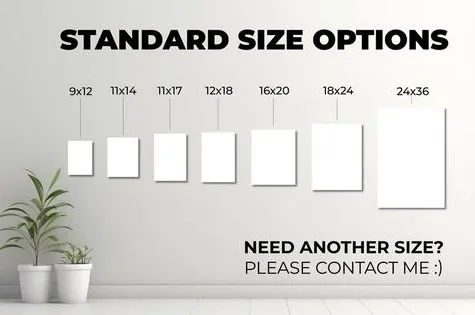
Have you ever ordered what you thought was a big, statement-making print, unboxed it, and thought… that’s it? Or the opposite: hung a 24×36 poster above a small armchair and watched it swallow the whole wall? Picking the right photo size is less about the number on the label and more about three things that almost nobody checks first: the shape of the image (aspect ratio), the resolution of your file, and the wall or furniture it will live next to.
This guide covers the five sizes people ask about most — 11×14, 20×30, 24×36, A4, and A3 — with exact dimensions in inches, centimeters, and pixels, plus the megapixels your camera actually needs, how each one behaves in a frame, and where on the wall it looks best. By the end you’ll know exactly which size to order and whether your file is big enough to print it sharply.
Quick comparison: all five sizes at a glance
Before we dive in, here is the whole conversation in one table. Pixel figures assume 300 PPI (pixels per inch), the gold standard for prints viewed up close. The “minimum” column uses 150 PPI, the practical floor for large wall prints seen from across a room.
| Photo size | Inches | Centimeters | Aspect ratio | Pixels @ 300 PPI | Megapixels @ 300 PPI | Pixels @ 150 PPI (min.) | Best for |
|---|---|---|---|---|---|---|---|
| 11×14 | 11 × 14 | 27.9 × 35.6 | 11:14 (unique) | 3300 × 4200 | ~13.9 MP | 1650 × 2100 | Framed portraits, desk/shelf, gallery walls |
| 20×30 | 20 × 30 | 50.8 × 76.2 | 2:3 | 6000 × 9000 | ~54 MP | 3000 × 4500 | Bedroom walls, above a dresser, medium statement |
| 24×36 | 24 × 36 | 61.0 × 91.4 | 2:3 | 7200 × 10800 | ~77.8 MP | 3600 × 5400 | Above a sofa, feature walls, poster/canvas |
| A4 | 8.3 × 11.7 | 21.0 × 29.7 | 1:√2 (~1:1.41) | 2480 × 3508 | ~8.7 MP | 1240 × 1754 | Documents, small portraits, desk frames |
| A3 | 11.7 × 16.5 | 29.7 × 42.0 | 1:√2 (~1:1.41) | 3508 × 4961 | ~17.4 MP | 1754 × 2480 | Posters, portfolios, café/office walls |
Two things jump out immediately. First, 20×30 and 24×36 share the same 2:3 shape — they are just different sizes of the same rectangle, so a file that fits one fits the other with zero cropping. Second, 11×14, A4, and A3 are each their own shape and don’t line up with anything else. That mismatch is where most disappointing prints are born, so let’s talk aspect ratio before anything else.
Aspect ratio: the shape matters more than the size
Aspect ratio is just the relationship between width and height. It describes shape, not physical size. A 4×6 snapshot and a 24×36 poster are wildly different in size but exactly the same 2:3 rectangle, which is why the same camera file can print at either without losing a single pixel of composition. If you want the longer version, this aspect ratios guide walks through every common camera and print shape.
Here is how our five sizes group by shape:
- 2:3 family — 20×30 and 24×36 (also 4×6, 8×12, 12×18, 16×24). This is the native shape of most DSLR and mirrorless cameras, so your full-frame or APS-C file fits these prints edge to edge with no crop.
- 11:14 family — only 11×14 (and its double, 22×28). It is close to 4:5 but not close enough; printing a 4:5 file at 11×14 means either a small crop or a thin white border.
- ISO A-series (1:√2 ≈ 1:1.414) — A4 and A3. Every A-size is the same rectangle folded in half: fold an A3 in half and you get exactly A4. This shape matches no US frame size, which is why an A3 print will never drop neatly into a 12×16 or 16×20 frame.
When your file shape and print shape don’t match, the printer has three options, and you should choose consciously rather than let the lab decide:
- Crop — trim the edges to fill the paper. Fine if nothing important lives near the border; disastrous if it chops a head, a signature, or the edge of a building.
- Border — print the whole image with white space around it. Safe, and often elegant with a mat, but not what everyone expects.
- Stretch — squish the image to fit. Never do this. It distorts faces and architecture and always looks wrong.
Pro tip:
Before you upload, check which ratio your file actually is. In Photoshop or any editor, divide the long pixel dimension by the short one. If you get 1.5, it’s 2:3. If you get 1.25, it’s 4:5. If you get 1.27, congratulations — it’s already 11:14.
11×14: the classic framed print that isn’t quite 4:5
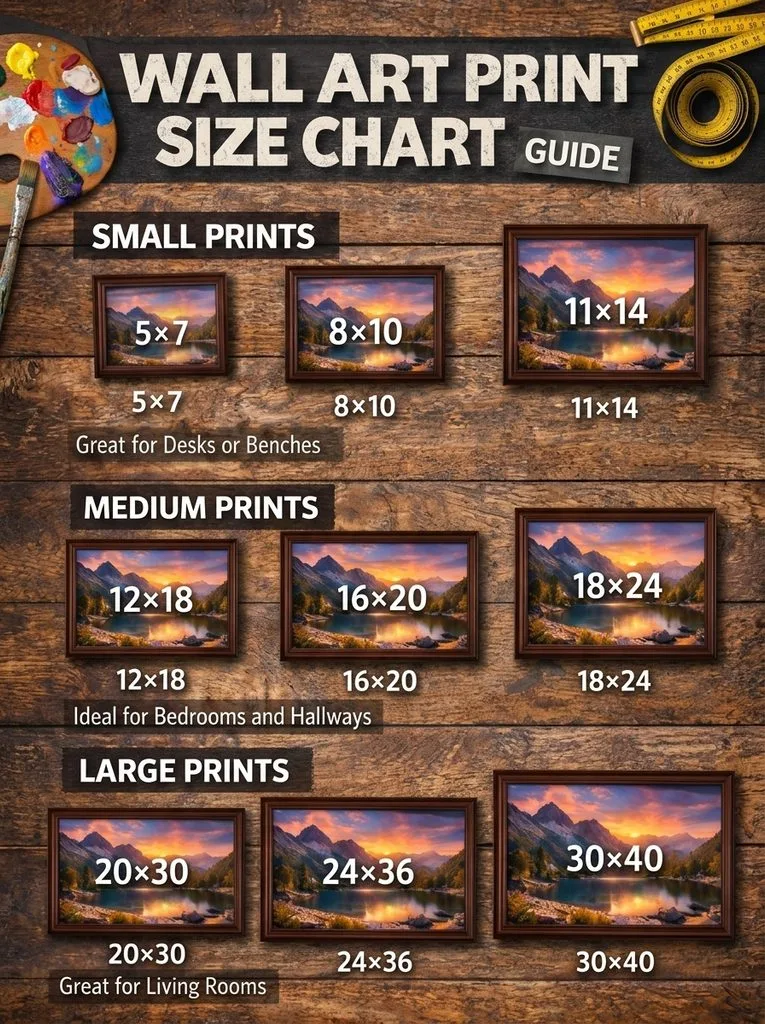
At 11 by 14 inches (27.9 × 35.6 cm), this is the workhorse of the framing world. It’s big enough to hold a wall spot on its own but small enough for a desk, shelf, or one slot in a gallery wall. Most off-the-shelf frame shops stock it, and it’s the default size for professional portrait packages, diplomas, and certificates.
The catch is its shape. 11:14 is its own ratio (≈0.786), not the 4:5 (0.8) that 8×10 and 16×20 use. The difference is tiny — about 3% — but it’s enough that a 4:5 file printed at 11×14 will lose a sliver off two edges or gain a thin border. For portraits with a tightly cropped face, that sliver can be the top of someone’s hair. If you shoot specifically for 11×14, crop your master file to 11:14 on purpose so you control what disappears.
At 300 PPI an 11×14 needs a 3300 × 4200 pixel file, about 13.9 megapixels — any modern phone or entry-level camera clears that easily. Even a 6 MP file can work if you accept ~180 PPI and it’s viewed from a normal reading distance.
Framing:
An 11×14 print can go straight into an 11×14 frame, or — and this is the classic move — drop an 8×10 print into an 11×14 frame with a mat. That 1.5–2 inch border of white mat instantly makes a small photo look expensive and gallery-like. For a more substantial wall piece, do the reverse: put the 11×14 print itself in a 16×20 frame with a 2.5–3 inch mat. The print hasn’t changed, but the finished footprint jumps from roughly 13×16 to 18×22 on the wall.
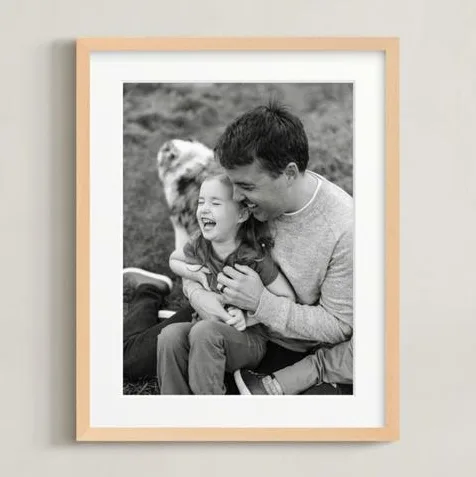
Where it shines: above a nightstand, on an office desk, in a hallway gallery wall, or as a gift-sized portrait. Above a full-size sofa, a single 11×14 will look lonely — it’s better as part of a group.
20×30: the medium statement print
20×30 inches (50.8 × 76.2 cm) is where a print stops feeling like “a framed photo” and starts feeling like wall art. It’s a 2:3 rectangle, exactly the shape most cameras shoot, so your full-resolution file fits it with no crop at all — a huge advantage over 11×14. If you’ve ever wondered why 20×30 and 24×36 are such popular poster sizes, that’s why: they match your camera.
At 300 PPI you need 6000 × 9000 pixels, about 54 megapixels. That’s more than most cameras deliver natively — a 24 MP full-frame camera produces 6000 × 4000, which is plenty for the short side but only reaches 20×30 at 200 PPI. The good news: at 20×30 you’re almost always standing several feet away, so 200 PPI looks perfectly sharp, and even 150 PPI (a 3000 × 4500 file, ~13.5 MP) is acceptable for wall display. If your file is borderline, a good AI upscaler can add real detail before you send it to print.
Where it shines: above a queen or king bed, above a dresser or console table, in a dining room, or as the anchor of a two- or three-piece arrangement. It’s large enough to be the only piece on a modest bedroom wall but small enough that it won’t overpower a narrow hallway. A useful reference point: if you’re weighing it against the next size down, our 16×20 print guide shows how much wall impact you gain by stepping up to 20×30.
24×36: the poster-size anchor piece
At 24 by 36 inches (61.0 × 91.4 cm), this is the standard movie-poster size and the go-to single piece for above a sofa. Like 20×30 it’s 2:3, so the same camera file scales between them — if you love a shot at 20×30, the exact same file prints at 24×36, just at slightly lower PPI.
At true 300 PPI a 24×36 wants 7200 × 10800 pixels, about 77.8 megapixels — territory only medium-format and a few high-resolution full-frame bodies reach. But nobody views a 24×36 from six inches away. From a normal living-room viewing distance of 5–8 feet, 150 PPI (3600 × 5400 pixels, ~19.4 MP) is the working standard, and a 24 MP camera file lands right around 170 PPI, which looks excellent on canvas or matte paper. For glossy paper viewed closer, aim for 200 PPI or more.
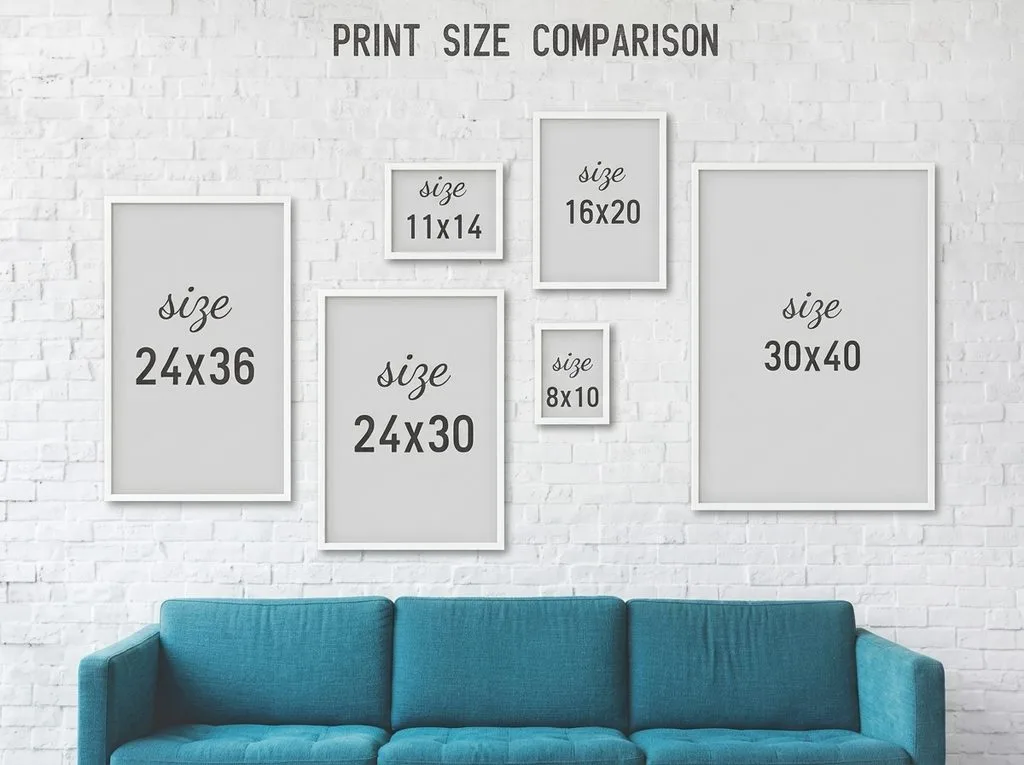
The 2/3 rule for above furniture: A piece hung above a sofa, bed, or console should be roughly 60–75% as wide as the furniture below it. For a standard 84-inch three-seat sofa, that’s 50–63 inches of finished art width — a single 24×36 frame (about 26–28 inches wide with moulding) sits at the small end of that range, which is why many designers pair it with a second frame or a slim side piece. For a 72-inch sofa, 43–54 inches is the target, and one 24×36 with a wide mat often lands perfectly. Leave 6–10 inches between the top of the furniture and the bottom of the frame; any higher and the art feels like it’s floating away from the seating.
Framing:
At 24×36, glass gets heavy and expensive. Most labs and frame shops offer acrylic glazing at this size, which is lighter, shatter-resistant, and — with anti-glare coating — often looks better behind glass. If you’re printing on canvas, you can skip the frame entirely and stretch it over a 1.5-inch gallery wrap; check our canvas resolution guide for the file specs canvas specifically needs.
A4: the international default (and why it’s not “letter size”)
A4 is 210 × 297 mm, or 8.27 × 11.69 inches (21.0 × 29.7 cm). It’s the standard paper size in over 200 countries and the default page in Word, Google Docs, and most design software outside North America. At 300 PPI it works out to 2480 × 3508 pixels, about 8.7 megapixels — trivial for any modern device. For precise pixel math at any DPI, this paper size guide lists every A-series dimension in pixels.
People often call A4 “letter size,” but it’s not. US Letter is 8.5 × 11 inches; A4 is slightly narrower and slightly taller. The difference is small enough that a document usually prints on either with a margin adjustment, but for a photo you want edge-to-edge, order the exact size you mean.
Where it shines: desk frames, small portraits, photo albums, portfolios, and any print that will also live as a digital document. Because A4 is an ISO 1:√2 shape, it won’t fill a US 8×10 or 8.5×11 frame edge to edge — expect a small border, or trim, or use a frame sold specifically for A4.
A3: twice the area of A4, same shape
A3 is 297 × 420 mm, or 11.69 × 16.54 inches (29.7 × 42.0 cm). Fold an A3 sheet in half along its long side and you get two A4 sheets — that’s the whole point of the ISO system: every size is the same rectangle scaled by √2. At 300 PPI an A3 needs 3508 × 4961 pixels, about 17.4 megapixels, which most cameras and many phones can deliver. Adobe’s A3 format overview covers the same dimensions and common design uses if you want a second source.
In the print-size family, A3 sits between 11×14 and 16×20 in area, but with a taller, more elongated shape. It’s the classic poster size for café walls, student rooms, office noticeboards, and photography portfolios. Like A4, it doesn’t match any standard US frame ratio, so you’ll want an A3-specific frame or a custom mat.
Resolution & DPI: how many pixels do you actually need?
Here’s the formula that settles every “is my file big enough?” question:
Pixels needed = print size in inches × PPI target.
For an 11×14 at 300 PPI: 11 × 300 = 3300 pixels wide, 14 × 300 = 4200 tall. Multiply them and divide by a million for megapixels: 3300 × 4200 ÷ 1,000,000 ≈ 13.9 MP. That’s it. The confusion around DPI vs PPI mostly comes from people using the terms interchangeably; for printing, PPI (pixels per inch of your file) is what matters, and 300 is the safe default.
But 300 PPI is not a law. It’s the right number for prints you’ll hold or view from arm’s length — 11×14 and smaller, basically. For wall prints viewed from several feet away, the human eye can’t resolve 300 PPI, and 150–200 PPI is genuinely fine. This is why a 24 MP camera can produce a beautiful 24×36 canvas even though the math says 77.8 MP at 300 PPI: nobody stands that close.
| Your file | Largest print @ 300 PPI (close viewing) | Largest print @ 150 PPI (wall viewing) |
|---|---|---|
| 12 MP (4000×3000) | ~13×10 | ~27×20 |
| 24 MP (6000×4000) | ~20×13 | ~40×27 |
| 45 MP (8200×5500) | ~27×18 | ~55×37 |
| 61 MP (9500×6300) | ~32×21 | ~63×42 |
If your file falls short, you have three honest options: print smaller, accept lower PPI at wall distance, or upscale intelligently. Blowing a file up in Photoshop with default resampling just softens it; a dedicated AI upscaler reconstructs plausible detail. And if you’re prepping a whole folder of files at once, you can resize images in batches rather than one at a time. For the full breakdown of what resolution to target by print type, our best DPI for printing guide and the pixels, DPI explainer go deeper than we can here.
File prep: the checklist before you hit “order”
A perfect size can still come back looking flat if the file isn’t prepared right. Run through this before uploading:
- Color space: sRGB. Unless your lab explicitly asks for Adobe RGB, convert to sRGB. This is the single most common cause of “the colors looked different on my screen” prints. If you’re not sure which you’re using, here’s a quick color profiles comparison.
- File format: high-quality JPEG (quality 10/12) or TIFF. JPEG at maximum quality is almost always fine; TIFF only if the lab requests it. Avoid PNG for photos — it produces needlessly huge files. Our image formats guide breaks down when each one makes sense.
- Sharpen after resizing. Always resize to the final pixel dimensions first, then apply a light output sharpening — sharpening before resizing gets undone. A gentle sharpen photos pass at the final size makes prints noticeably crisper.
- Leave a small bleed. Most labs ask for 1/8–1/4 inch of extra image around the edge so trimming never cuts into your subject. Check the lab’s spec.
- Review the crop preview. Every lab auto-crops mismatched ratios by default. Look at the preview, zoom in on faces and edges, and if something important is being cut, switch to the matching ratio size or add a border.
When it’s time to actually order, good printing software can handle color management, soft-proofing, and batch ordering across multiple labs.
Framing, mats & wall placement: getting the footprint right
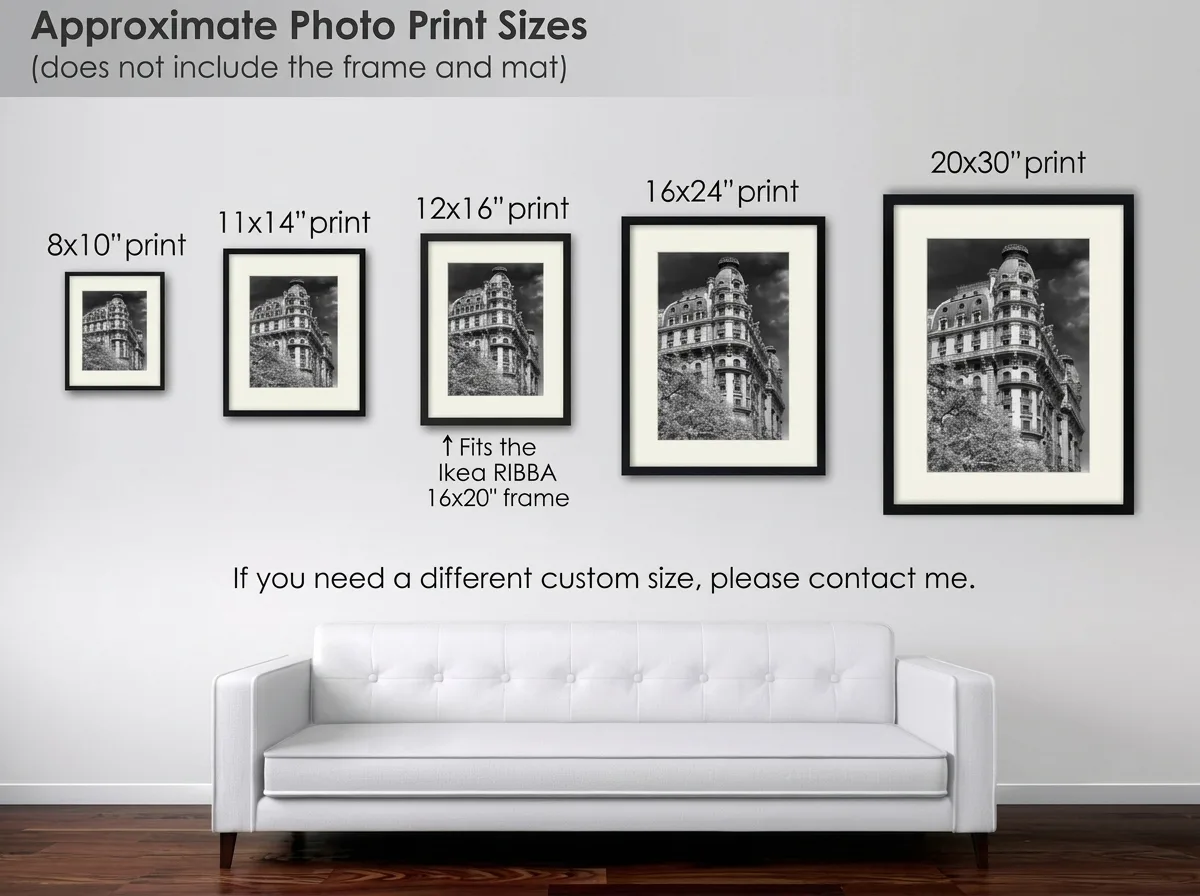
Remember: the number on the frame box is the print it holds, not the size on the wall. Add a 1.5-inch frame moulding and a 3-inch mat, and an 11×14 print becomes an 18×21 inch wall piece. Always measure the outer dimension when planning wall space.
Common mat pairings (mat width grows with print size):
| Your print | Frame with mat | Typical mat width |
|---|---|---|
| 8×10 | 11×14 | 1.5–2 in |
| 11×14 | 16×20 | 2.5–3 in |
| 16×20 | 20×24 or 24×30 | 3–4 in |
| 20×30 | 24×36 | 3–4 in |
| 24×36 | Custom or frame only | 4–5 in if matted |
A mat is not automatically better. Bold graphic posters and canvas wraps often look stronger edge-to-edge. But for a detailed photograph or a small print, a mat gives the eye breathing room and makes the piece feel more considered. For gallery walls, treat the whole arrangement as one piece when applying the 60–75% width rule, and keep 2–3 inches between frames.
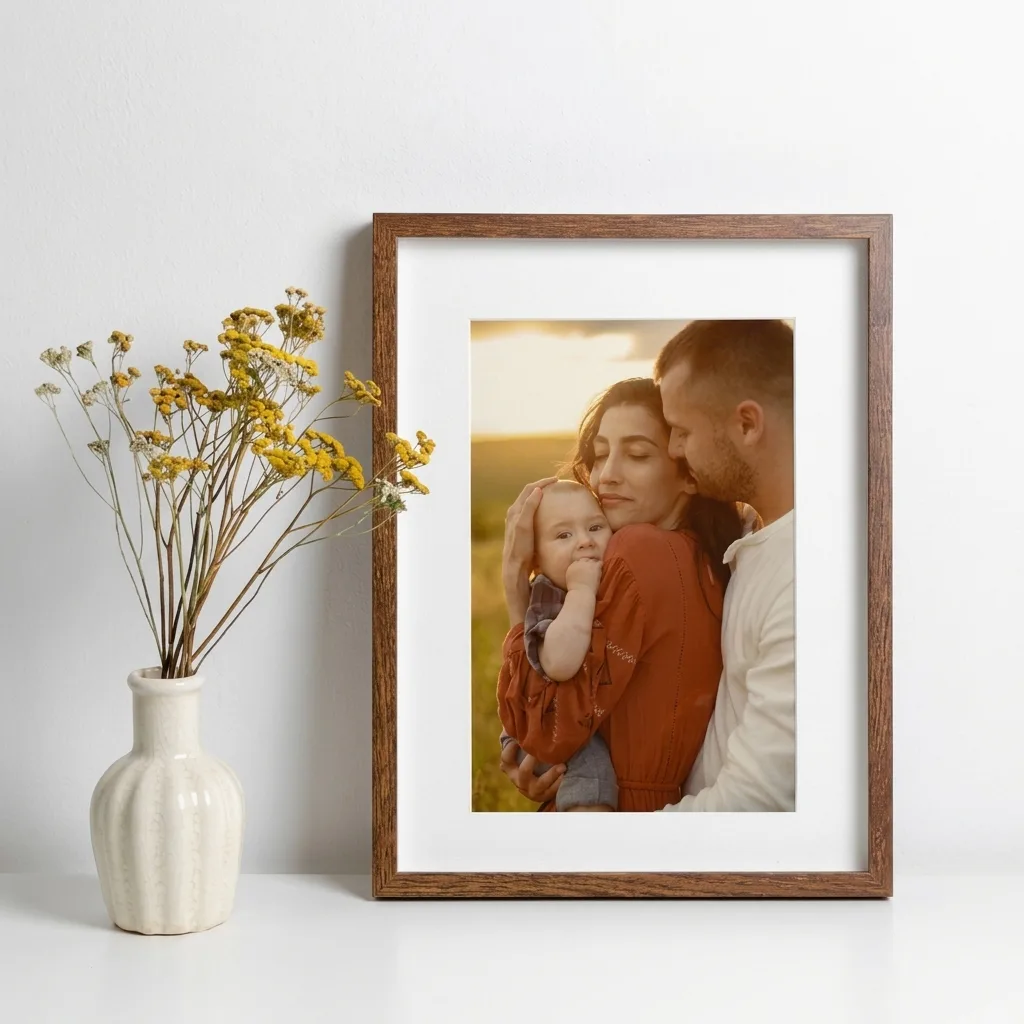
Before you buy anything, do the five-minute tape test: cut paper or painter’s tape to the outer frame dimensions and stick it on the wall. Live with it for a day. It’s the cheapest way to avoid that “too small / too big” regret. For more on sizing art to a specific room, wall art sizing and how big wall art should be both cover the furniture-to-art ratio in detail.
The five mistakes everyone makes (and how to avoid them)
- Assuming 11×14 is 4:5. It’s 11:14. Crop deliberately or expect a border.
- Confusing 18×24 with 24×36. 18×24 is 3:4; 24×36 is 2:3. They are not the same shape.
- Measuring the frame label instead of the outer dimension. With a mat and moulding, the wall footprint can be 4–8 inches larger per side.
- Demanding 300 PPI for a 24×36 wall print. You’ll either panic for no reason or pass up a file that would look perfect at 150–180 PPI from six feet away.
- Skipping the crop preview. Auto-crop eats faces, signatures, and skylines. Always check.
Frequently Asked Questions
How many megapixels do I need for a 24×36 print?
For true 300 PPI, you need approximately 77.8 megapixels. However, for a wall print viewed from 5+ feet away, 150 PPI is a practical standard, requiring only 19.4 megapixels (3600 × 5400 pixels). A 24 MP camera file can produce a sharp 24×36-inch print.
Is 20×30 the same ratio as 24×36?
Yes. Both sizes have a 2:3 aspect ratio, matching a 4×6 print and most camera sensors. The same image file can print at either size without cropping, although the 24×36-inch print has a lower PPI.
Will an A3 print fit in a 12×16 or 16×20 frame?
Not edge to edge. A3 measures approximately 11.7 × 16.5 inches and has a 1:√2 aspect ratio, which differs from standard US frame ratios. You’ll need an A3-specific frame, a custom mat, or a border to accommodate the print.
What size frame do I need for an 11×14 print with a mat?
A 16×20-inch frame is a classic choice, with a mat cut for an 11×14-inch opening and approximately 2.5–3 inches of visible matting where the proportions allow. If you want the print to fill the frame without a mat, choose an 11×14-inch frame.
Can I print a phone photo at 20×30?
Yes, depending on the image quality and resolution. A typical 12 MP phone photo measuring 4032 × 3024 pixels provides approximately 151 PPI along the long dimension of a 20×30-inch print, which can be acceptable for wall display when viewed from a distance. AI upscaling may help, but results depend on the original image’s sharpness and detail.
What’s the difference between A4 and US Letter?
A4 measures 8.27 × 11.69 inches (210 × 297 mm), while US Letter measures 8.5 × 11 inches. A4 is slightly narrower and taller. For documents, the difference is usually minor, but for edge-to-edge photo prints, choose the exact paper size required.
How high should I hang a 24×36 print above a sofa?
Position the bottom of the frame approximately 6–10 inches above the sofa back, and aim for finished artwork that spans 60–75% of the sofa’s width. Center the artwork over the seating area rather than the entire wall.
Do I need 300 DPI for A4 and A3 prints?
For A4 and A3 prints viewed at close range, such as on a desk or in a portfolio, aim for 300 PPI. At that resolution, A4 requires approximately 2480 × 3508 pixels, while A3 requires approximately 3508 × 4961 pixels. Modern cameras can often meet these requirements, depending on their resolution and the image’s orientation and crop.