Ghost Mannequin Services: The Complete Guide to Pricing, Process, and Picking a Provider in 2026
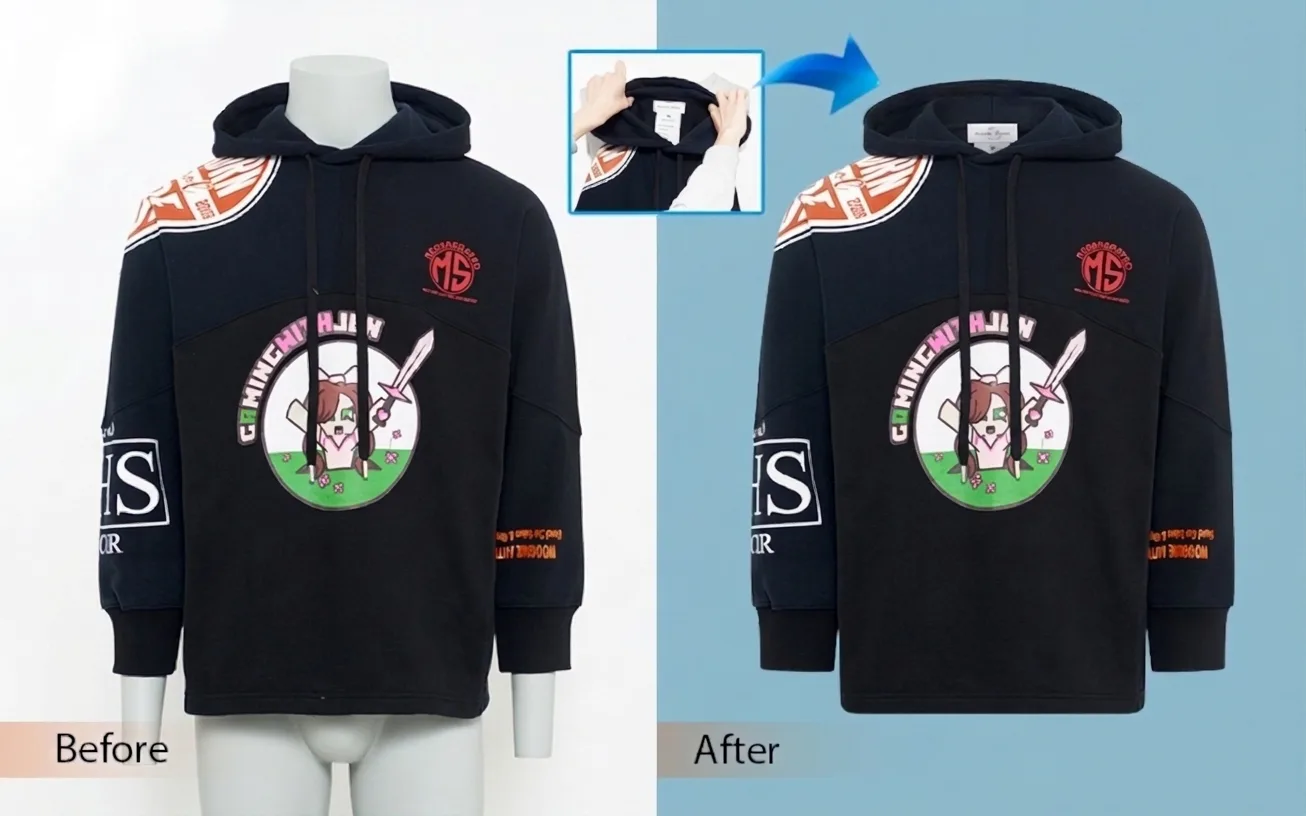
TL;DR: The short answer. Ghost mannequin services (also called invisible mannequin or neck joint editing) remove the mannequin from apparel photos and composite in the garment’s interior so the clothing looks worn by an invisible figure. Expect to pay $0.49–$1.49 per image for quality manual editing from Asia-based studios, $1.50–$4+ for U.S./EU and enterprise providers, and as little as $0.19 for AI-only tools on simple garments. Most manual orders turn around in 6–48 hours. For brands doing more than ~50 SKUs a month, outsourcing almost always beats doing it in-house — but always run a paid sample batch first, and never pick a provider on price alone.
What Is a Ghost Mannequin Service?
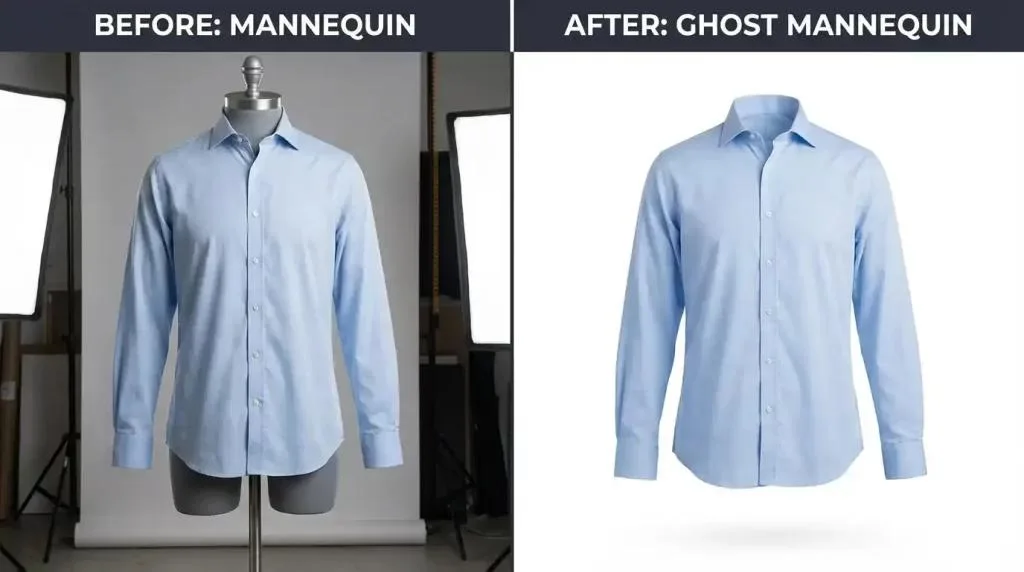
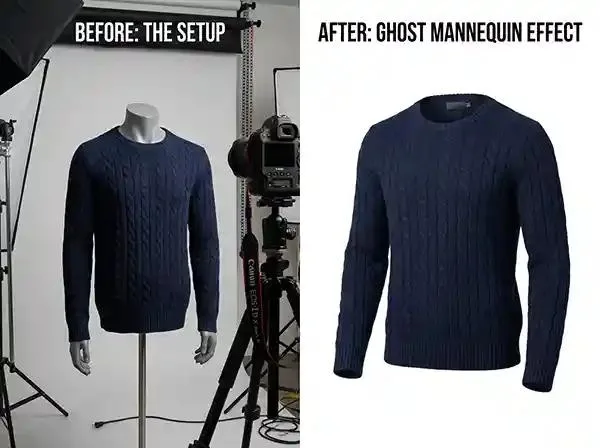
A ghost mannequin service is a specialized apparel photo-editing workflow. You photograph a garment on a mannequin or dress form, then an editor digitally removes the form and rebuilds the parts the mannequin hid — chiefly the inside of the neckline, but sometimes cuffs, hems, and plackets too. The finished image shows the garment floating in three dimensions, as if worn by someone you cannot see.
The technique goes by several names that mean roughly the same thing. Invisible mannequin is the most literal. Neck joint editing describes the single most important step: joining the interior neck shot to the front garment shot. Some studios call it 3D hollow man or ghost man photography. If a provider advertises any of those phrases, they are selling the same core service — though the depth of composite work varies.
For ecommerce apparel, this style sits between two more expensive options. A live model shoot costs thousands per day and introduces sizing, casting, and scheduling friction. A flat lay costs almost nothing but flattens the silhouette shoppers rely on to judge drape and fit. Ghost mannequin delivers the shape of an on-model shot at a fraction of the cost, which is why it became the default catalog look for DTC fashion brands, Amazon apparel sellers, and wholesale catalogs. If you are building a repeatable editing workflow for a clothing line, it is almost certainly one of the first services you will outsource.
Why Apparel Brands Use Ghost Mannequin Editing
Product images do more than decorate a product page — they are the primary sales pitch. Baymard Institute research on product page behavior finds that the majority of shoppers explore product images before reading any text, and a meaningful share of ecommerce sites still fail on image resolution or zoom quality. On a clothing page, a flat or poorly composited image communicates low quality before the shopper reads a single bullet point.
Ghost mannequin editing delivers four measurable outcomes. First, the 3D silhouette shows cut, drape, and structure better than a flat lay, which lifts conversion. Second, accurate fit signals reduce returns caused by shape or size mismatch. Third, a clean model-free image on a pure white background passes marketplace main-image rules — Amazon’s clothing image guidelines, for example, require a pure white background (RGB 255,255,255), a frontal view, and the product occupying roughly 85% of the frame, with no visible mannequin or model for accessories. Fourth, identical joint style across thousands of SKUs builds catalog consistency and brand recognition.
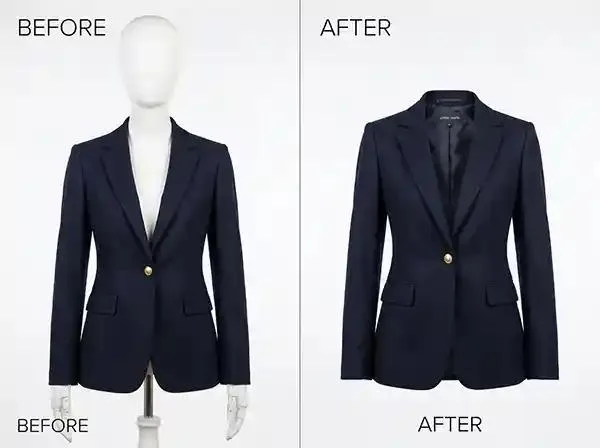
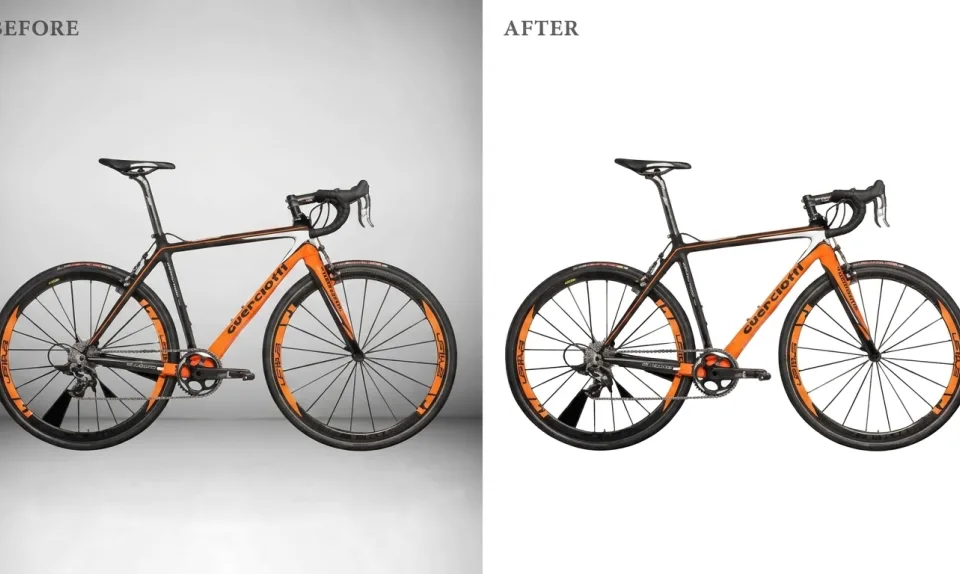
The compliance point matters more than many sellers realize. A main image that shows a visible mannequin neck, a hanger, or a colored background can be suppressed or rejected by Amazon’s automated image checks, which costs sales until fixed. Professional ghost work eliminates that risk at the source. For a deeper look at the pure-white standard, see this white background guide for product photos.
How Ghost Mannequin Editing Works: Step by Step
The quality of a ghost mannequin image is decided in the studio, not in Photoshop. The edit can only be as good as the source shots, so the process really begins before the shutter fires.
1. Shoot the garment on a mannequin
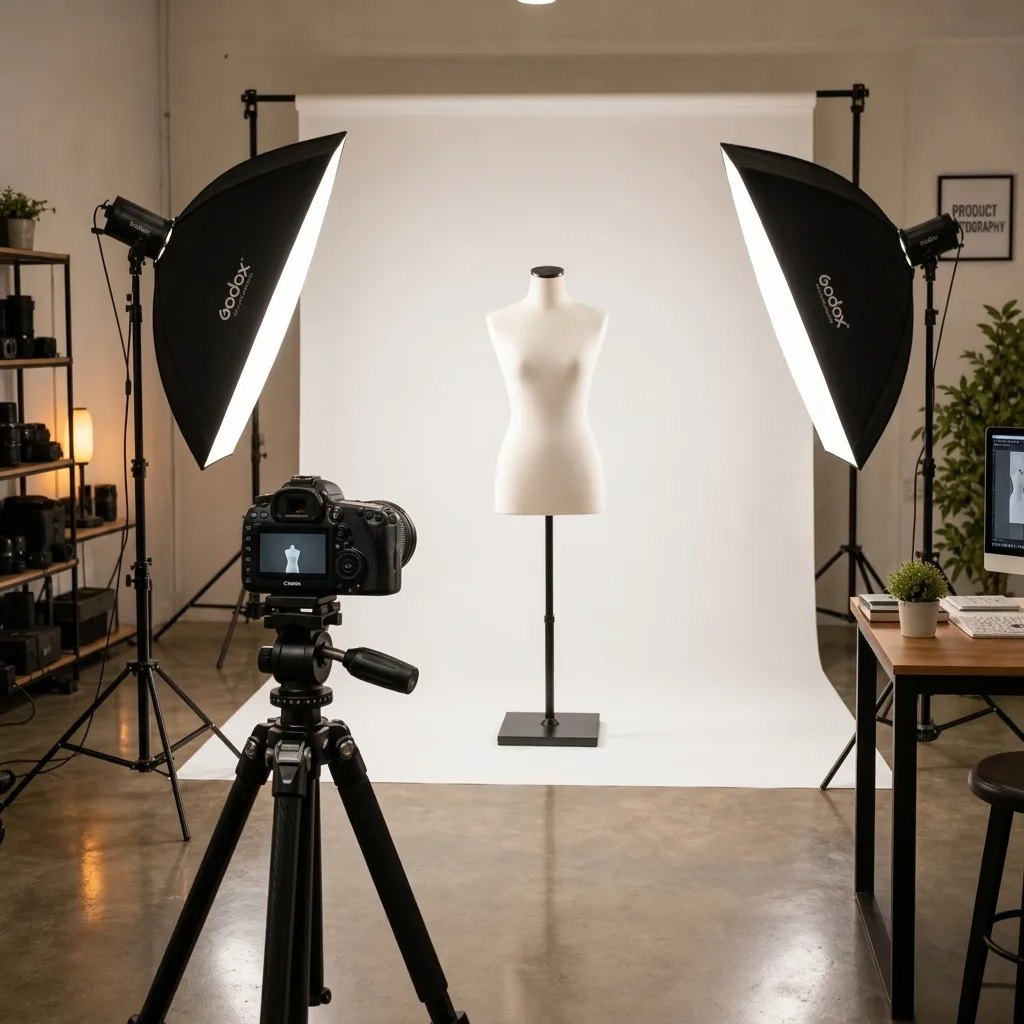
Use a modular or detachable-limb mannequin so shoulders, neck, and arms can be removed or repositioned. Shoot the front, the back, and — critically — an interior shot. For the interior shot, remove the garment or pull the back of the collar forward and photograph the inside back of the neck, the label, and the inner neckband. This interior frame is the piece an editor composites into the empty neck hole. Keep the camera on a tripod at the same height and angle for every shot, use 50 mm or longer to avoid wide-angle distortion, and light evenly. If you are new to studio prep, our product photo prep guide walks through the basics.
2. Mask the garment and remove the mannequin
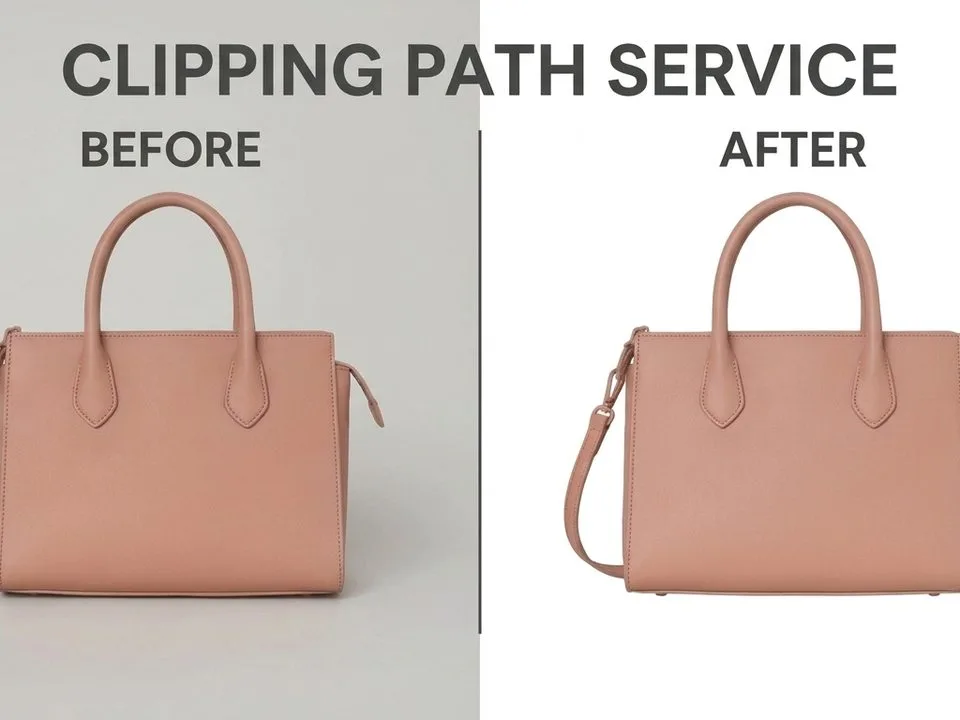
In Photoshop, the editor draws a precise clipping path around the garment with the Pen tool — the cleanest way to get sharp edges on collars, cuffs, and hems — or uses a refined alpha mask. The mannequin is masked out, leaving the garment silhouette with an empty neck opening (and empty sleeve or hem openings, depending on the garment).
3. Composite the neck joint
The interior neck shot is placed on a layer behind the main garment. The editor drops the interior layer’s opacity to about 50% so both layers are visible, then scales, rotates, and warps the interior piece to match the collar’s curvature and perspective. This is the heart of the technique and the step clients notice first. A detailed step-by-step with screenshots of the warp-and-mask stage is available in this Photoshop tutorial on the ghost mannequin effect.
4. Blend edges and add depth
A layer mask hides the parts of the interior shot that should not show, and soft brushwork blends the seam between the two shots. A subtle Multiply shadow inside the neckline sells the illusion of depth — a flat, shadowless joint looks like a paper cutout. For open jackets, the same method repeats at the placket; for trousers and skirts, it is called a bottom joint.
5. Color, shadow, background, and QA
Finally, the editor matches color and white balance across both source shots, removes any remaining mannequin fragments or pins, drops in the pure white or specified background, and adds a soft contact shadow if the brand wants one. A senior editor or dedicated QA reviewer then checks the batch at 100% zoom before delivery. This final review stage is what separates a production-grade provider from a freelancer working image by image.
Deliverables, File Formats, and Turnaround
Most providers deliver finished files as layered PSD or TIFF masters plus flattened upload-ready files. For your storefront you will typically want JPEG or PNG (PNG only if you need transparency), sized to your platform’s specs and compressed for page speed. If you are unsure which format fits which use case, our image formats compared guide breaks down JPEG, PNG, WebP, and HEIC.
On Shopify, square product images are commonly delivered at 2048 × 2048 pixels to support zoom, with a maximum file size of 20 MB per image; Shopify’s own image-size guidance recommends keeping files light enough for fast loading. If you need to standardize a whole catalog at once, you can resize multiple images and compress images before upload. Expect delivery via cloud storage link, FTP, or direct DAM integration for enterprise clients, and confirm up front whether revisions are included and how many rounds are free.
Turnaround is the other half of the deliverable. Standard manual ghost mannequin editing typically ships in 24–48 hours. Rush tiers bring that down to 6–12 hours at a surcharge, and enterprise platforms like Pixelz advertise three-hour rush for subscribed clients. AI-only tools can return a result in seconds to a minute. Always confirm the turnaround per batch, not per image — a provider that finishes images one at a time is awkward to track for a 500-SKU seasonal drop.
Ghost Mannequin Pricing Guide
Pricing is the question every buyer asks first, and the honest answer is that it depends on garment complexity, composite depth, volume, and editing method. Based on publicly listed rates from multiple providers in late 2026, the market breaks into four clear bands:
| Tier | Price per image | What you get | Typical buyer |
|---|---|---|---|
| AI-only tools | $0.19 – $0.50 | Automated generation from a flat-lay, hanger, or mannequin shot; seconds to minutes | High-volume drafts, simple garments, secondary images |
| Asia-based manual studios | $0.49 – $1.49 | 100% hand-edited Photoshop work; 6–48h turnaround; often unlimited revisions | DTC brands, Amazon/Shopify sellers, 50–5,000 SKUs/month |
| U.S./EU & enterprise providers | $1.50 – $4+ | Manual or hybrid editing with project management, SLAs, and platform integrations | Mid-market and enterprise brands, agencies |
| Full-service studio (shoot + edit) | ~$40 – $52+ | The studio photographs your garments and edits them; 5–10 business days | Brands with no in-house studio, high-end labels |
Within the manual band, a simple t-shirt or hoodie neck joint sits at the low end, while a structured jacket with multiple layers, a coat with a hooded interior, or sheer and furry fabrics push toward the high end. Volume discounts typically kick in at 100+ images and deepen at 500+ and 1,000+. Enterprise platforms often charge a monthly subscription on top of per-image fees, so calculate the fully loaded cost, not the sticker rate. If you are weighing bulk outsourcing against keeping work in-house, this analysis of bulk editing for ecommerce lays out the operational trade-offs.
Top Ghost Mannequin Service Providers Compared
The table below aggregates publicly listed pricing and turnaround claims from provider websites and independent comparison roundups. Rates change frequently and volume/complexity surcharges apply — based on public data, subject to change.
| Provider | Price range per image | Turnaround | Min order / trial | Specialties |
|---|---|---|---|---|
| Clipping Path Zone | From $0.49 | 6–24 hours | Free trial available | Lowest-cost fully manual option |
| Color Clipping | From $0.49 | 48h standard, 6–12h rush | 1 free trial image | Dedicated project manager, strong QC |
| Hello Edits | $0.49 – $0.69 | 24 hours | 5 free images, no card | Most generous free trial |
| Cloud Retouch | From $0.55 | 24–48h, 12h rush | — | U.S. time zone, 15+ years |
| Clipping Expert Asia | $0.79 – $1.49 | 24 hours | 2–3 free sample garments | Full joint coverage, unlimited revisions |
| Path Edits | $0.89 – $1.79 | As fast as 6 hours | 2 free edits | Fastest manual turnaround |
| Pixelz | From $0.95 + $9–$1,995/mo subscription | 3h (enterprise) | On request | Hybrid AI+human, PIM/DAM integrations |
| Pixofix | $1.50 – $4 | 24–48 hours | On request, volume focus | Bundled full-catalog production |
| WearView (AI) | From $0.19 | ~30 seconds | Free tier | Pure AI speed for standard garments |
| Squareshot | ~$40 – $52 (shoot + edit) | ~8 business days | $300 minimum | Full-service studio: photography + editing |
There is no single “best” provider — the right pick depends on your volume, garment complexity, budget, and how much hand-holding you need. A brand shipping 20 simple tees a month has very different needs from one uploading 2,000 structured outerwear SKUs per season.
DIY vs Outsource Ghost Mannequin Editing
Every brand with a designer on staff wonders whether to keep ghost mannequin work in-house. The math usually favors outsourcing once volume crosses a low threshold, but there are real cases for DIY.
| Factor | DIY in Photoshop | Outsource to a service |
|---|---|---|
| Cost per image | Software + labor; a skilled editor may do 4–8 per hour | $0.49–$4+ per image, volume discounts |
| Speed | Limited by your team’s hours; spikes cause backlogs | 6–48h standard, rush tiers, absorbs seasonality |
| Consistency | Varies with who is editing that day | Dedicated editors, QA stage, style guides |
| Complex garments | Possible but slow; high error rate on sheer/furry/layered | Specialist teams handle difficult fabrics daily |
| Scalability | Requires hiring/training for seasonal spikes | Elastic capacity, no payroll overhead |
| Best for | Under ~20 images/month, prototyping, full creative control | 50+ SKUs/month, recurring catalog work, tight launch windows |
If you only edit a handful of images and already own Photoshop, doing it yourself can make sense — and you can batch edit photos to speed up the repetitive parts. For anything recurring, however, the math flips: a $0.79 manual edit is cheaper than almost any in-house labor rate once you count training, mistakes, and re-shoots, and you free your designers for brand work that actually moves the needle.
How to Choose a Ghost Mannequin Service: Checklist
Use this checklist to evaluate any provider before sending a real batch. Run a paid sample batch — not just a free trial — on your actual garment types.
- Samples on your garments. Ask for before/after samples across the categories you actually sell: knits, structured jackets, sheer fabric, layered pieces. A provider that nails t-shirts may fail on asymmetrical hems.
- Peak capacity confirmed. Ask about maximum throughput during your launch window, not average daily volume. Missed turnaround on a product drop is a production failure.
- QA process defined. Find out who reviews output before delivery, what the rejection criteria are, and how revisions are handled. Vague answers are a red flag.
- Pricing broken down by tier. Get per-image rates for simple, complex, and multi-layer composites, plus rush fees and volume tiers, in writing.
- Revision policy in writing. Is there a free revision window? How many rounds? Unlimited-revision policies are common in the manual tier.
- Joint coverage matches your catalog. Confirm the provider handles sleeve joints, bottom joints, 360° spins, or interior plackets if your products need them.
- File specs honored. Confirm they can deliver your exact dimensions, formats, color profiles, and naming conventions.
- Communication tested. Response time and clarity on a sample order predict the working relationship better than any sales call.
Quality Red Flags and Common Mistakes
A bad ghost mannequin edit is worse than no edit at all, because it looks cheap on a product page shoppers can zoom into. These are the failures to check for at 100% zoom on every sample.
The neck joint is the single most common failure point. Watch for a misaligned collar, a visible seam line, a color or lighting shift between the two source shots, an interior piece that looks pasted in, or a neck opening that is the wrong size or depth. If the inner label appears to float at the wrong depth, the composite is off. Other frequent mistakes include leftover mannequin fragments at the shoulders or armholes, asymmetrical sides caused by the mannequin shifting between shots, visible clone-stamp repetition, blurry patches from over-smudging, and a flat shadowless neckline that reads as a cutout. Complex fabrics — fur, sheer, lace, fringe — expose weak masking fastest.
On the vendor side, red flags include pricing that rises after the order is placed, no dedicated editor or account contact, refusal to provide a paid sample, no written revision policy, and delivery of images one at a time with no batch tracking. If a provider’s portfolio shows only simple t-shirts, ask specifically for structured and sheer-garment samples before committing.
AI in Ghost Mannequin: 2026 Trends
AI ghost mannequin tools exploded onto the market in 2024–2026 and are now a legitimate part of the workflow — but not a full replacement for manual editing. Tools like WearView, Pixelcut’s Product Studio, Photoroom, and a growing field of fashion-trained generators can turn a flat-lay, hanger, or mannequin shot into a ghost mannequin result in 15–60 seconds, often for $0.19–$0.50 per image. On standard garments — plain tees, basic hoodies, simple dresses — the output is often publishable with minimal cleanup.
Where AI still misfires is exactly where manual editing earns its fee: sheer and furry fabrics, intricate interior seams, unusual silhouettes, patterned fabric that must align perfectly, and hero images that cannot afford a visible artifact. The emerging best practice is a hybrid workflow: AI generates first-pass drafts at high speed and low cost, then human editors QA and repair the images that fail, or handle complex garments manually from the start. Enterprise platforms already run this hybrid model internally. The trend to watch is not AI replacing editors — it is AI changing the economics so that volume drafts get cheaper while premium manual work on hero and complex garments stays valuable. For brands weighing a fully generated 3D product pipeline against traditional compositing, this 3D comparison of product visualization versus ghost mannequin is a useful read.
Frequently Asked Questions
What is the difference between ghost mannequin, invisible mannequin, and neck joint editing?
The terms are used interchangeably. Ghost mannequin and invisible mannequin describe the whole effect; neck joint specifically names the composite step that rebuilds the interior neckline. Some providers also offer sleeve joint and bottom joint variants for trousers, skirts, and long sleeves.
How much does ghost mannequin editing cost per image?
Quality manual editing runs $0.49–$1.49 per image from Asia-based studios and $1.50–$4+ from U.S./EU and enterprise providers. AI-only tools start around $0.19 for simple garments. Complex, multi-layer, or sheer/furry garments cost more. Volume discounts apply at 100+ images.
How long does ghost mannequin editing take?
Standard manual turnaround is 24–48 hours, with rush tiers at 6–12 hours for a surcharge. Enterprise platforms offer 3-hour rush for subscribed clients. AI tools return results in seconds to a minute. Always confirm turnaround per batch, not per image.
Can I do ghost mannequin editing myself in Photoshop?
Yes, if you have Photoshop skills and a low volume. You will need front, back, and interior neck shots, a precise clipping path, layer masking, warp alignment, and shadow work. For more than about 20–50 images per month, outsourcing is almost always cheaper and more consistent.
What file formats should I ask for?
Ask for layered PSD or TIFF masters plus flattened upload-ready JPEGs (or PNGs if you need transparency), sized to your platform’s requirements. Amazon clothing main images require a pure white background and roughly 3:4 aspect ratio; Shopify commonly uses 2048 × 2048 square images with zoom support above 800 × 800.
Do ghost mannequin services offer free trials?
Many do — typically 1–5 free sample images, sometimes with no credit card. Treat a free trial as a quality test, and still run a paid sample batch on your real garments before committing to volume.
Will AI replace manual ghost mannequin editors?
Not entirely, in 2026. AI handles simple, high-volume drafts well but still misfires on complex fabrics, intricate interiors, and hero images. The dominant model is hybrid: AI for first-pass speed, human editors for QA and complex work.
How do I know if a ghost mannequin service is right for my brand?
If you sell apparel, run 50+ SKUs per month, sell on Amazon or Shopify, and care about consistent catalog imagery, a ghost mannequin service will almost always pay for itself. If you ship fewer than ~20 images monthly, DIY or AI tools may suffice.