How Many Pictures Does 8GB Hold? The Honest 2026 Answer (JPEG, RAW, iPhone & Video)
The Quick Answer (If You’re in a Hurry)
There is no single number — but here’s the range you can actually plan around. An 8GB card holds roughly 2,288 JPEG photos from a 10-megapixel camera (about 3MB each) and around 228 RAW photos at that same resolution. If you’re shooting on a modern iPhone with HEIC, that jumps to about 3,200 photos. If you’re a 24MP mirrorless shooter using RAW, it drops to about 320 photos. And if you’re recording 4K video at 60fps? The whole card fills in about 20 minutes.
The short version: 8GB is plenty for a day of casual phone snapshots, borderline for a JPEG-only camera shoot, and way too small if you shoot RAW or 4K video. Keep reading for the exact charts, the hidden gotchas, and how to squeeze the most out of every gigabyte.
First: Why “8GB” Isn’t Really 8 Gigabytes
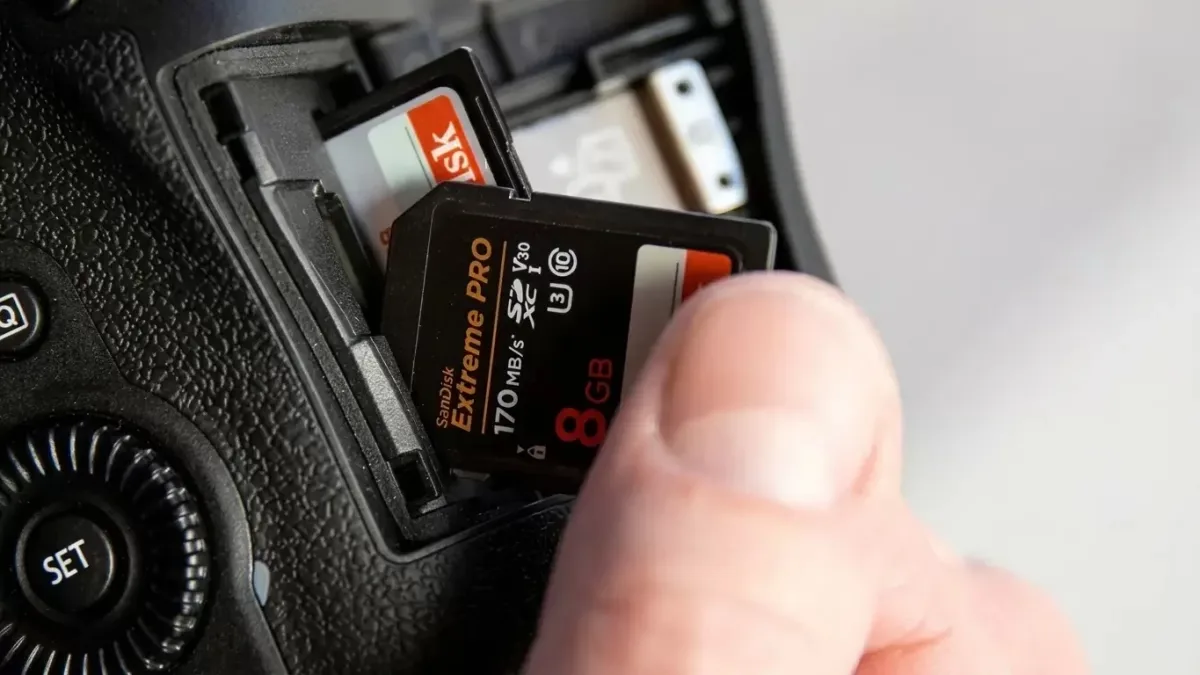
Here’s the thing nobody tells you at the register. That card says 8GB, but you will never see 8GB of free space. Two things eat into it.
First, manufacturers count storage in decimal — 1GB = 1,000,000,000 bytes. Your computer and camera count in binary, where 1GB = 1,073,741,824 bytes. That 7% difference alone turns 8GB into about 7.45GB. Then the file system (FAT32 on an 8GB SDHC card) reserves another 50–100MB for indexing and metadata.
So in the real world, your “8GB” card gives you roughly 7.3–7.4GB for actual photos. If you plan a shoot around a full 8GB, you’ll come up short by about 50–80 JPEGs on a typical 10MP camera. If you’ve ever wondered why your 8GB card shows “7.4GB available” when you plug it in, this is why. It’s not a defect — it’s math. Curious about the kilobyte vs megabyte side of it? Our KB vs MB breakdown covers the decimal-vs-binary confusion in plain English.
How Many JPEG Photos Fit on 8GB? (By Megapixel)
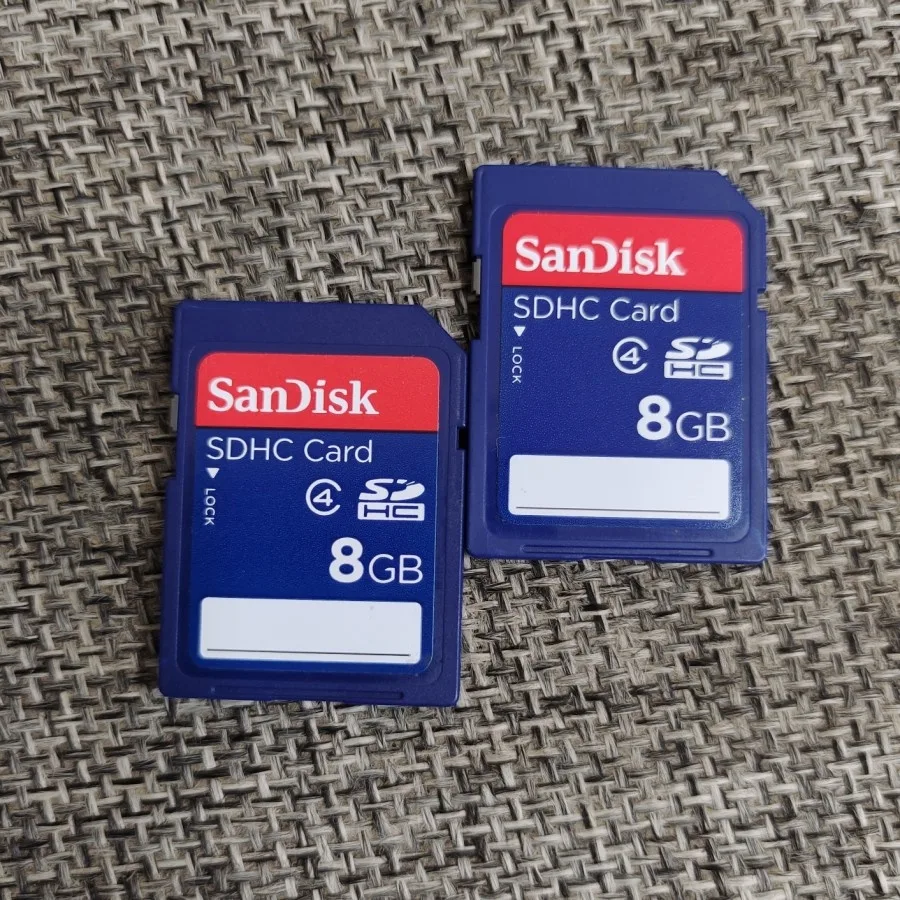
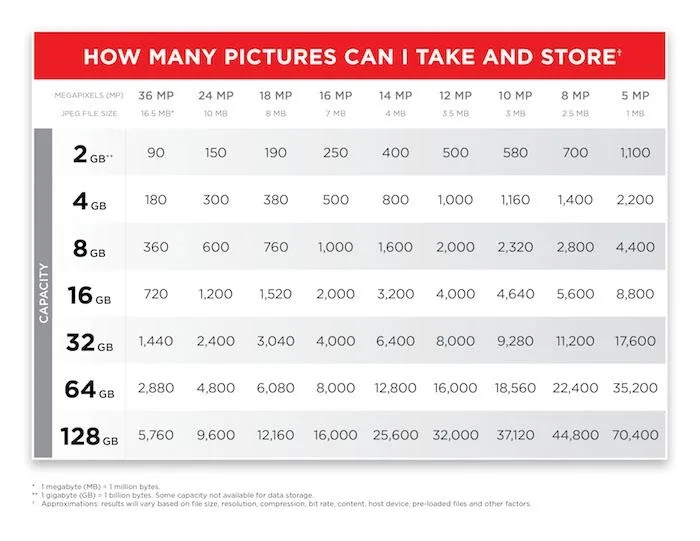
JPEG is what most of us shoot most of the time. It compresses smartly, keeps file sizes small, and looks great at high quality settings. The table below comes from SanDisk’s official capacity estimates — the same numbers printed on the back of their packaging.
| Megapixels | Average JPEG Size | Photos on an 8GB Card |
|---|---|---|
| 4 MP | 1.2 MB | ~5,720 |
| 6 MP | 1.8 MB | ~3,810 |
| 8 MP | 2.4 MB | ~2,860 |
| 10 MP | 3.0 MB | ~2,288 |
| 12 MP | 3.6 MB | ~1,907 |
| 14 MP | 4.2 MB | ~1,634 |
| 16 MP | 4.8 MB | ~1,430 |
| 20 MP | 6.0 MB | ~1,150 |
| 22 MP | 6.6 MB | ~1,040 |
| 24 MP | 7.2 MB | ~950 |
A quick reality check: most modern cameras sit at 20–24MP. So if you’re shooting JPEG on a typical DSLR or mirrorless, expect somewhere between 950 and 1,200 photos on an 8GB card. That’s a solid day of shooting for most people — a wedding or a long event might push it.
How Many RAW Photos Fit on 8GB? (Spoiler: Not Many)
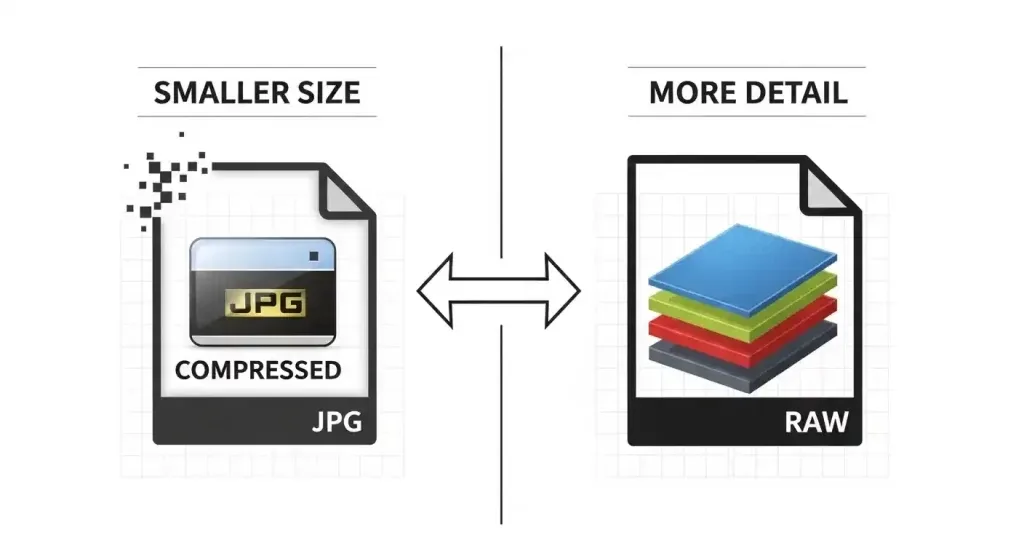
RAW is where the math gets brutal. RAW files keep every bit of data your sensor captures — no compression, no throwing away color information. That’s why pros love them for editing, and why they eat storage alive. A RAW file is typically 2 to 10 times larger than the same shot as a JPEG.
| Megapixels | Average RAW Size | Photos on an 8GB Card |
|---|---|---|
| 4 MP | 12 MB | ~572 |
| 6 MP | 18 MB | ~381 |
| 8 MP | 24 MB | ~286 |
| 10 MP | 30 MB | ~228 |
| 12 MP | 36 MB | ~190 |
| 14 MP | 42 MB | ~163 |
| 16 MP | 48 MB | ~143 |
| 20 MP | 60 MB | ~115 |
| 22 MP | 66 MB | ~104 |
| 24 MP | 72 MB | ~95 |
If you shoot RAW on a 24MP camera, you’re looking at roughly 95 photos per card. That’s not even a full portrait session. If you’re a RAW shooter, 8GB is a backup card at best — not your primary. Wondering how much more you’d get with a bigger card? Our 32GB memory card guide and 64GB SD card breakdown show exactly how the numbers scale up.
iPhone and Android: How Many Phone Photos Fit on 8GB?
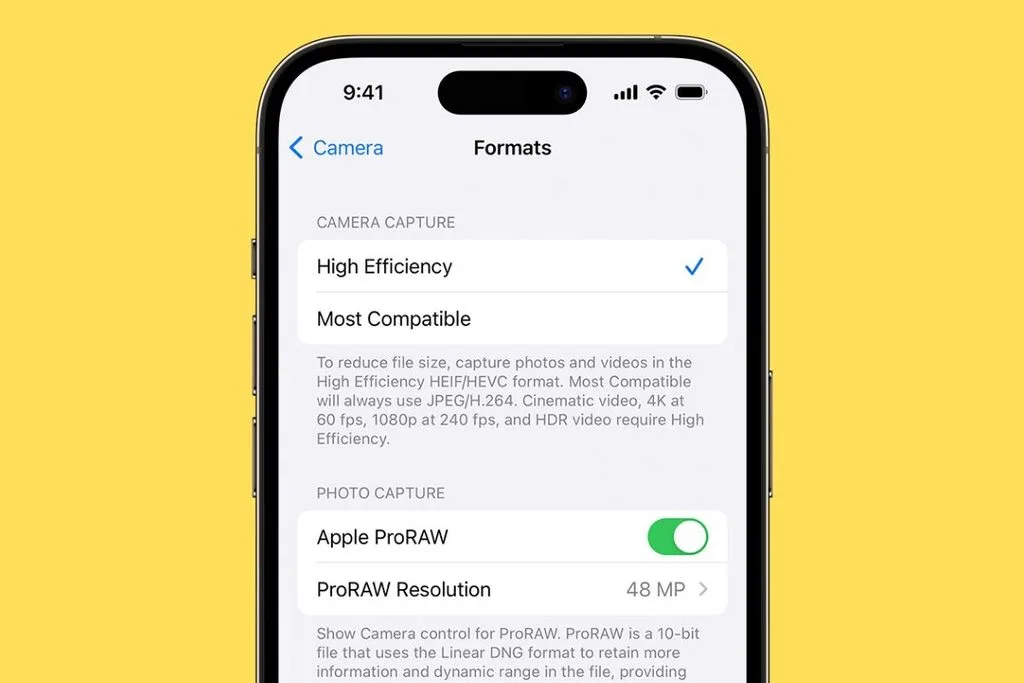
Phone photos are a whole different story because modern phones don’t shoot JPEG by default — they shoot HEIC (iPhones) or HEIF, which compresses about twice as efficiently as JPEG at the same quality. That means way more photos per gigabyte.
| Phone Photo Type | Average File Size | Photos on 8GB |
|---|---|---|
| 12MP HEIC (iPhone default) | 2.5 MB | ~3,200 |
| 24MP HEIC (iPhone 15+) | 3 MB | ~2,666 |
| 12MP JPEG (Android / “Most Compatible”) | 4 MB | ~2,000 |
| 48MP HEIF Max (iPhone Pro) | 5 MB | ~1,600 |
| Live Photo (adds 3-sec video) | +3–5 MB each | ~1,500–2,200 |
| 12MP ProRAW (iPhone Pro) | 25 MB | ~320 |
| 48MP ProRAW (iPhone Pro) | 75 MB | ~106 |
The ProRAW numbers are the real eye-opener. One 48MP ProRAW shot takes up as much space as 30 regular HEIC photos. If you’ve got ProRAW turned on and you’re wondering why your storage vanishes, that’s your answer. Unless you edit professionally, stick to HEIF Max and save 93% of your space.
One more thing: a single “photo” on an iPhone isn’t always one file. Portrait mode saves a depth map and a segmentation mask alongside the image. Live Photos bundle a 3-second video clip. HDR stacks multiple exposures. All of that adds hidden megabytes. If you want to go deep on the actual math, this iPhone photo storage breakdown walks through every hidden file your phone saves.
How Much Video Fits on an 8GB Card?
Video is where 8GB goes to die. One minute of 4K footage can eat up as much space as 160 photos. Here’s what you actually get:
| Video Quality | Approx. Size Per Minute | Recording Time on 8GB |
|---|---|---|
| 480p SD | ~30 MB | ~4+ hours |
| 720p HD | ~80 MB | ~1.5 hours |
| 1080p @ 30fps | ~130 MB | ~61 minutes |
| 1080p @ 60fps | ~200 MB | ~40 minutes |
| 4K @ 30fps (HEVC) | ~170 MB | ~47 minutes |
| 4K @ 60fps (HEVC) | ~400 MB | ~20 minutes |
If you’re recording anything in 4K — especially at 60fps — an 8GB card is a 20-minute prop, not a storage solution. Drop to 1080p and you get a full hour. If video is a big part of what you shoot, step up to at least 64GB with a V30 speed rating.
The 5 Things That Actually Change the Count
Two people with the same 8GB card can end up with wildly different photo counts. Here’s what moves the needle.
1. Megapixels. This is the big one. A 24MP camera produces files about three times larger than an 8MP camera at the same compression. More pixels = more data = bigger files = fewer photos. Simple as that.
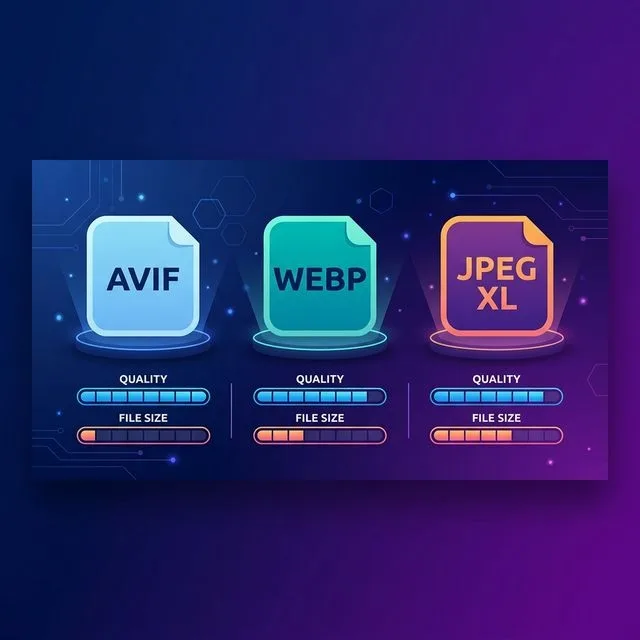
2. File format. JPEG is small. HEIC/HEIF is smaller. RAW is enormous. TIFF is the largest of all and basically never belongs on a memory card — shoot RAW, convert to TIFF later on your computer.
3. Compression level. Most cameras let you pick Fine, Normal, or Basic JPEG. Dropping from Fine to Normal shrinks files by about 30–40% with barely any visible quality loss. If you’re running low on space mid-shoot, this is the fastest way to buy yourself more room.
4. Scene complexity. This one surprises people. A clean blue sky compresses really well. A dense forest canopy or a crowd of people doesn’t — all that fine detail fights the compression algorithm. The same camera on the same settings can produce a 4MB file of a blank wall and a 7MB file of a foliage-heavy landscape.
5. ISO and noise. Crank up the ISO and you introduce digital noise. Noise is random, and random data doesn’t compress. A shot at ISO 6400 can be 20–30% larger than the same scene at ISO 100. If you’re shooting high-ISO event photography, budget for bigger files.
By Device: What to Expect on Your Gear
- DSLR / mirrorless (20–24MP): 950–1,200 JPEGs, or 95–350 RAW depending on compression. Most modern bodies fall in this range.
- Smartphone (12–24MP HEIC): 2,600–3,200 photos. Phones are the most storage-efficient cameras most people own.
- GoPro / action cam (12MP): ~1,800–2,000 JPEGs, or ~480–550 RAW (GPR) files.
- Drone (DJI Mavic / Air / Mini, 12–20MP): ~1,600 JPEGs or ~280 RAW (DNG) files.
- Compact point-and-shoot (16–20MP): ~1,300–1,600 JPEGs, or ~150–200 RAW if the camera supports it.
- Trail camera (8–16MP): ~1,900–2,860 photos. Trail cams are the kings of efficiency — that’s why an 8GB card can last weeks in the field.
How to Calculate It Yourself (30 Seconds)
You don’t need a chart for your specific camera. Do this:
- Shoot a handful of photos at your usual settings.
- Plug the card into your computer and check the average file size (right-click → Properties / Get Info).
- Use the formula: 8,000 ÷ average file size in MB = number of photos.
Example: your 24MP camera produces 8MB JPEGs. 8,000 ÷ 8 = 1,000 photos. If your files range from 6MB to 10MB, calculate both ends — you’ll get between 800 and 1,333 photos. That’s your realistic range.
Or skip the math entirely. Every camera shows a remaining-shot counter on the display. Pop in a freshly formatted card, set your resolution and format, and read the number off the screen. That’s the most accurate estimate you’ll ever get because it’s specific to your camera and your settings.
Real Camera Models: What 8GB Actually Holds
| Camera | Megapixels | RAW Photos | JPEG Photos |
|---|---|---|---|
| Canon PowerShot ELPH 110 | 16 MP | ~143 | ~1,430 |
| Nikon D3500 | 24 MP | ~95 | ~950 |
| Sony A6000 | 24 MP | ~100 | ~1,000 |
| Canon EOS Rebel T7 | 24 MP | ~95 | ~950 |
| Nikon Z30 | 21 MP | ~110 | ~1,100 |
| Fujifilm X-T30 II | 26 MP | ~85 | ~900 |
| Sony A7 III | 24 MP | ~95 | ~950 |
These use compressed RAW and Fine JPEG settings. Your real-world results will vary by about ±10% depending on what you’re shooting.
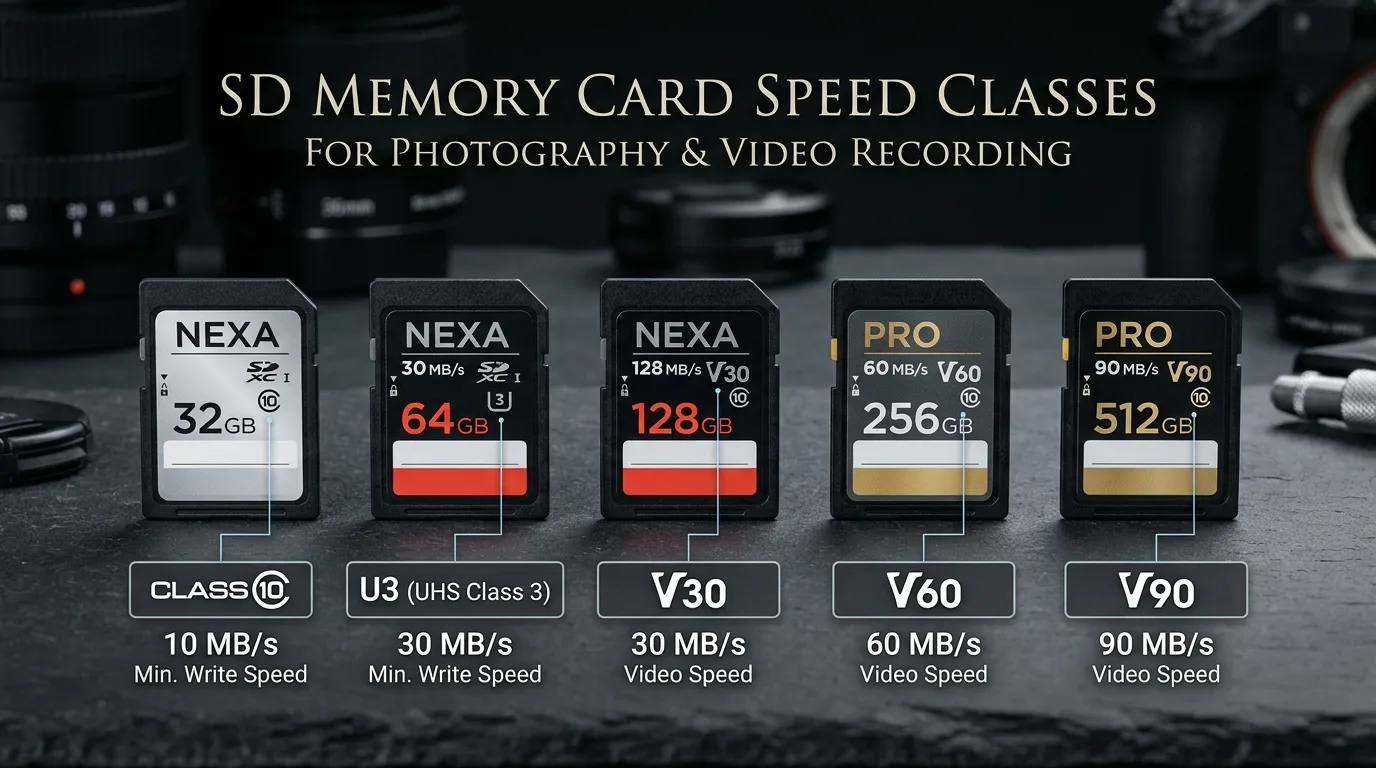
Speed Classes: They Don’t Change Capacity, But They Matter
A faster card doesn’t hold more photos. But it does change how fast your camera can write them — which means fewer buffer delays in burst mode and no dropped frames in video. Here’s what the markings mean:
| Speed Class | Minimum Write Speed | Best For |
|---|---|---|
| Class 4 | 4 MB/s | Casual JPEG shooting only |
| Class 10 / U1 / V10 | 10 MB/s | Full HD video, JPEG bursts |
| U3 / V30 | 30 MB/s | 4K video, RAW bursts |
| V60 | 60 MB/s | 4K high-framerate, pro RAW |
| V90 | 90 MB/s | 8K, cinema, high-speed RAW |
An 8GB card is almost always Class 4 or Class 10 — fine for stills, not enough for serious 4K. The SD Association maintains the full official spec if you want to dive deeper.
Is an 8GB Card Still Worth Buying in 2026?
Honest answer: for most people, no — but it has its place.
Grab an 8GB card if:
- You need a cheap backup card to toss in your bag
- You have an older camera (sub-12MP) that only shoots JPEG
- You use it as a dedicated transfer card — shoot, offload, reuse
- You’re running trail cams or dash cams where small cards are standard
- You want to hand off photos to a client without giving them your main card
Skip it if:
- You shoot RAW on any modern camera
- You record 4K video at all
- You cover weddings, sports, wildlife, or events
- You don’t want to swap cards mid-shoot
For most photographers in 2026, 64GB or 128GB hits the sweet spot on price-per-photo. 8GB cards cost almost the same as 16GB or 32GB these days, so the upgrade is a no-brainer unless you have a specific reason to stay small.
10 Ways to Stretch an 8GB Card
If you’re stuck with 8GB and need it to last, these habits will double or triple your effective capacity.
- Shoot JPEG, not RAW — unless you’re editing professionally. RAW is 5–10x larger.
- Turn off RAW+JPEG dual recording — you’re saving two files for every shot.
- Drop from Superfine to Fine JPEG — you gain 20–30% space with no visible difference.
- Use HEIF/HEIC if your camera supports it — about half the size of JPEG at the same quality.
- Turn off Live Photos on iPhone — each one adds a 3-second video clip.
- Disable in-camera HDR — it saves multiple exposures per shot.
- Avoid burst mode unless you need it — a 20-shot burst eats 20 photos’ worth of space in one second.
- Delete duds in-camera — chimping has a purpose.
- Format the card before every shoot — it clears fragmented space and prevents errors. Always format in-camera, not on your computer.
- Carry a second card — the cheapest insurance against missing a shot.
And when you get home, offload everything and back it up. An 8GB card is a working tool, not an archive. For long-term storage, check out our roundup of the best cloud storage for photos — you’ll sleep better knowing your shots exist in more than one place.
5 Mistakes That Waste Your Card Space
These are the ones people make without realizing it.
- Leaving bracketing on after an HDR shoot — every shutter click saves 3 or 5 photos instead of one.
- Shooting 4K video when 1080p would do — you’re burning 3x the space for quality you might not even see.
- Never formatting — deleting files one by one leaves fragmented space and slows the card over time.
- Using the wrong file system — 8GB SDHC cards use FAT32, which is fine; just don’t reformat them on a computer in a format your camera can’t read.
- Filling the card to 100% — leave 5–10% free. Cameras need breathing room for buffer writes, especially in burst mode and video.
How Long Does an 8GB Card Last?
Capacity is one thing; lifespan is another. A quality card from SanDisk, Kingston, or Lexar typically handles 10,000+ read/write cycles before it starts to degrade, and retains data for about 10 years in proper storage. For a hobbyist shooting a few times a month, that’s 5–10 years of use. For a professional shooting daily, plan on replacing cards every 2–4 years.
To keep them healthy: eject safely, avoid extreme heat and cold, reformat in-camera monthly, and retire any card that throws errors even once. Corrupted cards don’t get better — they get worse. And never, ever store your only copy of a shoot on a memory card. Offload and back up the same day.
Frequently Asked Questions
How many pictures can an 8GB card hold from an iPhone?
About 3,200 photos if you’re using the default 12MP HEIC format. If you’re shooting 24MP HEIC (iPhone 15 and later), expect around 2,666. If you’ve switched to JPEG for compatibility, it drops to about 2,000. And if ProRAW is on at 48MP? Only about 106 photos.
Can an 8GB SD card hold 1,000 photos?
Yes, easily — as long as you’re shooting JPEG. At 10MP you get about 2,288 photos, and even at 24MP you’re looking at around 950. Only RAW shooters will struggle to hit 1,000 on an 8GB card.
How many 12MP photos can an 8GB card hold?
Roughly 1,907 JPEG photos or 190 RAW photos at 12MP. If those 12MP photos are HEIC (iPhone), you’ll fit over 3,000.
Is 8GB enough for a weekend trip?
For casual phone or JPEG shooting, yes — 2,000+ photos covers most weekends comfortably. If you shoot RAW or record 4K video, pack at least a 32GB or 64GB card instead.
Why does my 8GB card only show 7.4GB available?
Two reasons. Manufacturers count 1GB as 1 billion bytes (decimal), while your computer counts 1GB as 1.073 billion bytes (binary). That 7% gap, plus the file system reserving space for indexing, leaves about 7.3–7.4GB usable. It’s normal, not a defect.
Can I use an 8GB card for 4K video?
Technically yes, but practically no. You’ll get about 20 minutes of 4K at 60fps or 47 minutes at 30fps before the card fills. For serious 4K work, use a 64GB+ card with a V30 or higher speed rating.
Does formatting free up more space?
Formatting erases everything and resets the file system, which recovers any fragmented or corrupted space. It won’t make the card physically larger — you still get about 7.4GB — but it keeps the card running at full speed and prevents errors.
Should I buy two 8GB cards or one 16GB card?
Two 8GB cards give you redundancy — if one fails mid-shoot, the other still holds your earlier shots. A single 16GB is simpler to manage. For critical work like weddings or events, the two-card approach wins. For casual shooting, the bigger card is more convenient.
The Bottom Line
An 8GB card holds anywhere from about 95 photos (24MP RAW) to 5,720 photos (4MP JPEG), with the average photographer landing somewhere between 950 and 2,300 depending on their camera and settings. Phone shooters get the most out of it thanks to HEIC compression; RAW shooters and 4K videographers outgrow it almost immediately.
Know your camera’s average file size before you head out, carry a backup, and format in-camera. And if you’re still shooting on 8GB as your primary card in 2026, do yourself a favor and step up to 32GB or 64GB — it costs a few dollars more and saves you the mid-shoot panic of watching that counter tick toward zero.