Best Background Removal Services in 2026: Pricing, AI vs. Manual, and How to Choose
TL;DR: The short answer. In 2026, a professional background removal service costs roughly $0.20–$0.50 per image for simple products, $0.50–$1.50 for medium complexity, and $1.50–$5+ for hair, glass, jewelry, or models. One-click AI tools do the same job for $0.05–$0.22 per image and are excellent for simple, high-volume catalog work. Manual hand-cutting still wins for flyaway hair, transparent glass, reflective jewelry, and hero SKUs. The industry default is now hybrid — AI pre-processes bulk images and human editors QC and polish the rest. Always test a provider with your toughest images on a free trial before committing.
If you run an ecommerce store, a photography studio, or an agency, you already know that a great product photo is only as good as its cutout. A jagged edge or a faint halo around a bottle can quietly kill conversions. But with dozens of background removal services and AI tools on the market, picking the right one — at the right price — is harder than it looks.
This guide walks you through what a photo background removal service actually does, what you should pay in 2026, which manual providers and AI tools are worth your time, and exactly when AI is enough versus when you need a human with a Pen Tool.
What Is a Background Removal Service?
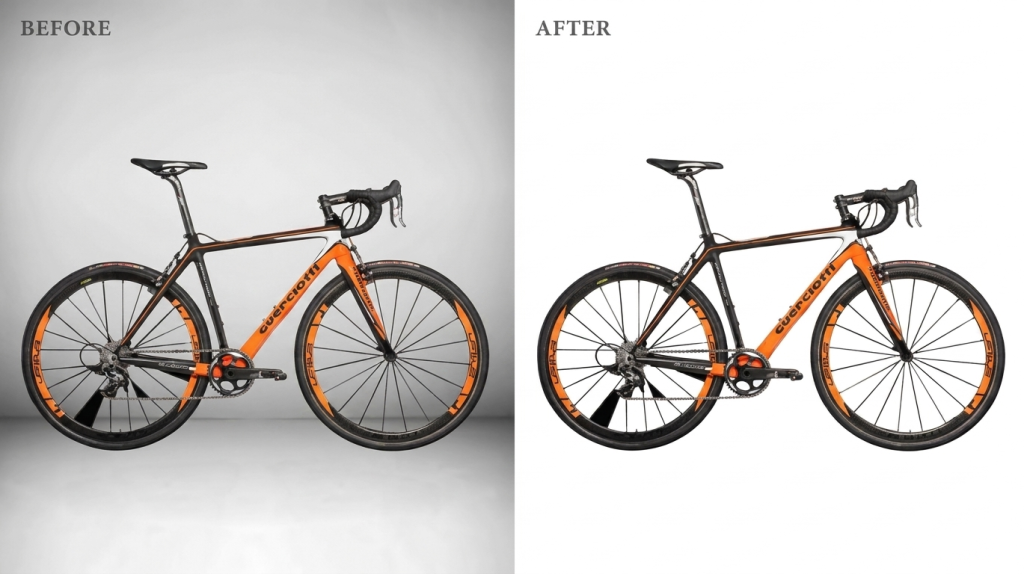
A background removal service takes your raw photos and isolates the subject — a product, person, or object — onto a transparent, white, or custom background. The output is usually a PNG-24 with a full alpha channel, ready to drop into a listing, mockup, or ad.
Some providers do this entirely by hand using Photoshop’s Pen Tool and masking. Others use AI models that detect the subject in seconds. The best ones use both: AI for speed on simple images, human editors for quality control on tricky ones. When people talk about an image background removal service, they usually mean an outsourced manual shop — but in 2026 the line between “service” and “tool” is blurring fast.
You need this service when you have more images than you can cut yourself, when the edges are too complex for a quick drag, or when consistency across a whole catalog matters more than saving a few cents per image.
How Pricing Works: 2026 Cost by Complexity
Pricing is almost always tiered by how hard the edge is to cut. A closed-edge bottle is one path; a model with wind-blown hair is a different job entirely. Here’s what typical per-image rates look like in 2026.
| Complexity tier | Typical price / image | Examples | What’s involved |
|---|---|---|---|
| Simple / Basic | $0.20–$0.50 | Bottles, books, phones, boxes | One closed path, hard edges |
| Medium | $0.50–$1.50 | Shoes, bags, folded apparel | Multiple paths, holes, straps |
| Complex / Advanced | $1.50–$5.00+ | Bicycles, mannequins, mesh, hair, glass | Masking, transparency, fine detail |
| Super-complex | $5.00+ | Jewelry chains, fishing nets, intricate furniture | Full hair/fur masking, tiny links |
| AI-only equivalent | $0.05–$0.22 | Simple products on solid backgrounds | Automated, seconds per image |
Bulk discounts typically run 10–20% for regular volume, and can reach up to 50% at very high throughput from some providers. Turnaround ranges from a 2-hour rush option to 24-hour standard to 24–48-hour economy. Rush fees vary, so always confirm the SLA before you upload.
If you’re sending hundreds of images a month, ask about a monthly retainer — it usually beats per-image pricing and locks in a dedicated team that learns your style.
Top Manual Background Removal Service Providers Compared
If you want human hand-cutting, these are the established players. Prices below are “from” rates for simple work in 2026; complex work costs more.
| Provider | Starting price | Turnaround | Best for | Notes |
|---|---|---|---|---|
| PixelPhant | $0.25–$0.40 | 2-hour option | Ecommerce catalogs | 2M+ images processed |
| Path Edits | from $0.25 | 6-hour | Budget + speed | Trustpilot 4.8/5, 2 free trial edits |
| Retouching Labs | from $0.45 | 24hr | 100% manual pen tool | Free trial available |
| Clipping Expert Asia | from $0.30 | 24hr | Amazon sellers | Manual-only, 85% frame-fill optimized |
| Cut Out Image | from $0.29 | 24hr | Budget bulk | Simple ordering |
| Clipping Path India | from $0.49 | 24hr | High volume | Up to 50% bulk discount, 5,000/day |
| Color Experts Intl | from $0.49 | 24hr | QA-focused | 6+ step QA, 5,000/day |
| Tradexcel Graphics | from $0.70 | 24hr | Reliable budget bulk | ~12,000 images/day |
| Creative Clipping Path | from $0.80 | 24hr | Enterprise | ISO 9001:2015, 12,000+/day |
| Zenith Clipping | from $0.90 | 24hr | Edge-detail masking | ~11,000 images/day |
| Pixelz | ~$0.95 | 24hr | Enterprise hybrid | AI-assisted + human verification, 42M+ |
| FixThePhoto | ~$2–$5 | 24–48hr | Photographers | Portrait/fashion retouching focus |
The cheapest per-image rate is rarely the whole story. Factor in revision policy, QC steps, and whether the provider understands your marketplace’s rules. A $0.25 cutout that needs three rounds of corrections can cost more in time than a $0.70 one that ships right the first time.
Best AI Background Removal Tools (and When They’re Enough)
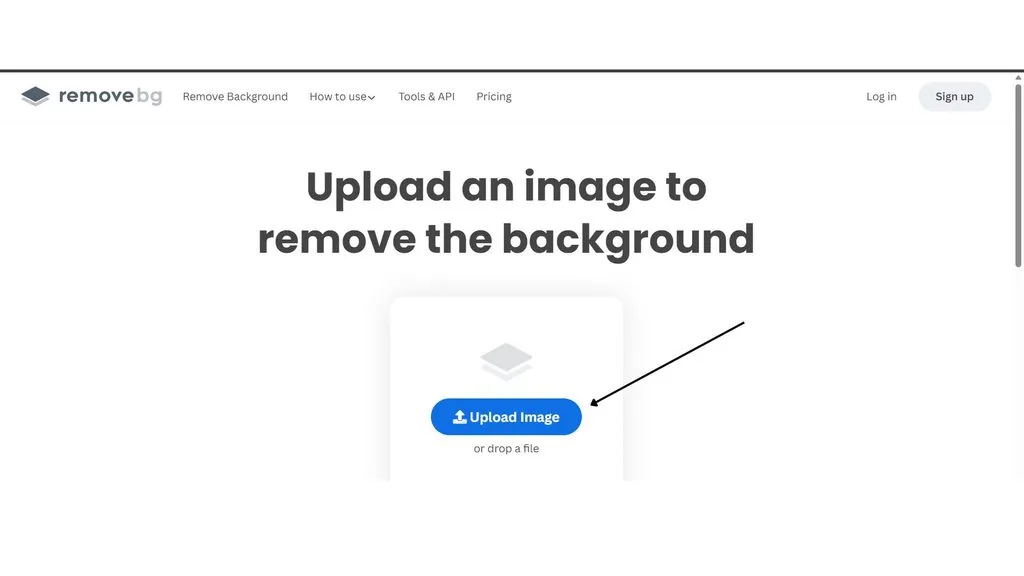
AI tools have come a long way. For a simple product on a contrasting background, they’re often indistinguishable from a manual cutout — and they cost pennies. Here’s how the main options compare.
| Tool | Price model | Best for | Notes |
|---|---|---|---|
| remove.bg | HD credits $0.20–$1.00; sub from $9/mo | Best edge quality, hair | API from $89/mo; see remove.bg pricing for current tiers |
| Photoroom | Free 250/mo; Pro ~$9.99–$12.99/mo | Ecommerce sellers, batch | Product-focused, strong batch mode |
| Cutout.pro | $4.99/30 credits; sub from $5/mo | All-rounder + video | Shopify app, API, video removal |
| Slazzer | from ~$0.20/image | Plugin users | Photoshop, Figma, Shopify plugins |
| Removal.ai | $5.99/mo (100 credits) | Budget AI | Simple, fast |
| Pixelcut | Pro ~$8–$10/mo unlimited | Mobile-first sellers | Great on phone |
| Canva Pro | ~$12.99/mo (annual) | Existing Canva users | Remover bundled with design tools |
| Adobe Express | Included in Adobe plans; free tier available | Adobe ecosystem | Adobe Express removal is solid for quick jobs |
If you already pay for Canva or Adobe, their bundled remover may be all you need. For pure edge quality on tricky subjects, remove.bg leads most independent tests. And if you’re comparing the whole field, a recent Shopify tool roundup is a good second opinion.
The catch with AI: it’s trained mostly on people, products, and animals. If your subject is an industrial part, an architectural model, or an unusual food item, the model may guess wrong.
AI vs. Manual: A Decision Framework
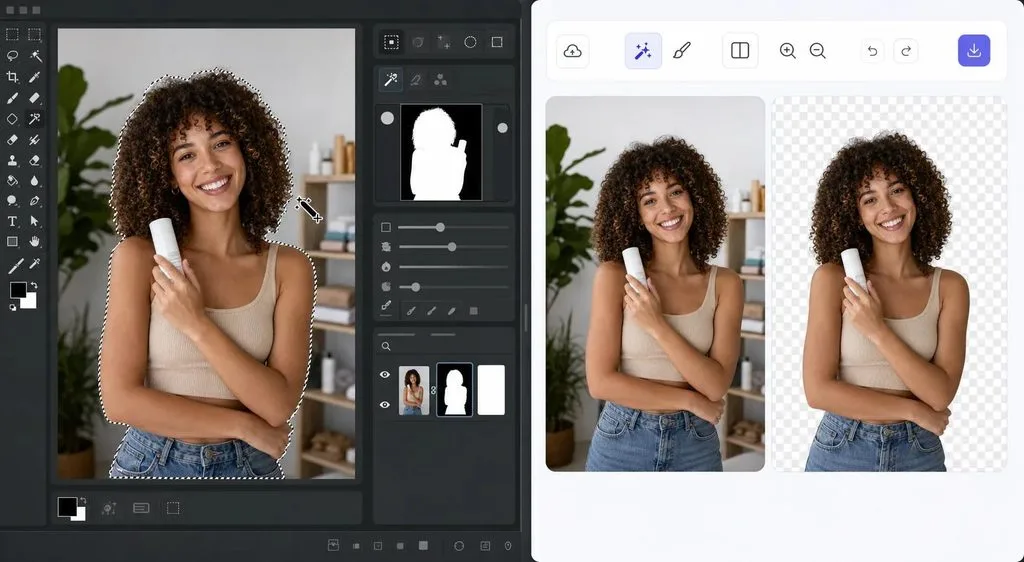
The question isn’t “AI or manual” — it’s “which for which image.” Use this table to decide per batch.
| Scenario | Recommended | Why |
|---|---|---|
| Simple products, solid background, high volume | AI only | Seconds per image, $0.05–$0.22, quality is excellent |
| Social media, ads, thumbnails | AI usually enough | Speed beats pixel perfection |
| Flyaway/frizzy hair on complex background | Manual | AI often produces a “swim cap” effect |
| Transparent glass, liquids, smoke | Manual | AI struggles with partial transparency |
| Reflective chrome, jewelry, watches | Manual | Reflections must be preserved by hand |
| Hero / top SKUs, luxury brands | Manual (or hybrid) | Your highest-converting images deserve the best |
| High-res print, billboards, catalogs | Manual | Any flaw is magnified at large sizes |
| Industrial, architectural, food | Manual or hybrid | AI training data skews away from these |
In independent quality tests, simple products came out excellent across all methods. For hair and fur, remove.bg was best-in-class among AI tools while manual remained excellent. For glass and jewelry, manual was best-in-class; even top AI tools scored only fair to poor. A deeper AI vs. manual cutout breakdown explains how the models detect objects and where they fail.
The 2026 default for professionals is hybrid: run bulk images through AI, then route the complex 10–20% to human editors. Most top providers — Pixelz is the classic example — already operate this way.
How It Works: Clipping Path, Masking, and the Manual Process
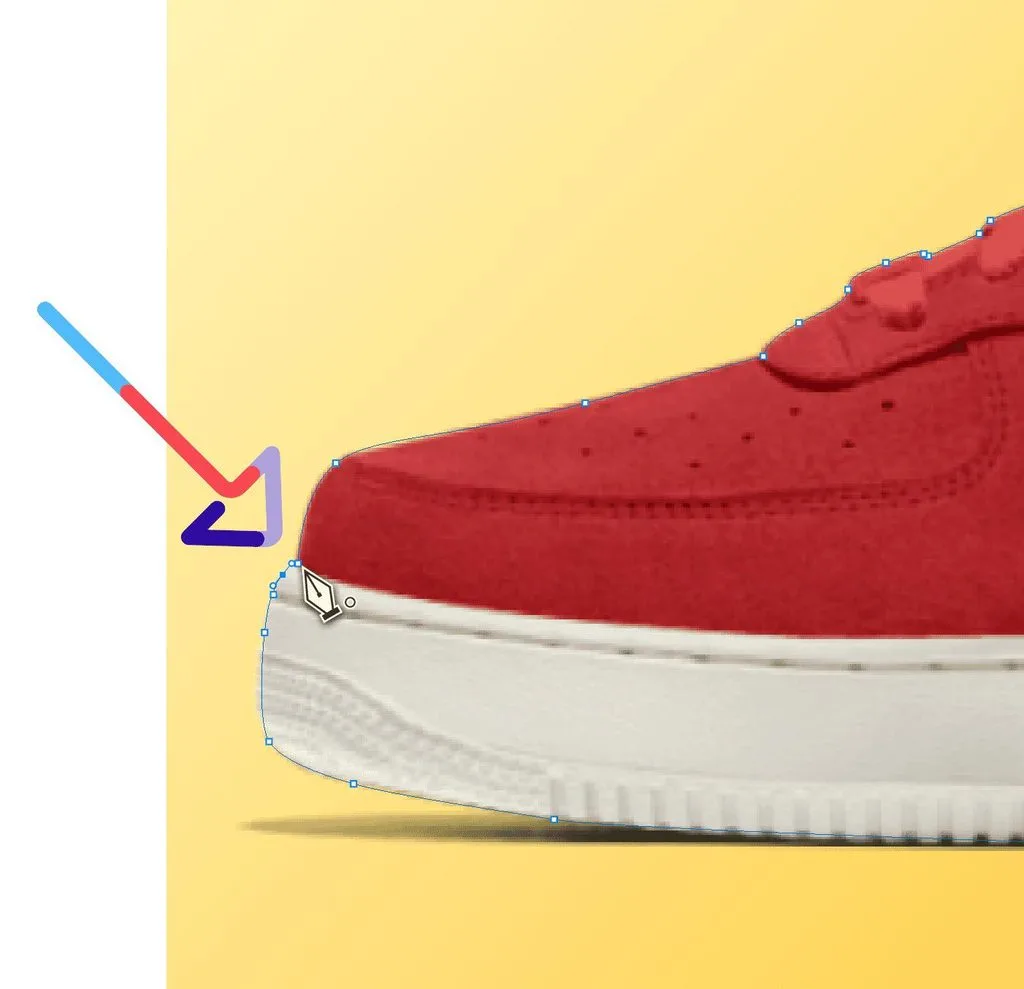
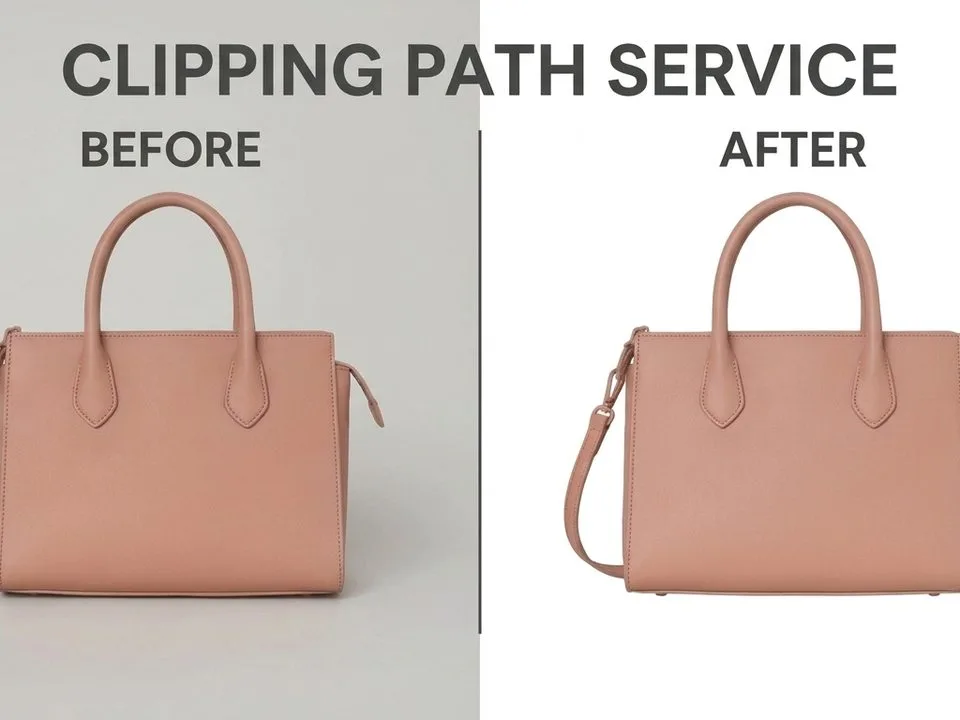
Understanding the three techniques helps you ask for the right one. A clipping path is a vector outline drawn with the Pen Tool — perfect for hard-edged products like boxes or phones. Image masking uses grayscale layers to preserve soft detail like hair or fur, where a hard path would look fake. AI removal uses a neural network to predict subject vs. background in one pass.
For hard-edge products, a clipping path is the right tool and the cheapest. For anything with soft or transparent edges, you need masking. If you’re not sure which your product needs, this clipping path vs. removal guide walks through the distinction with examples. Adobe’s own Photoshop cutout guide is also a solid reference for what good manual work looks like.
When you upload to a manual service, the typical flow is: upload → quote or tier assignment → editor cuts → separate reviewer QC → revisions if needed → delivery in your requested format. Always ask whether QC is done by a different person than the editor — it catches dramatically more mistakes.
Use Cases: Which Products Need Which Service
Ecommerce product listings
Amazon’s main image rules are strict: pure white RGB(255,255,255), the product filling at least 85% of the frame, at least 1000px on the longest side for zoom, and no text, watermarks, or props. The full Amazon image requirements page is worth bookmarking. A bad cutout can get your listing suppressed, so for marketplace work, confirm your provider knows these rules cold.
For a smooth ecommerce pipeline, pair removal with a consistent product photo workflow so lighting, cropping, and margins stay uniform across the catalog. And it starts before the shoot — knowing how to prepare product photos saves editing time and money.
Fashion and apparel
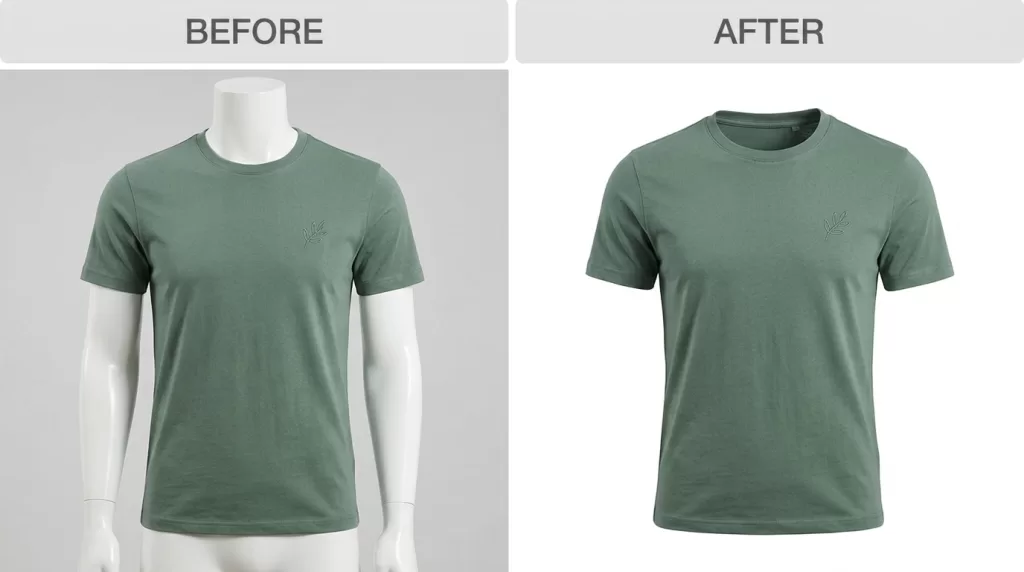
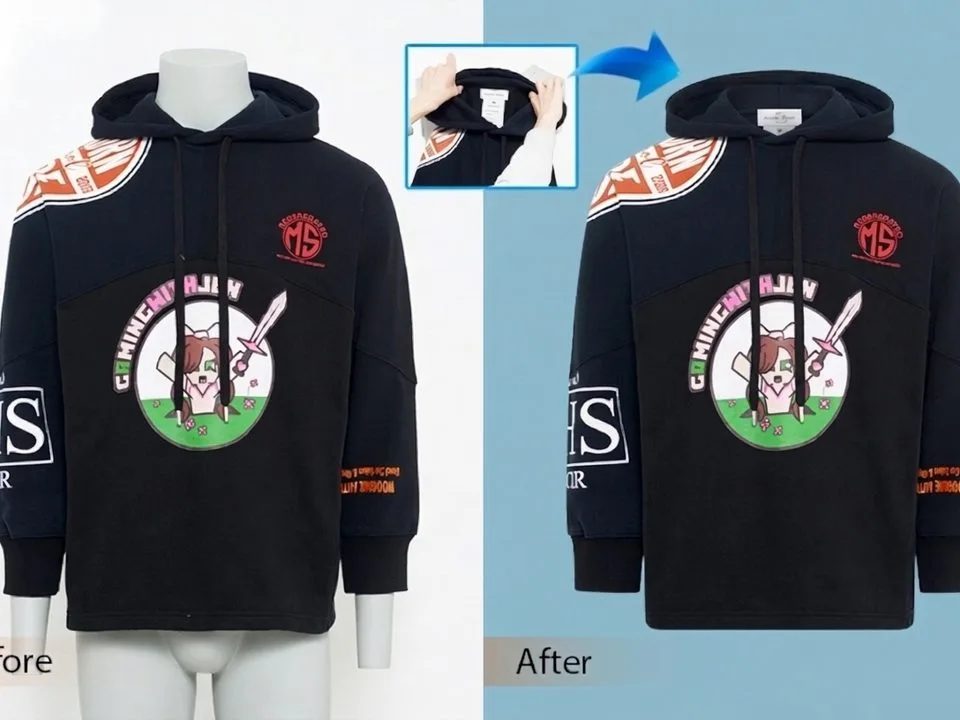
Apparel often needs ghost mannequin compositing, where the mannequin is removed and the inside of the garment is shown. Straps, holes, and fabric folds mean multiple paths. This is usually medium-to-complex tier work. AI can handle flat-lay basics, but ghost mannequin is still a manual job.
Jewelry and reflective products
Jewelry is the hardest category. Chains have hundreds of tiny links, gemstones have reflections that must read as real, and a halo around a prong looks cheap. Expect super-complex pricing, and inspect hero SKUs at 400% zoom. If a provider can’t show you jewelry samples, move on.
Print-on-demand and design mockups
For POD, a transparent PNG is mandatory. A white rectangle around your design on a mockup is an instant listing killer. AI tools are usually fine here because designs are high-contrast and edges are clean — just make sure you export PNG-24, not JPG.
Photography studios and portraits
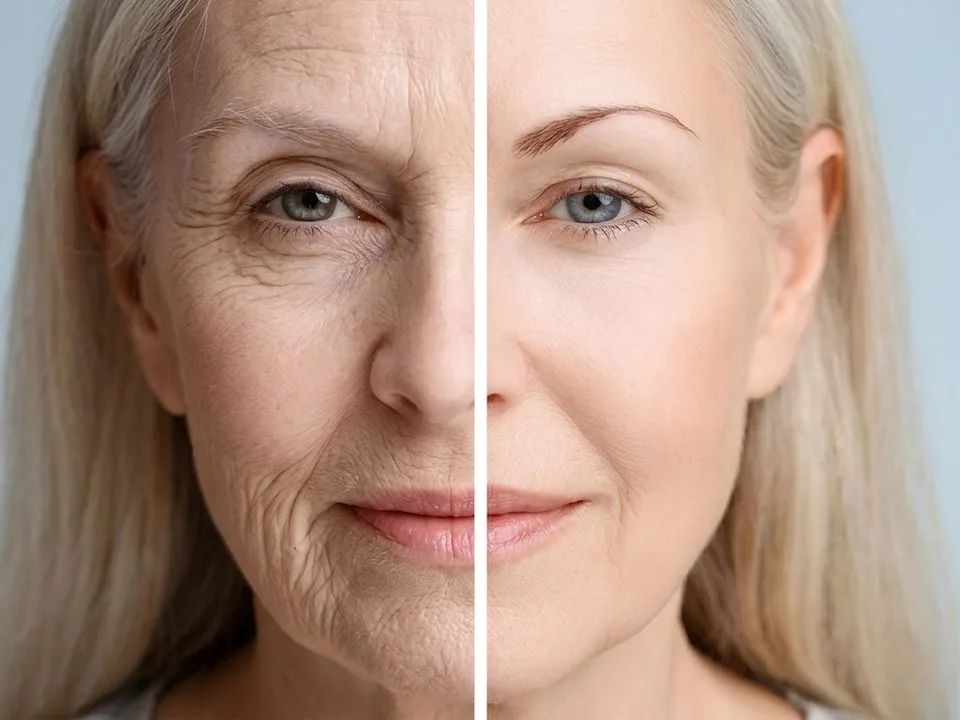
Portrait work lives or dies on hair. Flyaway strands, frizzy edges, and backlit hair all need masking with fractional alpha — a hard path looks like a wig. This is where manual editing earns its keep. If you’re a photographer sending batches, look for a provider with portrait experience, not just product experience.
Quality Benchmarks: Spot a Good or Bad Cutout
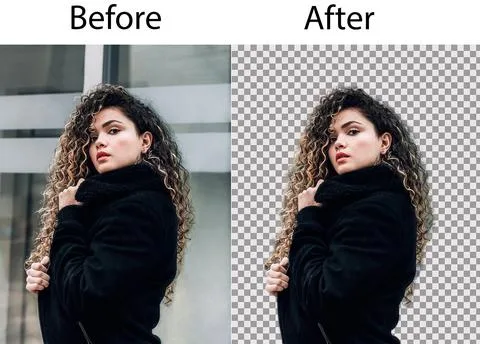
Use this checklist when you review a test cutout:
- No halo or fringe around the edge — a faint colored border means the original background wasn’t fully removed.
- No jagged stair-stepping — zoom to 200%; edges should be smooth.
- A light 5–10% feather on soft-detail edges, but not so much that it creates a blurry halo.
- Hair edges with fractional alpha — boundary pixels should be semi-transparent, not a hard opaque outline. The alpha channel explained article covers why this matters mathematically.
- Consistent cropping and margins across the whole catalog.
- Natural shadows preserved or recreated — a floating product with no shadow looks fake.
On file formats: request PNG-24 for web use (full 8-bit alpha). PNG-8 gives only binary transparency and looks jagged. JPG has no alpha channel and flattens to white. Ask for layered PSD if you want to edit later, TIFF+alpha for large print, and WebP (about 26% smaller than PNG-24) for web performance. Our PNG vs. JPEG comparison goes deeper on format tradeoffs, and our guide to compress images without losing quality helps with final web optimization.
Industry sources claim professional editing can lift conversion by 30–40% — treat that as a directional claim, not a guarantee, but the direction is clear: cleaner product photos sell more.
Bulk and Volume: When to Batch and Negotiate
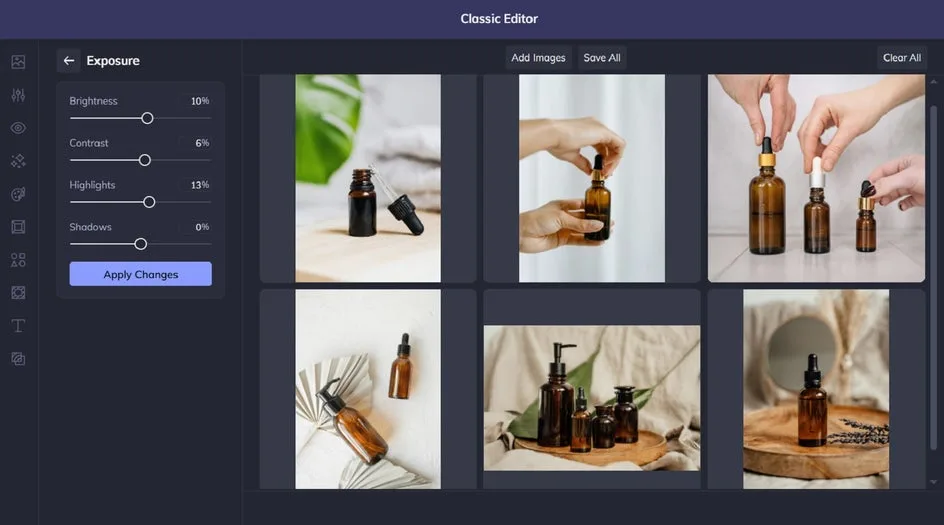
Once you’re past a few hundred images a month, per-image pricing stops being optimal. Most providers start discounting at 300+ images (PixelPhant is explicit about this) and some go up to 50% off at very high volume. A monthly retainer locks in capacity and a team that learns your brand’s shadow style, crop, and color treatment.
For in-house batch work, our guide to batch edit photos walks through setting up repeatable actions so you’re not re-doing the same steps on every image. The goal is consistency: when every product in a category has the same margin, shadow, and crop, the catalog looks professional and shoppers trust it more.
One caution: don’t switch providers constantly. Shadows, tones, and cropping drift between teams, and a catalog edited by five different shops looks like five different brands. Once you find a good fit, stick with them.
How to Choose a Provider: 12-Point Checklist
Use this list to evaluate any background removal service provider before you sign up.
- Free trial with your toughest images — not easy ones. Most providers offer 2–10 free edits; send hair, glass, or jewelry.
- Turnaround SLA with a rush or same-day option, and revisions included in the price.
- Transparent pricing by complexity tier — avoid quote-only ambiguity.
- Bulk discount or monthly subscription that matches your actual volume.
- Revision policy — how many free corrections, and how fast are fixes delivered?
- QC process — a separate reviewer after production, with multi-step checks.
- File formats delivered — PNG-24, layered PSD, JPG sRGB, TIFF/WebP on request.
- Data security and NDA — check whether cloud AI uploads are used for model training. This matters for unreleased products.
- Marketplace compliance knowledge — Amazon’s white-bg/85%/1000px rules, plus Shopify, Walmart, and Etsy norms.
- Customer support — 24/7 vs. business hours, and a dedicated account manager at volume.
- Production capacity — can they absorb seasonal spikes without quality dropping?
- Workflow match — AI-only, manual, or hybrid, plus API/Shopify/WooCommerce/Zapier integrations if you’re automating.
If you’re still deciding whether to pay at all, our piece on browser tool enough? lays out the break-even point. And if you want to try doing it yourself first, free browser tools and Photoshop’s Select Subject cover the main self-serve approaches — most people quickly hit a complexity wall and outsource.
Common Mistakes to Avoid
A few pitfalls cost sellers real money. Sending low-resolution source files — a cutout is only as good as the original; shoot at the highest resolution you can. Choosing on price alone — the cheapest shop often means three revision rounds and missed deadlines. Skipping the free trial — never commit without a test on your hardest images.
Forgetting the shadow — a product floating in white space with no contact shadow looks unnatural. Ignoring data privacy — if you’re uploading unreleased products to a free AI tool, read the terms; some services retain images for training. And remember that full removal isn’t always the answer — sometimes a soft blur backgrounds effect is all a portrait needs, and other times you need to remove distracting objects from photos entirely rather than swap the backdrop.
Frequently Asked Questions
How much does professional background removal cost per image in 2026?
Simple product cutouts run $0.20–$0.50, medium complexity $0.50–$1.50, and complex work (hair, glass, jewelry, models) $1.50–$5+. AI-only tools cost $0.05–$0.22 per image. Bulk discounts of 10–20% are standard, with up to 50% at very high volume.
What’s the difference between a clipping path, masking, and AI removal?
A clipping path is a vector outline for hard edges. Masking uses grayscale layers for soft detail like hair. AI removal uses a neural network to predict the subject in one pass. Use a path for boxes and phones, masking for hair and fur, and AI for simple high-volume work.
Can AI background removal pass Amazon’s image requirements?
For simple products on clean backgrounds, yes — the white background and 85% frame-fill rules are about composition, not the cutting method. But if AI leaves a halo or jagged edge, your image can still be rejected. Inspect at 200% zoom before uploading.
When is manual hand-cutting worth the extra cost over AI?
When the image is a hero SKU, involves flyaway hair, transparent glass, reflective jewelry, fine fur, or will be printed at large sizes. In those cases the quality gap is visible and directly affects how premium your product looks.
What file format should I request?
PNG-24 for web use with full transparency. Ask for layered PSD if you’ll edit further, TIFF+alpha for large print, and WebP for faster page loads. Avoid JPG for cutouts — it has no alpha channel and flattens to white.
How fast should a service deliver, and what’s a fair rush fee?
Standard is 24 hours; economy is 24–48. Some providers offer 2-hour or 6-hour rush options. Rush fees vary widely, so confirm the SLA and fee in writing before you need it.
Do I own the edited images, and how do I protect unreleased products?
You should own full rights to delivered files — confirm this in the terms. For unreleased products, use a provider that offers an NDA and secure transfer, and avoid free cloud AI tools that retain uploads for training.
How do I test a provider’s quality before committing?
Use their free trial, but send your toughest images — hair, glass, jewelry — not the easy ones. Inspect at 200–400% zoom, check for halos and jagged edges, confirm the file format matches what you ordered, and time how long revisions take.
Wrapping Up
The background removal landscape in 2026 is genuinely split. For simple, high-volume product work, AI tools at $0.05–$0.22 per image are fast, cheap, and good enough. For hair, glass, jewelry, hero SKUs, and print, manual hand-cutting is still worth $1.50–$5+ per image. The smartest operators use both — AI for the bulk, humans for the tricky 10–20% — and build a long-term partnership with one provider so consistency stays locked in.
Pick two or three candidates, send them your hardest images on a free trial, and let the results decide. A few hours of testing now saves months of revision headaches later.