AVIF vs WebP vs JPEG XL in 2026: Which Image Format Should You Actually Use?
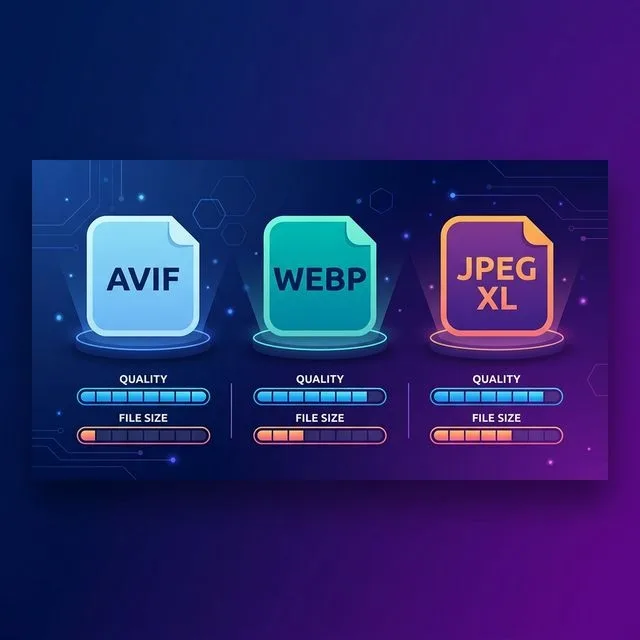
Short answer: Serve AVIF first, fall back to WebP, and keep JPEG as the last resort using the <picture> element. As of October 2026, AVIF works in roughly 94% of browsers and produces files 20–50% smaller than WebP at the same visual quality. WebP remains the safest single-format fallback at ~97% support. And here is the twist most guides still miss: JPEG XL is back — Chrome 155 (October 6) and Firefox 158 (October 13) now decode it by default, so you can add it as an optional first source without breaking a single image.
If you have been putting off the “next-gen image formats” question, the honest news is that the answer changed twice in the last twelve months. AVIF stopped being experimental. WebP stopped being the cool new thing and became the boring, reliable default. And JPEG XL, which Google famously killed in Chrome 110 back in early 2023, quietly walked back through the door in autumn 2026.
This guide compares all three on the numbers that actually matter — real file sizes at matched quality, encoding speed, browser support as of right now, and exactly how to wire them up on a WordPress or static site. If you want the full backstory on the older generation, our image formats guide covers JPEG, PNG, WebP and HEIC in depth.
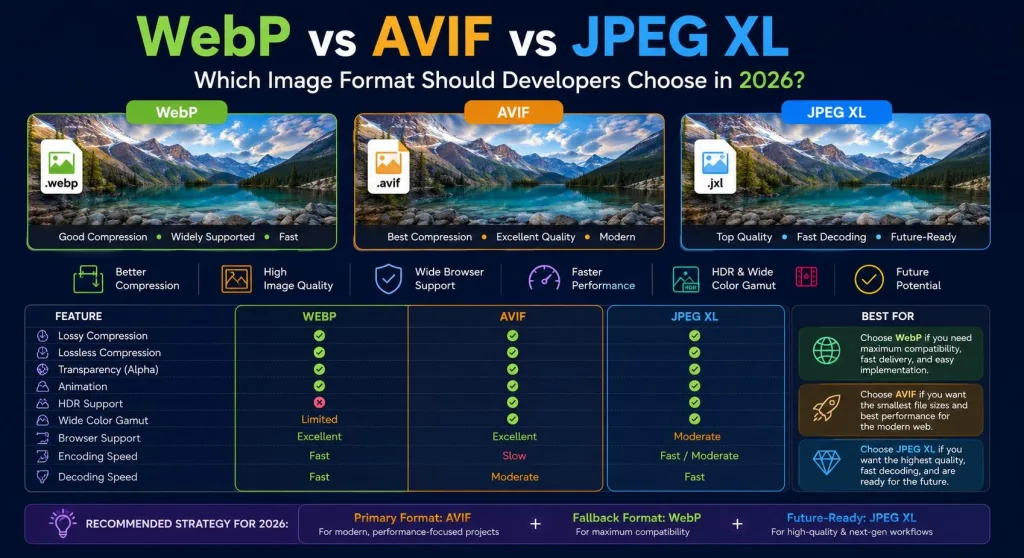
The 2026 cheat sheet
| WebP | AVIF | JPEG XL | |
|---|---|---|---|
| Released | 2010 (Google, VP8) | 2019 (AOM, AV1) | 2022 (ISO/IEC 18181) |
| Lossy vs JPEG | 25–35% smaller | ~50% smaller | ~60% smaller |
| vs WebP at same quality | baseline | 20–50% smaller | often 10–15% smaller than AVIF |
| Color depth | 8-bit | 8/10/12-bit, HDR | up to 32-bit, HDR |
| Transparency / animation | yes / mature | yes / less mature | yes / yes |
| Progressive decoding | no | no | yes |
| Encoding speed | fast (≈JPEG) | slow (4–10× WebP) | medium–fast |
| Browser support (Oct 2026) | ~97% | ~94% | Chrome 155+, Firefox 158+, Safari 17+ (partial) |
| Best at | universal web default | photos, heroes, low bitrates | archival, lossless, future-proofing |
What actually changed in 2026
Most “AVIF vs WebP” articles you will find were written before October 2026 and treat JPEG XL as dead. That is now stale. Here is the real timeline:
- February 2023: Chrome 110 removed JPEG XL decoding, citing “insufficient ecosystem interest.” Adobe, Facebook and Cloudinary pushed back publicly, but the decision stuck.
- September 2023: Safari 17 shipped native JPEG XL support (partial — stills only, no animation or progressive decode).
- Late 2025 – early 2026: A memory-safe Rust decoder (
jxl-rs) was merged back into Chromium, initially behind a flag. - October 6, 2026: Chrome 155 enabled JPEG XL decoding by default on desktop, Android and Android WebView.
- October 13, 2026: Firefox 158 followed with the same Rust decoder enabled by default.
The practical consequence: JPEG XL is no longer “Safari-only.” With Chrome and Firefox on board, it covers a large and fast-growing share of desktop traffic. The remaining gap is Safari’s partial implementation and mobile browsers that have not rolled the update out yet — which is exactly why you still serve it as an optional first source, never as your only format.
Meet the three formats
WebP: the reliable workhorse
Google announced WebP in 2010, built on the VP8 video codec. Its pitch was simple: one format that beats JPEG on photos, beats PNG on transparency, and beats GIF on animation. Google’s own WebP compression study found lossy WebP files 25–34% smaller than JPEG at equivalent SSIM, and lossless WebP 26% smaller than PNG.
It took a decade to reach universal support — Safari was the last holdout, finally adding WebP in Safari 14 (2020). Today it is the format you can ship with zero fallbacks and almost zero risk. If you only ever adopt one modern format, make it WebP.
AVIF: the compression champion
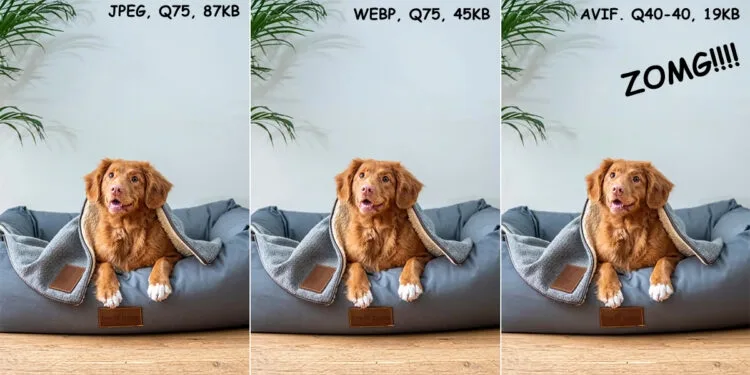
AVIF (AV1 Image File Format) was finalized in 2019 by the Alliance for Open Media — the same group behind the royalty-free AV1 video codec that powers Netflix and YouTube. It borrows AV1’s intra-frame encoding and applies it to still images. The result is the best lossy compression you can ship to a browser today: roughly 50% smaller than JPEG and 20–50% smaller than WebP at matched perceptual quality, per MDN’s format guide and multiple independent 2025–2026 benchmarks.
AVIF also supports 10-bit and 12-bit color, HDR, and wide color gamuts — features WebP simply does not have. The trade-off is encoding speed: AVIF encoding is typically 4–10× slower than WebP, which matters in build pipelines and on-the-fly conversion.
JPEG XL: the comeback kid
JPEG XL (ISO/IEC 18181) was finalized in 2022, merging Google’s PIK codec with Cloudinary’s FUIF format. It is purpose-built for still images rather than adapted from a video codec, and it has one superpower no other format offers: lossless JPEG transcoding. It can recompress an existing JPEG about 20% smaller and reconstruct the original byte-for-byte. It also supports true progressive decoding, up to 32-bit color, and CMYK.
The official JPEG XL FAQ confirms the October 2026 browser milestone. For photo archives and archival storage, JPEG XL is already the right choice today. For public web delivery, it is the format you add to your pipeline now so you are ready when mobile coverage catches up.
Compression and file size: the real numbers
File-size claims vary wildly because they depend on image content and quality settings. The fair way to compare is to hold visual quality constant (matched SSIM or DSSIM) and then measure file size. Here is what 2024–2026 benchmarks converge on for a typical photograph:
| Format | Typical size vs optimized JPEG | Example: 1.4 MB JPEG photo |
|---|---|---|
| JPEG (mozjpeg, q80) | baseline | 1.40 MB |
| WebP (q80) | ~25–35% smaller | ~1.0 MB |
| AVIF (cq≈27) | ~45–55% smaller | ~0.65–0.75 MB |
| JPEG XL (d≈1.0) | ~55–60% smaller | ~0.55–0.65 MB |
A few nuances matter. AVIF’s lead grows at lower bitrates — the harder you compress, the more AVIF pulls away. It also handles smooth gradients and film grain better than WebP, which can show banding and blockiness when pushed. But for simple logos, icons and flat illustrations, WebP lossless often beats AVIF lossless, sometimes by 30% or more. If you are trying to understand how file size, pixels and resolution interact, that is worth a read before you start bulk-converting.
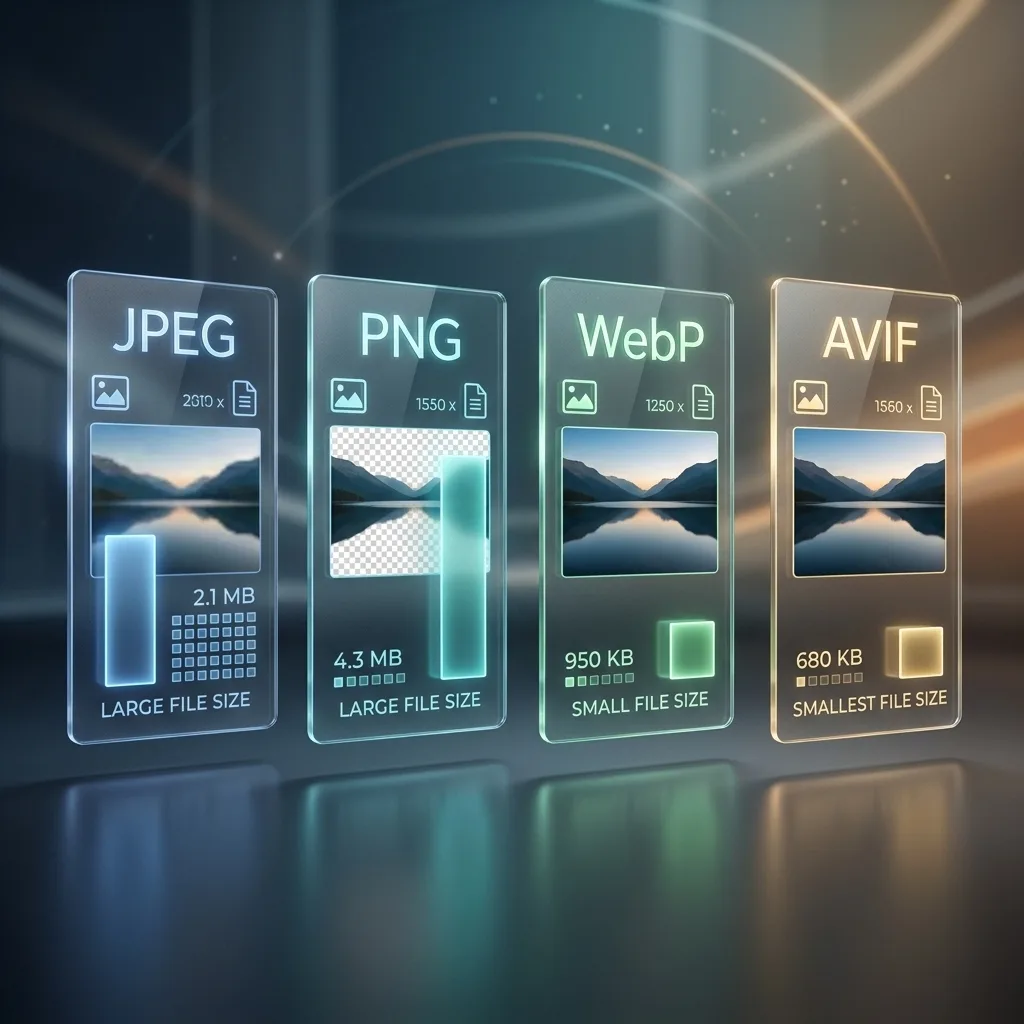
For an e-commerce site with 500 product photos, switching from JPEG to WebP saves roughly 19 MB of total image weight. Switching to AVIF saves about 31 MB. That difference compounds into faster Largest Contentful Paint (LCP), lower bounce rates, and smaller cloud storage and CDN bills at scale.
Image quality at the same file size
Smaller files are only impressive if the image still looks good. Independent DSSIM tests (DSSIM approximates human vision; lower = closer to original) consistently show AVIF winning at matched file sizes on photographic content. In one 2025 test, a photo compressed to ~193 KB scored 0.0079 in WebP and 0.0060 in AVIF — a meaningful gap that shows up as cleaner edges and less noise in fine detail.
Where it gets interesting is non-photographic content. For complex banners and screenshots, AVIF still wins. But for simple logos and flat icons, WebP can produce files 35% smaller at identical quality — which is why “AVIF for everything” is not actually optimal.
On lossless compression, the ranking flips. JPEG XL wins decisively, WebP is competitive, and AVIF often barely beats PNG. If you are archiving screenshots, UI assets, or anything that must stay pixel-perfect, WebP lossless or JPEG XL beats AVIF lossless almost every time.
Encoding and decoding speed: the AVIF catch
There is one place WebP still wins comfortably, and it is boring but important: speed. Encoding a 4-megapixel photo takes roughly 100–200 ms for WebP and 800 ms to several seconds for AVIF. Decoding in the browser is faster on both sides, but WebP still has an edge, and it supports incremental decoding where AVIF must fully download before it displays.
For a static site that encodes once and caches forever, AVIF’s encoding cost is a one-time tax — worth paying. For a service that converts images on demand per upload or per request, AVIF can overwhelm a CPU at scale, which is why many image APIs still default to WebP and offer AVIF as an opt-in.
JPEG XL sits in the middle: faster to encode than AVIF, and the only one of the three with true progressive decoding, so large photos sharpen as they arrive on slow connections.
Browser support (October 2026)
This is the table that decides everything. A format that is 50% smaller but only works in half of browsers is useless for production.
| Browser | WebP | AVIF | JPEG XL |
|---|---|---|---|
| Chrome / Edge | yes (2011/2013) | yes (Chrome 85, 2020) | yes — Chrome 155+ (Oct 2026), default |
| Firefox | yes (65+, 2019) | yes (93+, 2021) | yes — Firefox 158+ (Oct 13, 2026) |
| Safari (macOS / iOS) | yes (14+, 2020) | yes (16.4+, 2023) | partial (17+, stills only) |
| Samsung Internet / Opera | yes | yes | rolling out |
| Global coverage | ~97% | ~94% | growing fast; desktop majority, mobile partial |
Live data: caniuse.com/webp, caniuse.com/avif, caniuse.com/jpegxl.
The ~3–6% gap between WebP and AVIF matters more than it sounds if your audience skews toward older Android devices, enterprise-locked browsers, or iPhones stuck on iOS 15 or earlier. That is why AVIF with a WebP fallback is the standard recommendation — not AVIF alone.
Which format for which job
There is no single winner, and anyone who tells you otherwise is selling a plugin. Match the format to the content:
- Hero images, product photos, editorial photography: AVIF (with WebP fallback). The byte savings directly improve LCP, and Google uses Core Web Vitals as a ranking signal.
- Logos, icons, flat UI graphics: WebP lossless (or SVG for true vectors). WebP beats AVIF on simple flat content.
- Animated images (GIF replacement): animated WebP — the tooling and browser support are far more mature than animated AVIF.
- Social media uploads: check the platform; most still normalize to JPEG or WebP on upload, so AVIF uploads may be transcoded anyway.
- Email attachments, print, government portals, unknown recipients: JPEG. Nothing beats universal compatibility, and email clients still render JPEG most reliably.
- Photo archives and archival storage: JPEG XL. Lossless JPEG transcoding saves ~20% with zero quality loss and is fully reversible.
- Transparent images: WebP or AVIF both support alpha; WebP has the more mature toolchain.
How to actually implement it
The whole trick is one HTML element: <picture>. Browsers read the <source> tags in order and pick the first format they understand. Order matters — put the smallest/most advanced format first.
<picture>
  <source srcset="photo.jxl" type="image/jxl">
  <source srcset="photo.avif" type="image/avif">
  <source srcset="photo.webp" type="image/webp">
  <img src="photo.jpg" alt="Description of the photo" width="1200" height="800" loading="lazy">
</picture>
A Chrome 155 user gets the tiny JPEG XL file. A Chrome 120 user skips it and gets AVIF. Someone on an old iPhone gets WebP. A truly ancient browser gets JPEG. Nobody sees a broken image.
WordPress and CMS workflows
WordPress added native AVIF upload support in version 6.5, and WebP has been supported since 5.8. JPEG XL uploads are not yet enabled in core as of late 2026, though several optimization plugins and CDNs (Cloudinary, Imgix, Cloudflare Images) can generate all three formats automatically via Accept header content negotiation — no <picture> markup required. If you manage a large media library, resize images to their actual display dimensions before converting; a correctly-sized 1200 px JPEG will beat a 4000 px AVIF every time.
Before you bulk-convert anything, read up on how to compress images without losing quality — the quality slider you choose matters more than the format itself. For a second opinion on the format landscape, this format guide walks through the same decision from an e-commerce retouching angle.
Common mistakes to avoid
- Serving one format with no fallback. Even at 94% support, 1 in 20 visitors gets a broken image. Always include the
<picture>cascade. - Using AVIF for tiny thumbnails. For images under ~50 KB, the overhead and encode cost are not worth it. WebP or even optimized JPEG is fine.
- Assuming JPEG XL “just works” everywhere. Safari’s support is still partial (stills only), and mobile rollouts lag. Treat it as an optional first source, not a replacement.
- Converting already-compressed JPEGs to AVIF and expecting miracles. Re-encoding a lossy file stacks artifacts. Always convert from the highest-quality original you have.
- Forgetting width and height attributes. Modern formats do not fix layout shift; explicit dimensions do.
The future: what to watch
JPEG XL’s return is the big story of 2026, but it is not the end of the story. Watch three things: whether Safari fills in its partial JPEG XL implementation (animation and progressive decoding), whether Edge and Samsung Internet follow Chrome’s default-on decision, and whether HDR still imaging — now standard on flagship phones — pushes demand for 10-bit+ delivery. Neural codecs are on the research horizon but remain experimental; expect them to land as enhancement layers on top of AVIF or JPEG XL first, not as replacements.
Final recommendation
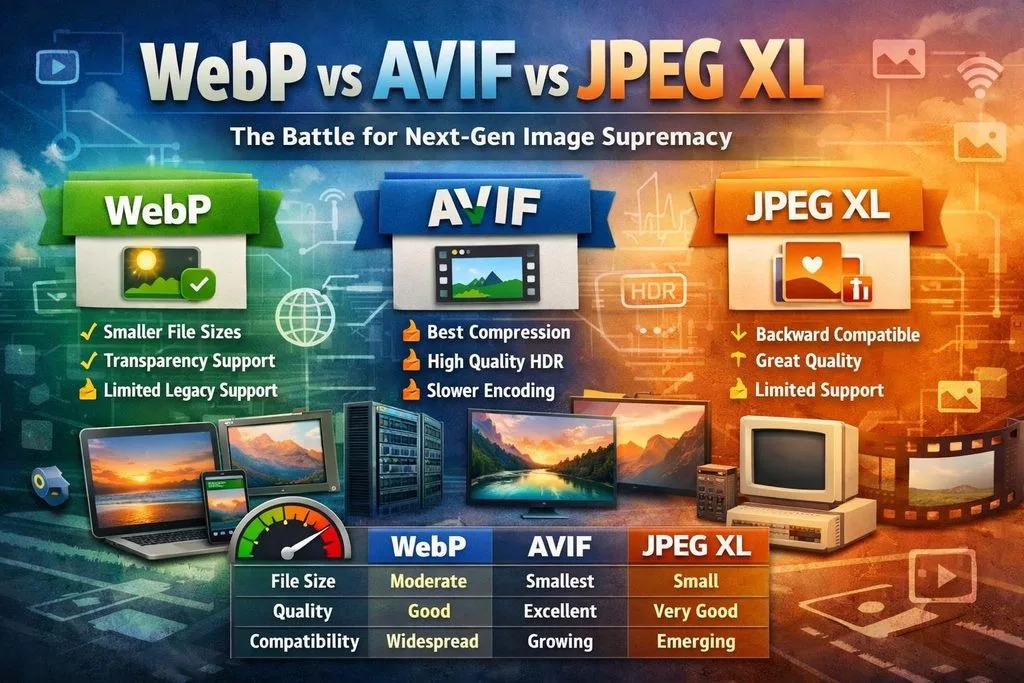
- If you do nothing else: convert JPEG/PNG to WebP. It is the lowest-friction, highest-coverage win available.
- If you run a performance-conscious site: serve AVIF with a WebP fallback via
<picture>or CDN content negotiation. This is the 2026 production default. - If you want to be future-proof: add JPEG XL as the first
<source>today. It costs one extra line, helps a fast-growing share of users, and hurts nobody. - If you archive photos: start transcoding your JPEG library to JPEG XL now. The ~20% lossless savings are guaranteed and reversible.
Frequently Asked Questions
Is AVIF better than WebP?
For photographic content, yes — AVIF produces files 20–50% smaller at equivalent visual quality and supports HDR and 10/12-bit color that WebP cannot. But WebP encodes much faster, has slightly broader browser support (~97% vs. ~94%), and wins on simple logos and flat graphics. “Better” depends on what you are optimizing for.
Should I use AVIF or WebP in 2026?
Use both. Serve AVIF to browsers that support it and fall back to WebP (then JPEG) via the <picture> element. This covers essentially 100% of visitors and gives ~94% of them the smallest possible file.
Is JPEG XL supported in Chrome now?
Yes. Chrome 155 (released October 6, 2026) decodes JPEG XL by default using a new Rust-based decoder. Firefox 158 followed on October 13, 2026. Safari 17+ has partial support (stills only). It is safe to add as an optional first source but not as your only format.
Does WordPress support AVIF?
Yes — WordPress 6.5 and later support AVIF uploads natively. WebP has been supported since WordPress 5.8. JPEG XL uploads are not yet enabled in core as of late 2026, though CDN-based plugins can generate it.
Which format loads fastest in a browser?
WebP and JPEG XL decode fastest; AVIF decoding is moderately slower due to the AV1 codec’s complexity. However, AVIF’s much smaller file size usually more than compensates on real connections, so the total time-to-visible is often best with AVIF. JPEG XL also supports progressive decoding, which improves perceived speed on slow links.
Is AVIF lossless?
AVIF supports both lossy and lossless compression, though its lossless performance is weaker than WebP lossless or JPEG XL. For pixel-perfect assets like screenshots and UI graphics, WebP lossless or JPEG XL is usually the better choice.
Will JPEG XL replace AVIF?
Not in the short term. JPEG XL is technically stronger in several dimensions (faster encode, progressive decode, lossless JPEG transcoding), but AVIF already has mature CDN, CMS and build-tool support plus ~94% browser coverage. Expect both to coexist for years, with <picture> cascades serving whichever each browser handles best.