How Much Does a 64GB SD Card Hold? The Complete 2026 Storage Guide
Introduction: Why the Real Answer Isn’t a Single Number
Understanding Storage in Practical Terms
Ask ten photographers how much a 64GB SD card actually holds, and you will collect ten different answers. That gap does not come from confusion — it comes from context. A 24-megapixel RAW file from a Sony mirrorless camera behaves nothing like a compressed HEIC snapshot from an iPhone. One Reddit shooter reported fitting only 114 uncompressed RAW frames on a 64GB card, while a smartphone user across town easily stored more than 20,000 standard photos on the same size chip.
This guide translates the marketing labels into hard, practical numbers you can rely on in 2026. You will discover exactly how many photos, hours of 4K video, MP3 songs, PDF documents, dashcam loops, and Nintendo Switch games fit on a modern 64GB card. You will also learn why the label almost never matches what your device reports, and how to squeeze every last usable megabyte out of the card you already own.
Quick Answer: 64GB SD Card Capacity at a Glance
Numbers Most Readers Search For First
Before diving into the technical breakdown, here is the summary you probably came for:
- JPEG photos (12 MP): roughly 20,000–21,000 images
- JPEG photos (24 MP): approximately 9,000–9,400 images
- RAW photos (24 MP): about 2,100–2,600 files
- HEIC photos (12 MP iPhone): up to 30,000 images
- 1080p Full HD video: around 5 to 16 hours (bitrate dependent)
- 4K UHD video: roughly 85 minutes at 100 Mbps standard
- MP3 songs (128 kbps): approximately 16,000 tracks
- PDF documents (300 KB average): more than 200,000 files
- Nintendo Switch games: 4 to 12 titles depending on file size
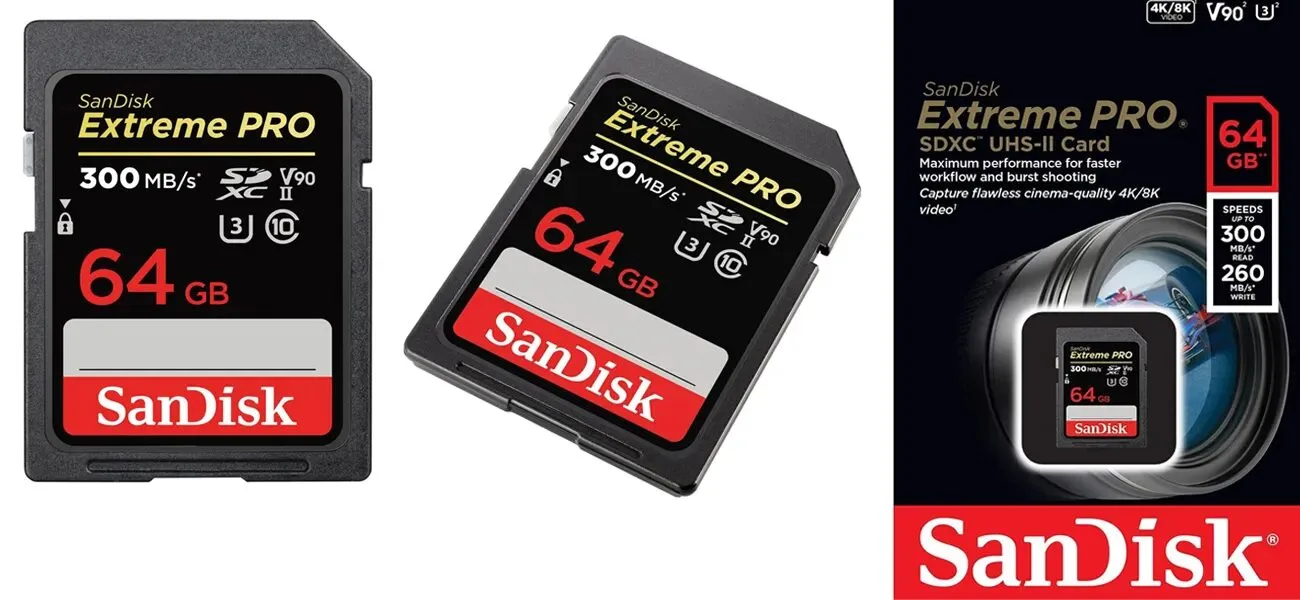
A “64GB” card usually formats down to roughly 57.6 GiB of usable space. Manufacturers count in decimal gigabytes, while operating systems count in binary units — a small but persistent gap. Our explainer on KB vs MB unpacks that whole conversion in plain language.
How Many Photos Can a 64GB SD Card Hold?
The Megapixel and Format Effect
Photo capacity scales almost directly with resolution and file format. A 12-megapixel JPEG from a smartphone might weigh only 3 MB, but a 45-megapixel uncompressed RAW file from a Nikon Z8 can push past 90 MB. That single difference means the same card can hold either 21,000 files or fewer than 700.
Camera sensors keep growing larger, too. Flagship models from Sony, Canon, and Fujifilm now routinely ship with 40 MP or higher counts, shrinking the practical photo counts significantly. Anyone eyeing modern high-resolution options can browse our roundup of the highest resolution cameras to see where the megapixel race stands today.
Detailed Photo Capacity Chart for 64GB
| Camera Resolution | JPEG (Fine) | RAW File | HEIC |
|---|---|---|---|
| 12 MP (smartphone) | ~21,000 | ~2,600 | ~30,000 |
| 16 MP (compact) | ~15,700 | ~2,000 | ~22,000 |
| 20 MP (DSLR) | ~13,000 | ~1,600 | ~18,000 |
| 24 MP (mirrorless) | ~9,400 | ~2,180 | ~14,000 |
| 36 MP (pro DSLR) | ~5,300 | ~1,100 | ~8,000 |
| 45 MP (Nikon Z8/Z9) | ~3,200 | ~700 | ~4,800 |
| 61 MP (Sony A7R V) | ~2,000 | ~500 | ~3,000 |
These estimates assume average compression settings and match figures reported by ProPhotoStudio, DPReview community testing, and SanDisk’s official picture-storage guide.
RAW vs JPEG vs HEIC: What Each Format Costs You
Different formats consume dramatically different amounts of space:
- JPEG: compressed, universally compatible, roughly 3–8 MB at 24 MP
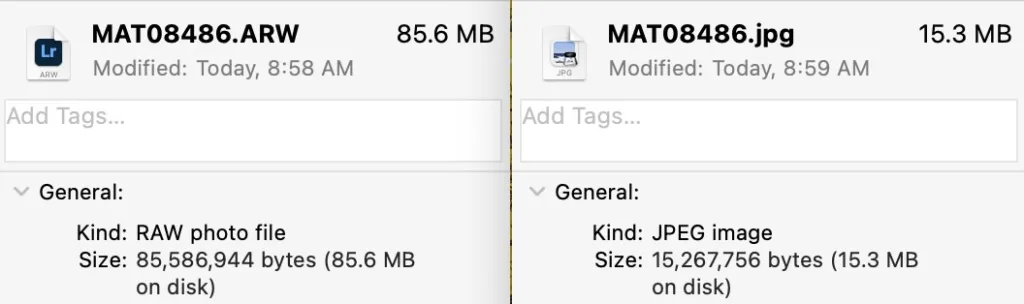
- RAW: lossless sensor data, 20–90 MB depending on camera
- HEIC: Apple’s high-efficiency format, roughly half the size of a comparable JPEG
- RAW + JPEG combo: cuts capacity nearly in half compared to RAW alone
- TIFF: uncompressed archival format, often 30–100 MB per file
Wedding, sports, and wildlife photographers routinely burn through 64GB in a single session when shooting RAW. That is exactly why professional bodies ship with two card slots. If you want to understand how format choice affects visible quality, our comparison of image formats breaks down every major standard.
How Much Video Fits on a 64GB SD Card?
Recording Time by Bitrate and Resolution
Video eats storage far faster than stills because every second contains dozens of frames. Bitrate — measured in megabits per second (Mbps) — determines exactly how hungry your footage is. SanDisk publishes an official chart that gives a reliable baseline for common camcorder recording modes.
Estimated recording time on a 64GB card (per SanDisk’s official chart):
- 6 Mbps (basic HD): 1,280 minutes (about 21 hours 20 minutes)
- 8 Mbps (720p HD): 960 minutes (16 hours)
- 9 Mbps (basic 1080p): 880 minutes (about 14 hours 40 minutes)
- 13 Mbps (standard 1080p): 640 minutes (about 10 hours 40 minutes)
- 17 Mbps (higher 1080p): 480 minutes (8 hours)
- 24 Mbps (high-quality 1080p): 320 minutes (about 5 hours 20 minutes)
- 50 Mbps (4K standard): roughly 2 hours 40 minutes
- 100 Mbps (4K high bitrate): about 85 minutes
- 200 Mbps (4K cinema): near 43 minutes
- 400 Mbps (RAW cinema 4K): roughly 21 minutes
Serious 4K shooters should pair 64GB storage with the right hardware. Our guide to the best compact camera with viewfinder covers models optimized for efficient bitrate use.
4K and 8K: When the Storage Crunch Gets Real
Cinematic resolutions hit storage limits fast. A single minute of 8K footage at 470 Mbps consumes roughly 3.5 GB. Thirty minutes of 8K video demands over 100 GB of headroom, meaning even two 64GB cards will barely handle a short professional shoot. For anyone entering 8K workflows, 128GB or 256GB is the practical minimum in 2026.
GoPro and Action Camera Estimates
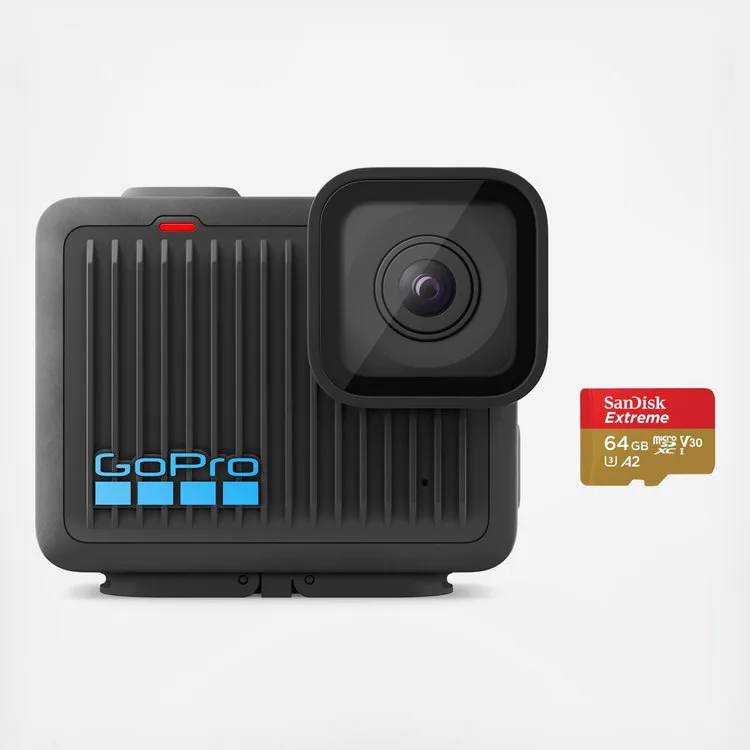
GoPro Hero-series cameras vary widely in their bitrate demands. Community reports and official GoPro documentation suggest a 64GB card typically delivers:
- 1080p at 60fps: around 4 hours 30 minutes
- 2.7K at 60fps: roughly 2 hours 40 minutes
- 4K at 30fps: approximately 1 hour 30 minutes
- 4K at 60fps: about 45 minutes
- 5.7K on Max/360 models: near 70 minutes
If you shoot vlogs, adventure clips, or travel content, our roundup of the best budget action cameras covers models that pair well with 64GB cards.
Dashcams and Continuous Loop Recording
How Long Before the Loop Resets?
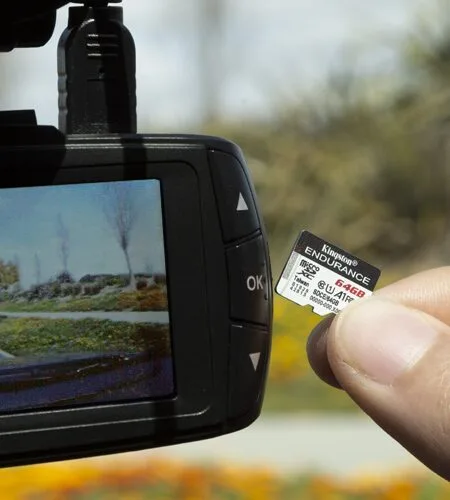
Dashcams work differently from regular cameras because they overwrite footage in loops. A 64GB card typically holds 8 to 12 hours of continuous 1080p driving footage before returning to the oldest file and starting over.
Key dashcam capacity guidelines include:
- 1080p at 30fps: 8–12 hours of driving footage stored
- 1440p (2K): roughly 5–7 hours before loop
- 4K dashcam: 2–3 hours before reset
- Dual-channel front and rear: cuts capacity nearly in half
- 24/7 parking surveillance: motion detection extends effective coverage
Always choose a card rated for high endurance. SanDisk’s High Endurance microSD line handles up to 40,000 hours of recording before wear becomes a serious concern — regular consumer cards fail much sooner under constant write loads.
Music, Audiobooks, and Podcast Storage
How Many Songs Fit on 64GB?
Audio files stay refreshingly light. A standard 3.5-minute MP3 encoded at 128 kbps consumes about 3.5 MB. That produces roughly 16,000 songs on a single 64GB card — enough listening for over 700 hours without a single repeat.
Different audio qualities cost you different amounts of space:
- MP3 at 128 kbps: approximately 16,000–17,000 tracks
- MP3 at 320 kbps (high quality): around 6,400 songs
- AAC at 256 kbps: roughly 8,000 tracks
- FLAC lossless: about 1,500–2,000 songs
- Audiobooks (32 kbps): more than 900 hours of narration
- Podcasts: typically 500–700 hours at average bitrates
For music production and field recording, 64GB comfortably handles multitrack WAV sessions of moderate length. Professional producers usually reach for higher-capacity cards for full-album work.
Documents, Apps, and Everyday Files
The Overlooked Use Case
If you use your SD card for backups or portable file storage rather than media, the numbers become almost comically generous. Most consumer memory cards enforce practical file-count limits around 40,000 files, but capacity by file type looks like this:
- Word documents (25 KB average): more than 2.4 million files
- PDF files (300 KB average): approximately 200,000 documents
- PowerPoint presentations (2 MB): around 30,000 decks
- Spreadsheets (500 KB): over 120,000 files
- Mobile apps (50 MB average): roughly 1,200 installers
- eBooks (2 MB EPUB): around 30,000 titles
That headroom makes 64GB perfectly suited for students, writers, researchers, and archivists who mostly handle text and small documents.
Nintendo Switch and Gaming Storage
Not All Consoles Read the Same Card
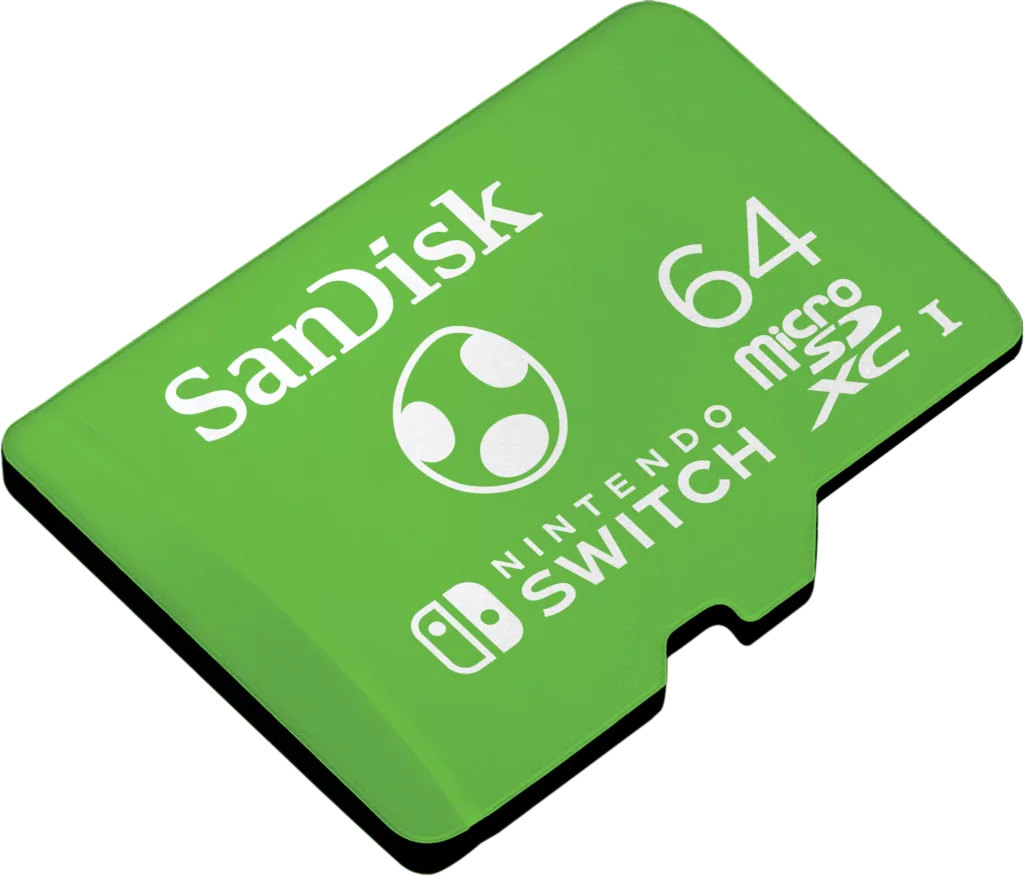
Nintendo Switch owners rely on microSDXC cards to expand their game libraries, but modern titles have ballooned in size. Roughly what fits on a 64GB Switch card:
- Indie games (200 MB–2 GB): 30 or more titles
- Mid-size games (5–10 GB): 6 to 12 games
- AAA titles (15–30 GB): 2 to 4 games
- Zelda: Tears of the Kingdom (16 GB): 3 copies with room to spare
- Downloadable content: highly variable, usually 500 MB to 5 GB per pack
Important 2026 update — the Nintendo Switch 2 requires microSD Express cards and rejects standard microSDXC. If you own the newer console, a regular 64GB card will not work at all. Original Switch and Switch Lite units still accept classic microSDXC without issues.
Why Real Capacity Falls Short of 64GB
The Missing Gigabytes Explained
The label on the packaging never matches what your camera or phone reports. Three factors explain the shortfall:
- Binary vs decimal math: manufacturers use 1 GB = 1 billion bytes; operating systems use 1 GiB = 1,073,741,824 bytes. That single conversion trims about 7% off the label.
- File system overhead: exFAT and FAT32 reserve space for tracking directories, allocation tables, and metadata. Expect 100–300 MB gone before you save a single file.
- Reserved wear-leveling area: flash controllers hide a small pool of spare cells to swap in when others wear out.
After all three deductions, a “64GB” card typically formats to about 57.6 GiB of usable space according to Emtec’s official capacity table. That is completely normal and expected across every brand.
Understanding SD Card Types: SDHC vs SDXC vs SDUC
Which Standard Does 64GB Use?
Every 64GB SD card sold today is an SDXC card. SDHC cards top out at 32GB, so 64GB automatically falls into the SDXC category. The practical differences matter more than the acronyms:
- SDHC: 4GB to 32GB, uses FAT32 file system
- SDXC: 64GB to 2TB, uses exFAT file system
- SDUC: newest standard, extends capacity up to 128TB
- microSD Express: required by Nintendo Switch 2 and next-gen handhelds
Older cameras, MP3 players, and game consoles may only accept SDHC. Always check your device manual before assuming compatibility. Notably, the original Nintendo 3DS uses FAT32, which means it cannot mount a 64GB SDXC card without reformatting workarounds.
Speed Classes Decoded: U1, U3, V30, V60, V90
Capacity Means Nothing Without Matching Speed
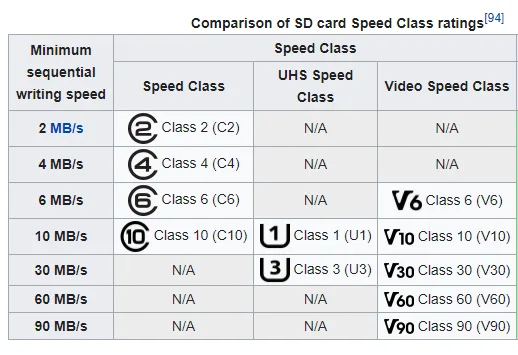
A 64GB card with sluggish write performance will drop 4K frames or freeze during burst-mode shooting. The SD Association defines these classifications clearly:
- Class 10 / U1: minimum 10 MB/s write; suitable for 1080p
- U3 / V30: minimum 30 MB/s write; handles 4K comfortably
- V60: minimum 60 MB/s write; ideal for 4K high bitrate and 6K
- V90: minimum 90 MB/s write; required for 8K raw video
- A1 / A2: app-performance ratings for smartphone use
For most photographers and content creators in 2026, a U3 V30 64GB card hits the sweet spot between price and reliable performance.
Choosing the Right 64GB SD Card in 2026
What to Prioritize Before Buying
Not every 64GB card handles workloads equally. Prioritize these features when shopping:
- Match the class to your camera: V30 minimum for 4K, V60 for higher bitrates
- Stick with reputable brands: SanDisk, Lexar, Samsung, Kingston, ProGrade
- Verify authenticity: counterfeit cards flood online marketplaces
- Consider dual-card cameras: two 64GB cards often beat one 128GB
- Check the read speed for offloading: 170 MB/s or faster saves editing time
- Confirm warranty length: many brands offer lifetime coverage
For creators comparing hardware options, our comparison of front vs back camera accuracy covers how sensor design influences the storage load per shot.
Backing Up a 64GB Card: Best Practices
Never Trust a Single Storage Point
A single card in a single camera equals a single point of failure. Professional photographers follow the 3-2-1 rule — three copies, two different media types, one offsite. Practical steps include:
- Offload after every shoot: transfer footage before the card fills
- Use dual card slots: shoot backups simultaneously in mirrored mode
- Cloud backup: upload to a trusted provider immediately
- External SSDs: faster than hard drives for large photo libraries
- Verify twice before deletion: never wipe originals until two copies exist
For robust online backup options, our roundup of the best cloud storage for photos breaks down current pricing and reliability rankings.
When 64GB Is Enough — and When It Isn’t
Matching Card Size to Real-World Needs
A 64GB card is plenty when you:
- Shoot casual JPEG family photos on a smartphone
- Record short 1080p clips for social media
- Store music libraries or audiobooks for road trips
- Carry documents, PDFs, and eBooks while traveling
- Play indie games on the original Nintendo Switch
- Log a week of dashcam driving footage
You will outgrow 64GB when you:
- Shoot professional weddings or sports events in RAW
- Record long-form 4K or 8K video projects
- Run dual-channel 4K dashcams continuously
- Store modern AAA game libraries on Switch
- Work multi-day travel or wildlife assignments
- Save uncompressed audio masters at 24-bit/96kHz
If storage anxiety keeps returning, the more useful question is often camera choice rather than card size. Our review of the best budget camcorder highlights models optimized for efficient recording.
Maintenance Tips That Extend SD Card Life
Simple Habits Prevent Data Loss
Flash memory has a finite number of write cycles. Keep a 64GB card healthy for years by following these habits:
- Format the card in-camera rather than through your computer
- Avoid pulling the card mid-write — always eject cleanly
- Store cards in protective cases to shield metal contacts from dust
- Never expose cards to extreme temperatures for long periods
- Retire the card after 3–5 years of heavy use even if it still works
- Run diagnostic software occasionally to catch weakening cells early
- Keep firmware updated on your camera to avoid write errors
Photographers who suffer image corruption often blame the card when the real issue lies in shooting habits or camera settings. Our tutorial on fixing grainy photos covers the difference between memory-card damage and sensor noise.
64GB in Different Devices: Compatibility Quick-Reference
Where the Card Works — and Where It Doesn’t
- DSLR and mirrorless cameras: universally compatible with SDXC
- Smartphones (Android): microSDXC slot required; iPhones do not support cards at all
- Original Nintendo Switch and Switch Lite: microSDXC works perfectly
- Nintendo Switch 2: requires microSD Express — standard cards will not function
- Drones: DJI, Autel, and Skydio units all accept 64GB microSD
- Dashcams: high-endurance rating strongly recommended
- Pre-2010 DSLRs: may require SDHC firmware update or new card
- Nintendo 3DS/2DS: needs FAT32 reformatting for SDXC
- Security and trail cameras: work with V30-rated 64GB cards
- Raspberry Pi and single-board computers: boot from microSDXC
How 64GB Stacks Up Against Other Sizes
Relative Value Across the SD Card Family
Understanding relative value helps you choose wisely:
- 32GB: roughly 4,700 JPEGs or 2.5 hours of 1080p — outdated for most 2026 uses
- 64GB: sweet spot for casual creators, travelers, and mid-tier phones
- 128GB: doubles capacity; ideal for weekend trips and 4K vlogging
- 256GB: professional standard for wedding and event shooters
- 512GB and higher: cinematic 4K/8K workflows and long documentary shoots
- 1TB microSD: now common for GoPro Hero 13 and drone marathons
Doubling capacity usually costs only a few extra dollars in 2026, so many buyers now skip 64GB entirely in favor of 128GB unless they specifically need multiple smaller cards for redundancy.
Common Signs Your SD Card Is Failing
Warning Signals Before Total Data Loss
Even the best 64GB card eventually fails. Watch for these red flags before disaster strikes:
- Corrupted or unreadable files appearing without warning
- Missing folders or randomly renamed image files
- Write errors during shooting or transfer
- Card recognized but shows 0 bytes free space
- Camera prompts for formatting every time you insert it
- Slow read/write speeds compared to when new
- Random freezes while browsing photos on the device
If two or more symptoms appear, back up everything immediately and retire the card. Continuing to use a failing card guarantees eventual data loss.
FAQ: Common Questions About 64GB SD Cards
1. How many 4K videos can 64GB hold?
At standard 4K bitrates (around 100 Mbps), a 64GB card holds approximately 85 minutes of continuous footage. High-bitrate 4K at 200 Mbps cuts that to about 43 minutes. Cinema-grade 400 Mbps recording drops it to roughly 21 minutes total.
2. Is 64GB enough for a phone?
For most smartphone users, yes — provided you back up photos regularly. A 64GB microSD card holds around 20,000 JPEG snapshots or 8 hours of 1080p video. If you shoot 4K often or download offline Netflix content, upgrade to 128GB or 256GB.
3. How long does a 64GB SD card last?
A quality 64GB card typically survives 5 to 10 years of moderate use. High-endurance dashcam cards can log up to 40,000 hours of continuous recording. Cheap or counterfeit cards may fail within a year.
4. Why does my 64GB card show only 57 or 59 GB?
That gap is completely normal. Manufacturers advertise capacity in decimal gigabytes (1 GB = 1 billion bytes), while operating systems measure in binary gibibytes. Combined with file-system overhead and reserved wear-leveling space, roughly 57.6 GiB of usable storage is expected on any 64GB card.
5. Can a 64GB SD card record continuously?
Yes, but only until it fills. Standard cameras stop recording once the card is full. Dashcams and security cameras use loop recording to overwrite the oldest footage automatically, letting them run essentially indefinitely.
6. Which is better — 64GB or 128GB?
For 2026, most creators should choose 128GB. The price gap has shrunk to just a few dollars, and 128GB doubles your safety margin for 4K video and RAW photography. Pick 64GB only if you specifically want multiple smaller cards for redundancy.
7. Can I use a 64GB card in an old camera?
Only if the camera supports the SDXC standard (released in 2009). Cameras made before 2010 or ultra-budget models may reject SDXC cards outright. Check the manual or product spec sheet before buying.
8. Does formatting a 64GB card erase everything?
Yes. Formatting deletes all data and resets the file system. Always back up your photos, videos, and files before formatting, and always format inside the device you plan to use — this optimizes the card’s structure for that specific camera or phone.
Final Thoughts
Making 64GB Work for You
A 64GB SD card remains one of the most flexible storage options on the market in 2026. It comfortably handles a family vacation of JPEG snapshots, an afternoon of 4K clips, a weekend of dashcam driving footage, or your entire music library. Where it falls short is at the professional edge — long-form 4K, 8K cinema, and RAW photography workflows that outgrew the format years ago.
Choose 64GB when your workflow lives inside its limits, back up religiously to a cloud service or external drive, and always pair the card with the correct speed class for your device. Get those pieces right and this humble little chip will keep serving you long after the next generation of cameras arrives.